12 Interactive 3D Carousel Gallery Example Entries for 2025

12 Interactive 3D Carousel Gallery Example Entries for 2025

An interactive 3D carousel gallery example can be a valuable source of inspiration for web designers looking to create more engaging and immersive interfaces. With many creative 3D carousel designs available today, designers can explore different layouts, animations, and interactions to guide their own projects.

Key Takeaways:

  • Interactive 3D carousel designs use depth and motion to make browsing more engaging.
  • Interaction methods like scrolling, dragging, and hovering help guide attention, as shown in many effective 3D carousel examples.
  • These galleries work best when visual effects support clear UX goals such as storytelling, navigation, or showcasing work.

Example of 3D Carousel Websites: 12 Recommendations

These websites stand out as strong inspiration for an interactive 3D carousel gallery example, showcasing how 3D effects can enhance user engagement and visual storytelling.

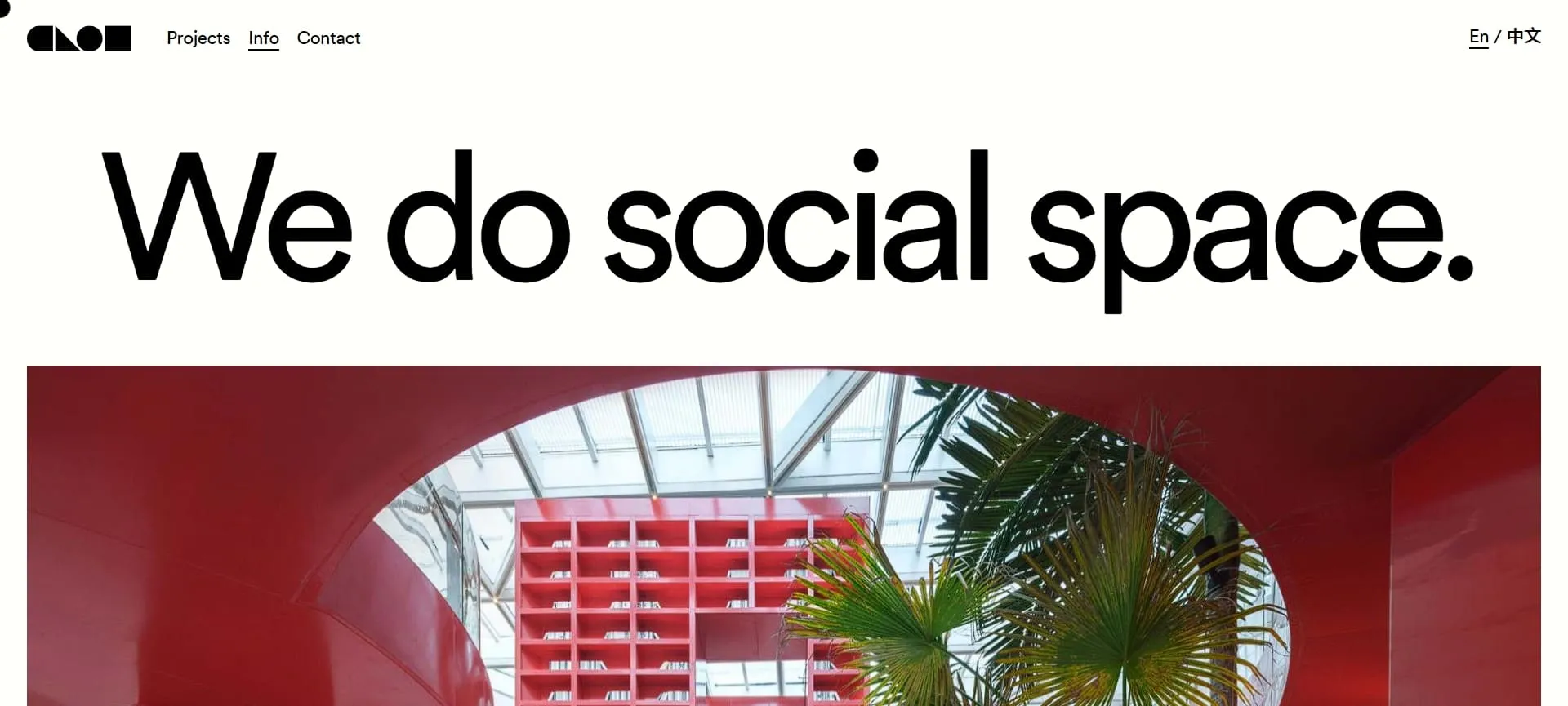
1. Clou Architects

Clou Architects
Clou Architects (Source: Clou Architects)
  • Interaction: Drag to rotate the ring; hover to expand project details; click to enter case studies.
  • 3D Effect: Projects sit on varying depth planes, creating true volumetric spacing that shifts perspective as the ring turns.
  • Best Use: Architectural firms and high-end design portfolios.
  • UX Highlight: Smart separation of hover areas from image planes prevents jittering, ensuring smooth selection even during rotation.

Also Read: 15 Best 3D Logo Designs That Define Modern Brands

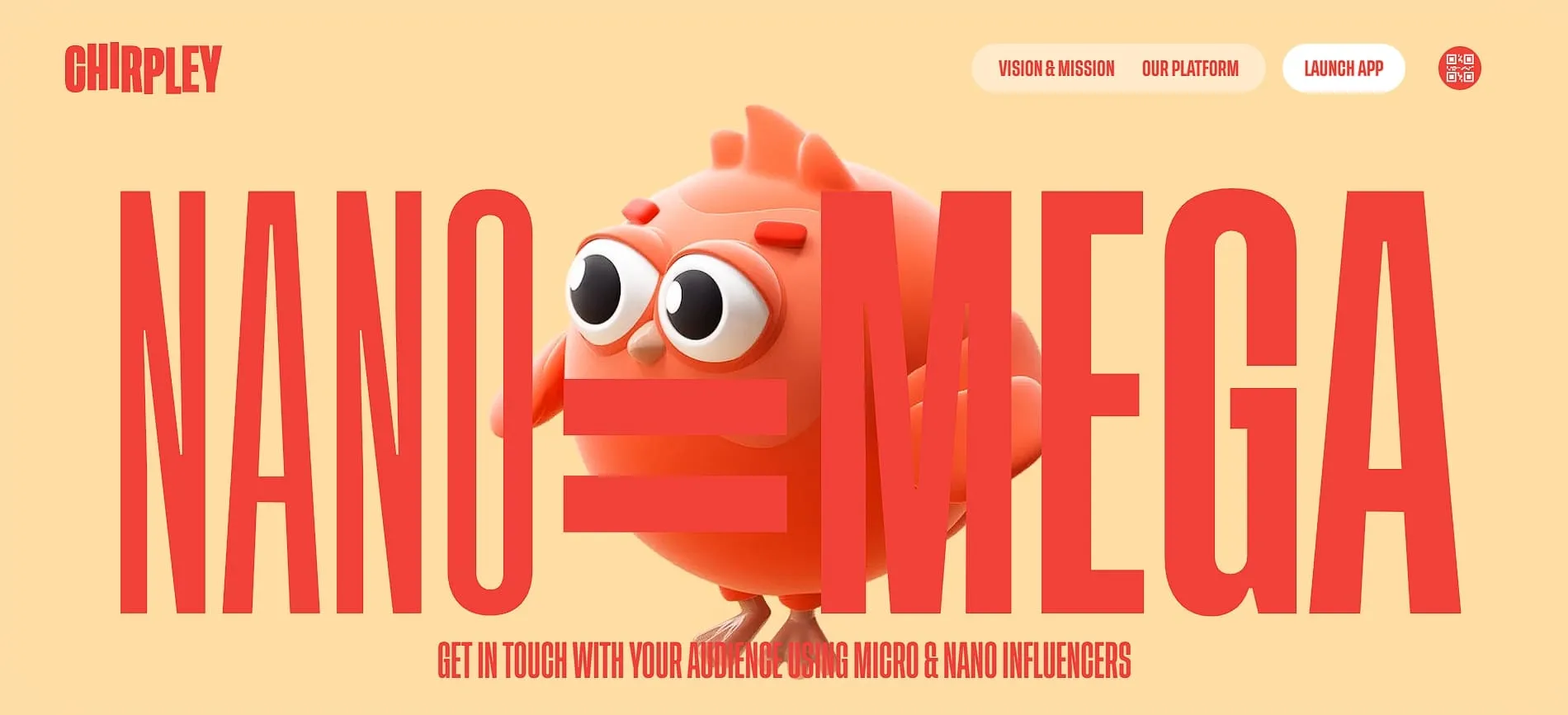
2. Chirpley

Chirpley
Chirpley (Source: Chirpley)
  • Interaction: Scroll-triggered animation where the mascot interacts with carousel cards.
  • 3D Effect: Depth is achieved through parallax layers, where the mascot floats in the foreground while content cards slide behind.
  • Best Use: SaaS startups and brands with strong character identities.
  • UX Highlight: The “mascot guide” visual cue naturally directs the user’s eye from one slide to the next to improve retention.

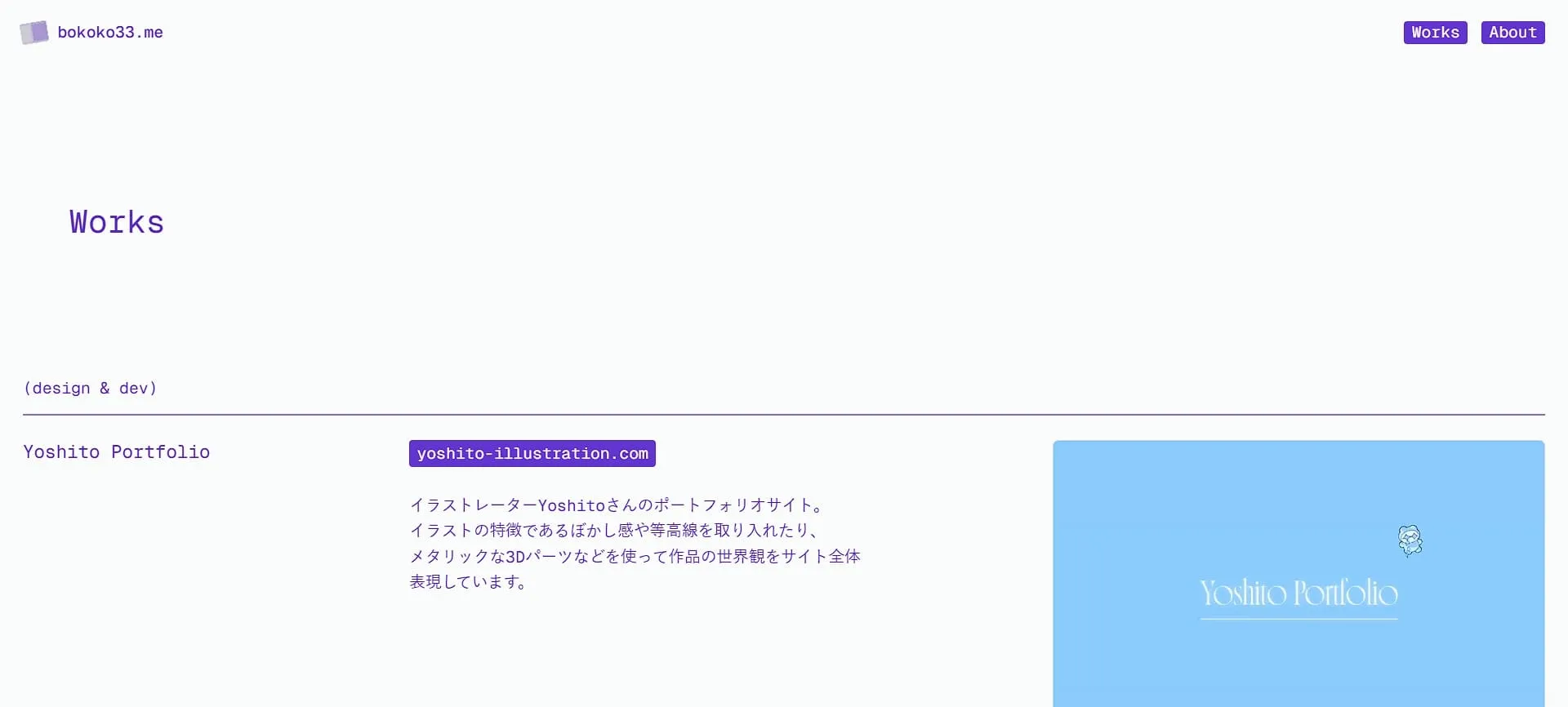
3. Kamaboko Portfolio

Kamaboko Portfolio
Kamaboko Portfolio (Source: Kamaboko Portfolio)
  • Interaction: Scroll-based navigation that mimics camera dollying (moving forward) rather than lateral sliding.
  • 3D Effect: Seamless transition from a wide room view to close-up object details using WebGL.
  • Best Use: Creative personal portfolios and interior design showcases.
  • UX Highlight: The continuous zoom interaction creates a sense of discovery, rewarding users for exploring deeper into the content.

4. Peter Tarka

Peter Tarka
Peter Tarka (Source: Peter Tarka)
  • Interaction: Mouse-move parallax causing elements to drift; click to focus.
  • 3D Effect: Fluid motion and soft shadows create a sense of weightlessness and floating depth.
  • Best Use: Art direction portfolios and premium digital agencies.
  • UX Highlight: The subtle response to mouse movement keeps the gallery feeling “alive” even when idle.

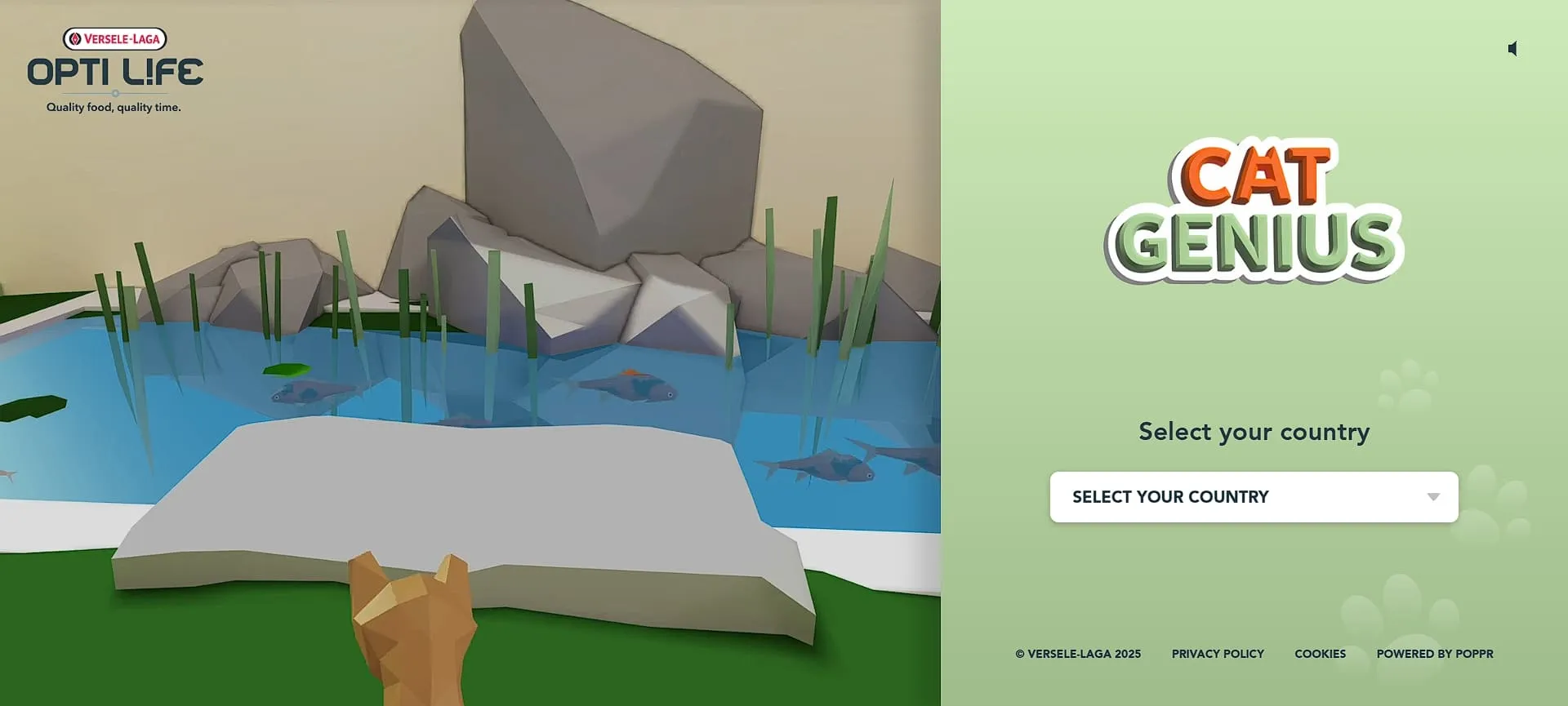
5. Cat Genius

Cat Genius
Cat Genius (Source: Cat Genius)
  • Interaction: Keyboard or touch controls to move the character between “slides” (levels).
  • 3D Effect: The entire environment rotates and shifts perspective as the character advances.
  • Best Use: Interactive marketing campaigns and contest landing pages.
  • UX Highlight: Transforming a slider into a game level progression turns passive viewing into active play.

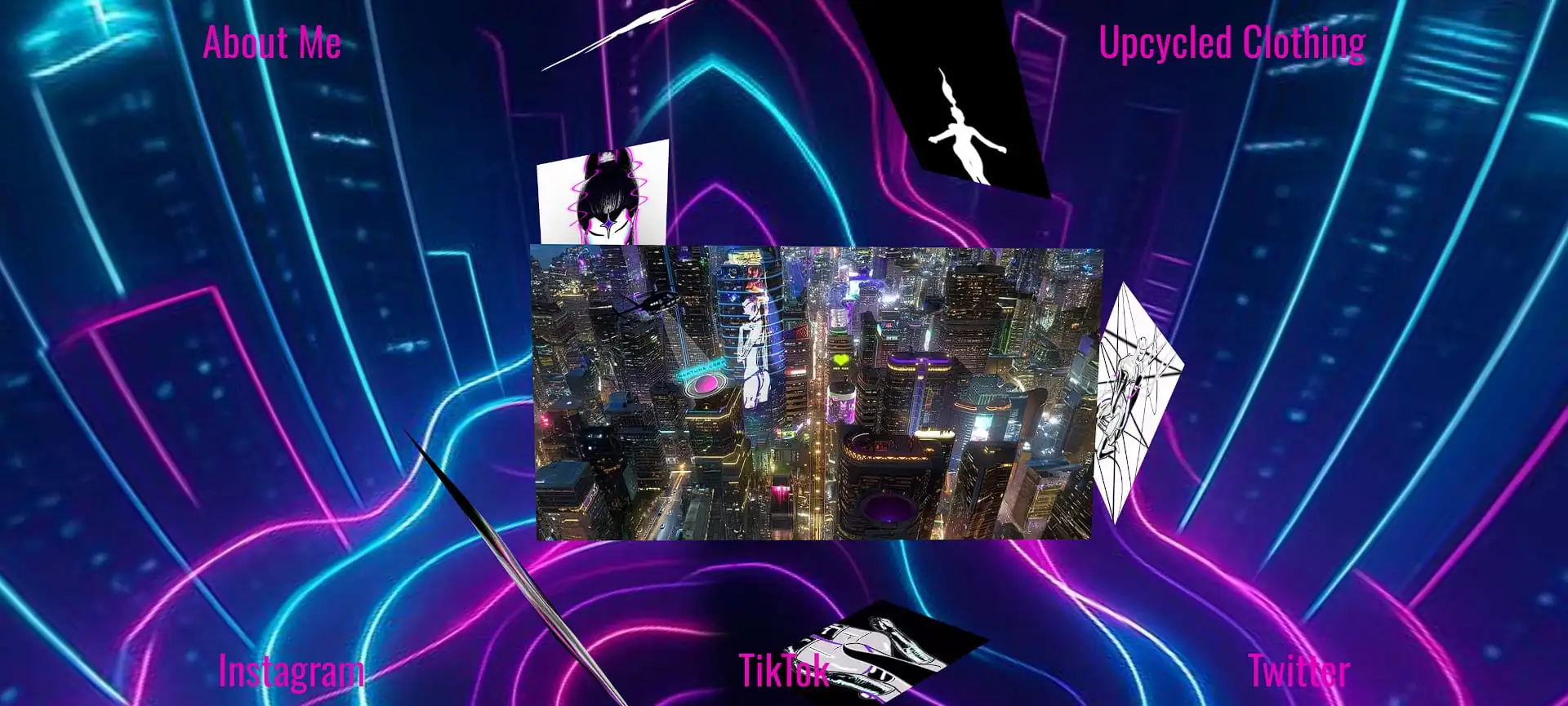
6. Dr3amneptune

Dr3amneptune
Dr3amneptune (Source: Dr3amneptune)
  • Interaction: Drag to rotate the sphere; click markers to open projects.
  • 3D Effect: Projects exist in spherical 3D space, creating a “planet of work” metaphor.
  • Best Use: 3D animators and generalist artists.
  • UX Highlight: The non-linear format of this portfolio invites users to explore projects they might otherwise skip in a list.

Also Read: 3D Product Visualization Software: 8 Tools for Modern Design

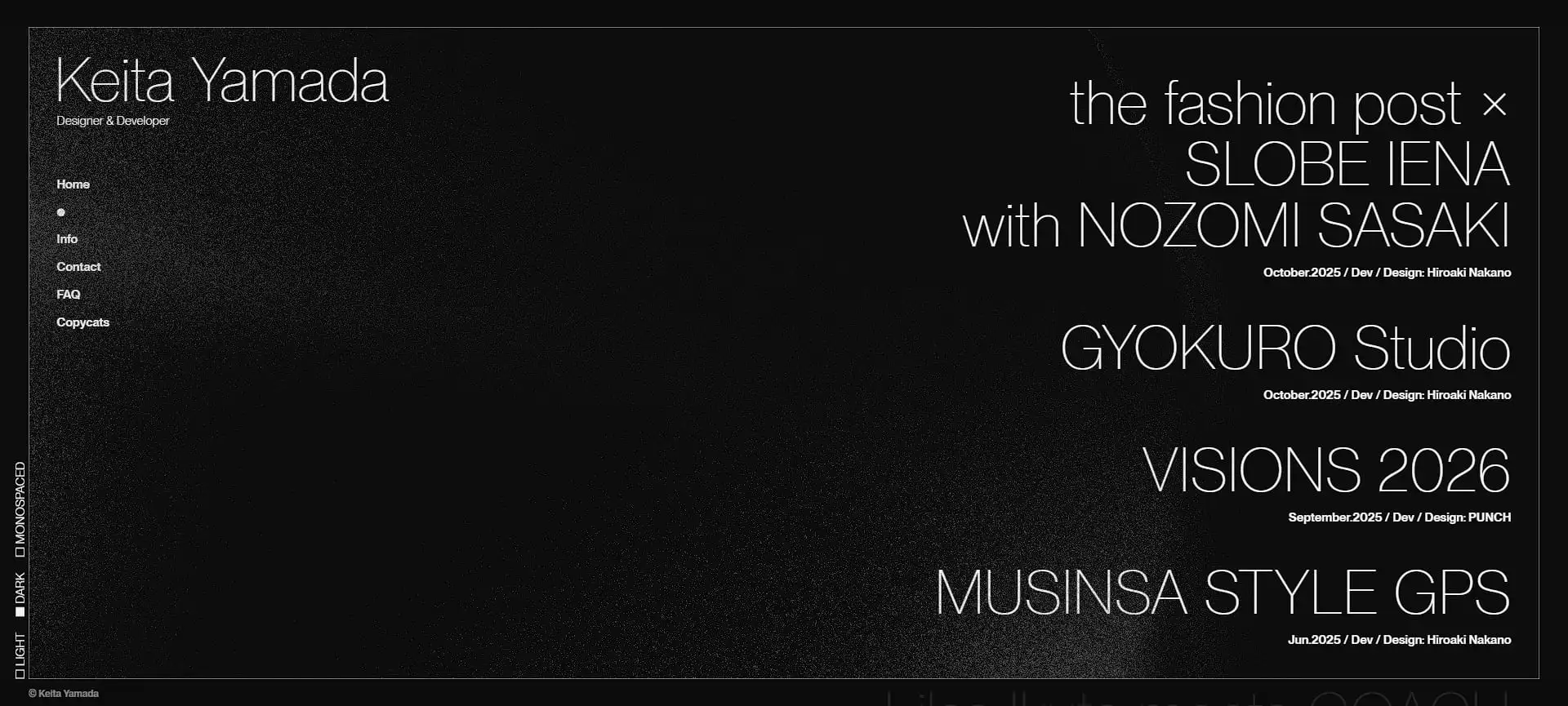
7. Keita Yamada

Keita Yamada
Keita Yamada (Source: Keita Yamada)
  • Interaction: Scroll to move the camera forward through 3D space.
  • 3D Effect: Perspective shifts and parallax create a convincing feeling of walking through a physical volume.
  • Best Use: Fine artists and exhibition designers.
  • UX Highlight: The spatial progression gives a sense of narrative and scale to the body of work that elevates it beyond simple thumbnails.

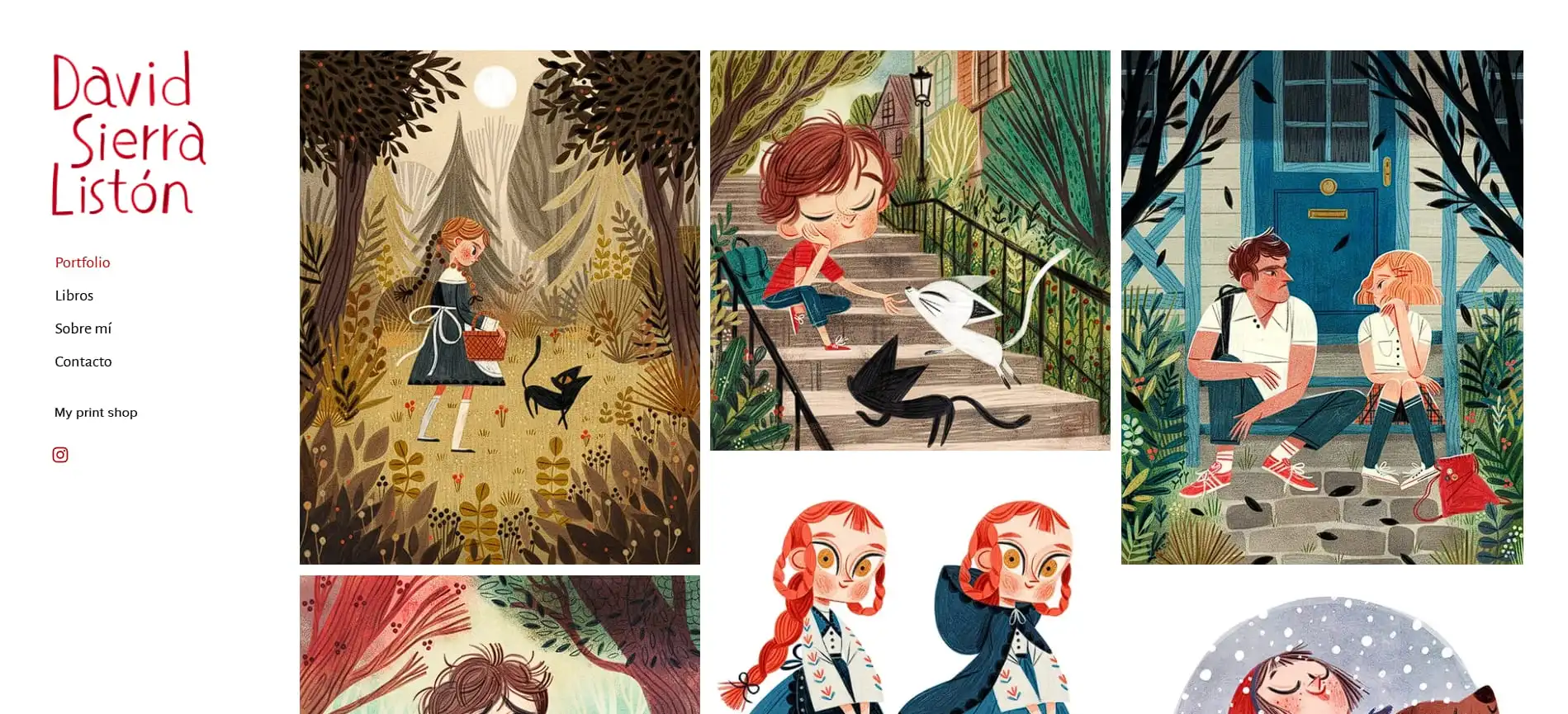
8. David Sierra

David Sierra
David Sierra (Source: David Sierra)
  • Interaction: Swipe or click to advance, and hover for micro-interactions.
  • 3D Effect: Layered parallax within individual cards creates a diorama-like depth.
  • Best Use: Illustrators, character designers, and children’s book artists.
  • UX Highlight: The playful depth of this interactive 3D carousel gallery example adds charm and personality, perfectly matching the illustrative style of the work.

9. Diego Liv

Diego Liv
Diego Liv (Source: Diego Liv)
  • Interaction: Scroll to shuffle cards; smooth transitions between projects.
  • 3D Effect: Depth-of-field blur and Z-axis movement create a realistic card-shuffling animation.
  • Best Use: Motion designers and video editors.
  • UX Highlight: The card-stack metaphor is intuitive and space-efficient to allow large visuals without cluttering the screen.

Also Read: 15 Easy Tinkercad Projects to Boost Your 3D Modeling Skills

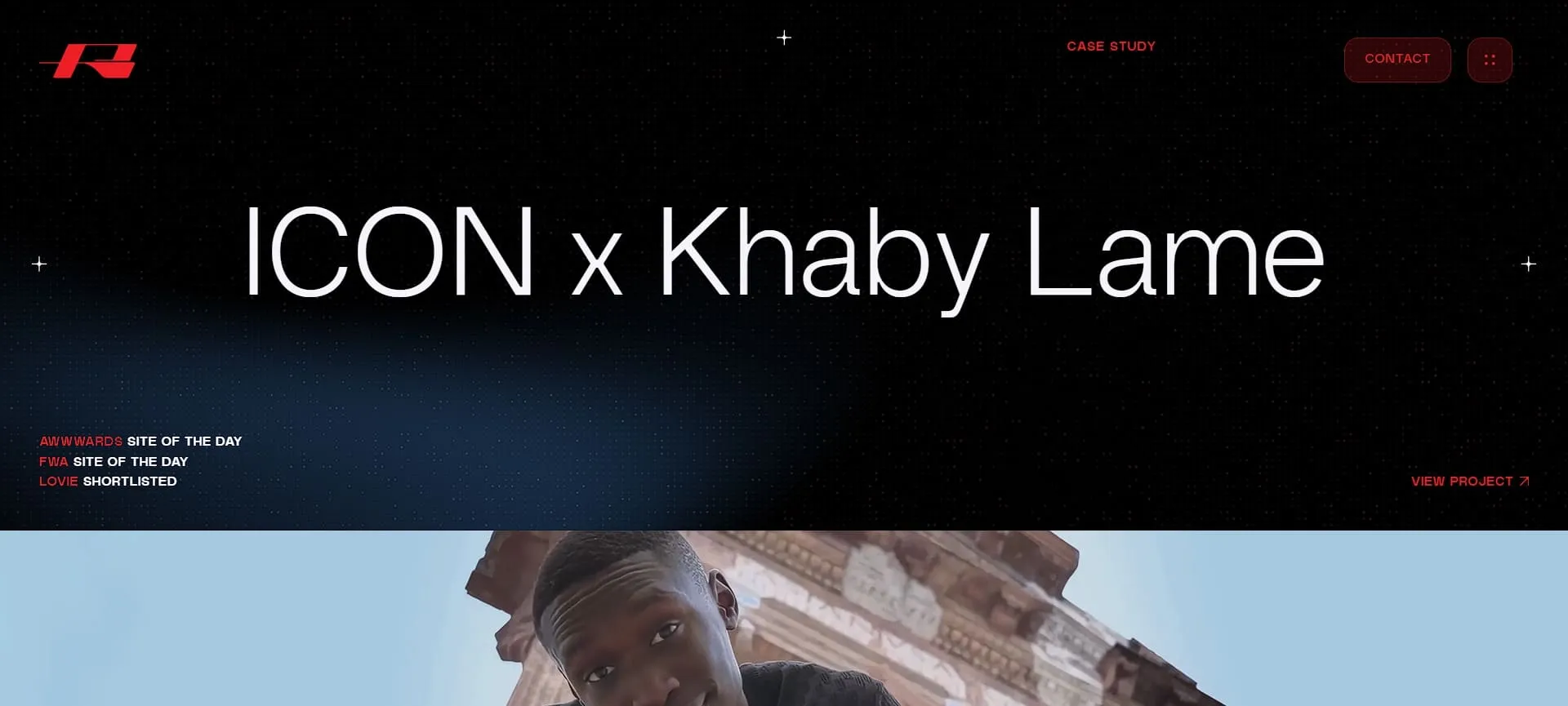
10. Rocani Studio x Khaby

Rocani Studio x Khaby
Rocani Studio x Khaby (Source: Rocani Studio)
  • Interaction: Scroll to advance the narrative and camera position.
  • 3D Effect: Cinematic camera moves and scene transitions create a continuous 3D journey.
  • Best Use: Creative agencies, storytelling brands, and production studios.
  • UX Highlight: Transforming the portfolio into a narrative journey ensures high engagement and emotional connection with the viewer.

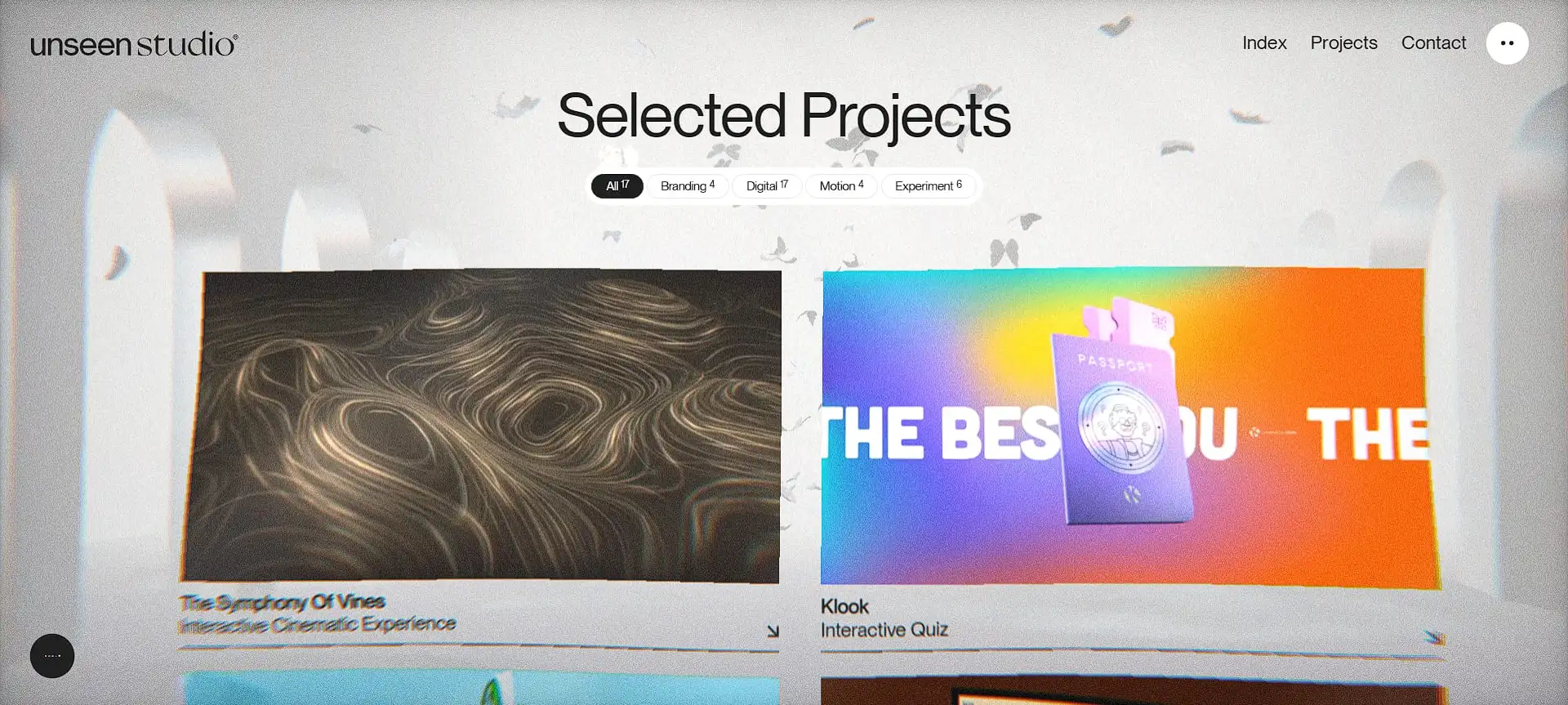
11. Unseen Studio

Unseen Studio
Unseen Studio (Source: Unseen Studios)
  • Interaction: Drag to ripple and move the “flutter” of the carousel.
  • 3D Effect: Real-time flutter simulation creates organic, flowing movement.
  • Best Use: Fashion brands and textile designers.
  • UX Highlight: The organic movement stands out sharply against the rigid grids of standard web design.

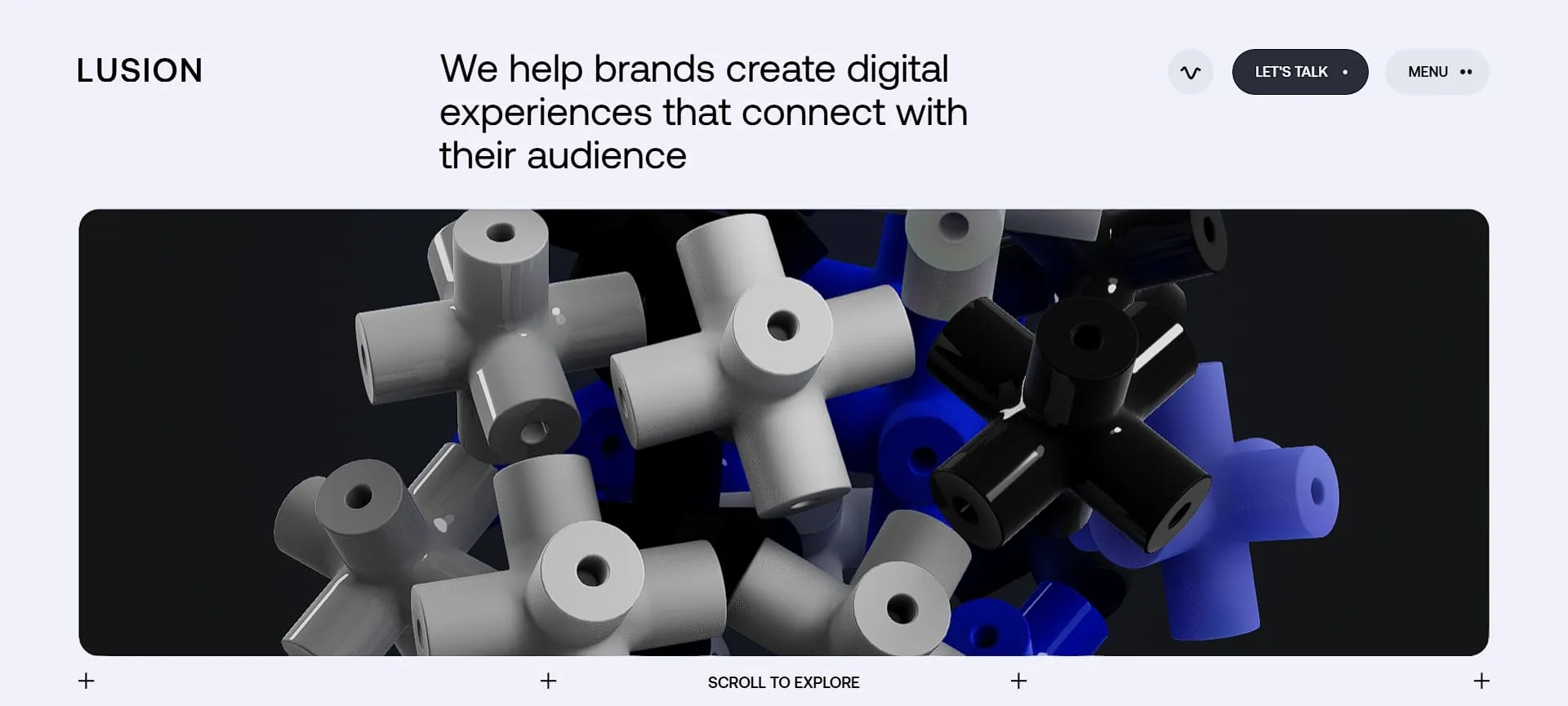
12. Lusion

Lusion
Lusion (Source: Lusion)
  • Interaction: Scroll to direct the 3D crowd and camera.
  • 3D Effect: Particle systems and crowd simulation create complex, dynamic movement.
  • Best Use: Technical directors and creative coding studios.
  • UX Highlight: Using a 3D crowd as a navigational cue is a brilliant metaphor for “following the trend” or joining a movement.

Also Read: How to Design 3D Prints: A Complete Guide for Beginners

Make 3D Carousel Galleries Even More Interactive and Immersive!

From these examples, we can see how the best 3D carousel websites show how motion, depth, and user control can turn simple browsing into an engaging experience. Each interactive 3D carousel gallery example demonstrates how thoughtful interaction can highlight content, guide attention, and encourage users to explore longer.

If you want to build similar experiences, high-quality 3D resources from Tridimensi can make the process much easier! Their well-crafted assets support polished results for interactive carousel galleries, modern websites, and product visualizations that aim to stand out.


Share :