The adoption of three dimensional visuals has redefined digital design, but the true mark of an expert is the ability to make a shared asset feel entirely unique to a specific brand. Learning how to customize 3D digital products is a factual necessity for professionals who want to avoid the “stock look” and instead project a cohesive, custom built digital identity. Tridimensi.pro offers extraordinary digital products that are specifically engineered for easy modification, allowing you to revolutionize your design process by turning “plug and play” assets into tailored brand signatures.
Customization is the bridge between a good design and a professional brand. By altering light, color, and composition, you can take a standard 3D object and align it perfectly with your brand’s persona. This informational gain ensures that your audience perceives your visuals as an extension of your unique technology or service. Using high fidelity assets as a starting point allows you to achieve studio quality results in a fraction of the time, keeping your landing pages and presentations ahead of the 2026 design curve.
Color Grading and Material Adjustment
The most immediate way to customize a 3D asset is through color manipulation. Most 3D digital products at Tridimensi, such as the 3D Abstract Glass Shapes or Fluffy 3D Elements, are provided as high resolution PNGs or MP4s. This allows you to use standard design software like Photoshop, Figma, or After Effects to apply “Hue/Saturation” or “Color Balance” filters. By shifting the color of a glass icon to match your brand’s primary palette, you maintain the professional 3D texture while achieving a bespoke appearance.
Expert designers also use “Curves” and “Levels” to adjust the material’s intensity. If you need a 3D background to look more “industrial,” you can increase the contrast to make shadows sharper. If your brand is human centric and soft, you can use a “Glow” or “Gaussian Blur” filter to soften the edges of the 3D shapes. This level of technical precision turns a general asset into a specific brand tool, signaling to your clients that you are invested in the highest levels of detail.
Professional customization tips:
- Hue Overlays: Use a “Color Overlay” blend mode at 20 30% opacity to subtly tint a 3D object with your brand colors.
- Glow Effects: Add an outer glow to 3D orbs or fonts to make them feel like “light emitting” technology.
- Texture Overlays: Apply a grain or noise filter over 3D backgrounds to give them a more organic, cinematic feel.
Composition and Spatial Arrangement
Customization is not just about changing the object itself, but how it interacts with the rest of your layout. The Geometric Balance compositions and Data Block 3D Backgrounds are designed to be flexible foundations. An expert approach involves “layering” these assets. You can crop a large 3D background, rotate it, or use only a specific corner of it to create a totally different visual flow for your hero section. This revolutionizes the design process by allowing one asset to serve multiple unique purposes across different pages.
In UI/UX design, you can customize the “Z axis” of your 3D elements. By placing a Nature 3D Font title behind a floating 3D shape, you create a sense of depth that draws the user into the interface. This spatial arrangement is a powerful tool for visual hierarchy. It allows you to direct focus toward your most important call to action (CTA). When 3D products are customized to interact with your typography and buttons, the entire digital environment feels intentional and high value.
Strategies for composition:
- Rotational Variety: Don’t just use an asset as it comes; try rotating it 90 or 180 degrees to find a more dynamic angle for your layout.
- Scaling for Impact: Use one 3D asset as a massive, subtle background element and the same asset as a small, sharp icon to create visual rhythm.
- Depth of Field: Apply a blur to 3D objects that are “further away” in your composition to simulate a realistic camera lens effect.
Customizing Motion and Transitions
For those using 3D animations, such as the Liquid Sphere or Futuristic AI Orb, customization happens through timing and masking. After Effects is the best software for this. Because these assets are provided in high quality MP4 and MOV formats, you can speed up or slow down the loops to match the “energy” of your marketing video. You can also use “Masking” to make a 3D animation appear as if it is emerging from behind a piece of text or a UI window.
This kinetic customization is vital for social media and presentations. A “ready to use” loop becomes a unique storytelling device when it is timed perfectly with your audio cues or slide transitions. By using performance ready visuals that meet 300 DPI and 6K standards, you ensure that your customized motion remains crisp and professional even after multiple layers of editing. This technical balance of beauty and speed is what differentiates a top tier digital campaign from an amateur one.
Motion customization techniques:
- Time Remapping: Slow down a 3D wave animation for a calm, premium landing page feel.
- Luma Masking: Use the brightness of a 3D animation to reveal your brand logo for a high tech intro.
- Color Cycles: Animate the “Hue” of a 3D background so it slowly shifts through your brand’s secondary colors during a loop.
Revolutionize Your Creative Workflow with Tridimensi
Tridimensi.pro provides the high quality building blocks you need to create a unique digital world. Our curated library is built for creative professionals who understand that customization is the key to a professional look. By offering assets that are compatible with all major design and video software, we empower you to revolutionize your design process and build a modern brand identity that is entirely your own.
Tridimensi Customization Essentials:
- Entire Store Bundle: $99 for a lifetime of 3D assets to mix, match, and modify.
- Plug and Play Formats: Optimized PNG, JPG, and MP4 files ready for your favorite filters.
- Studio Grade Quality: 6K resolution and 300 DPI for flawless editing.
Ordering Information
Ready to customize your way to a professional 3D brand? You can reach our team directly via email at: [email protected]
Alternatively, you can send a message or DM to our social media channels. Our team is ready to assist you with technical tips, custom requests, or helping you select the best assets for your modification process.
FAQ
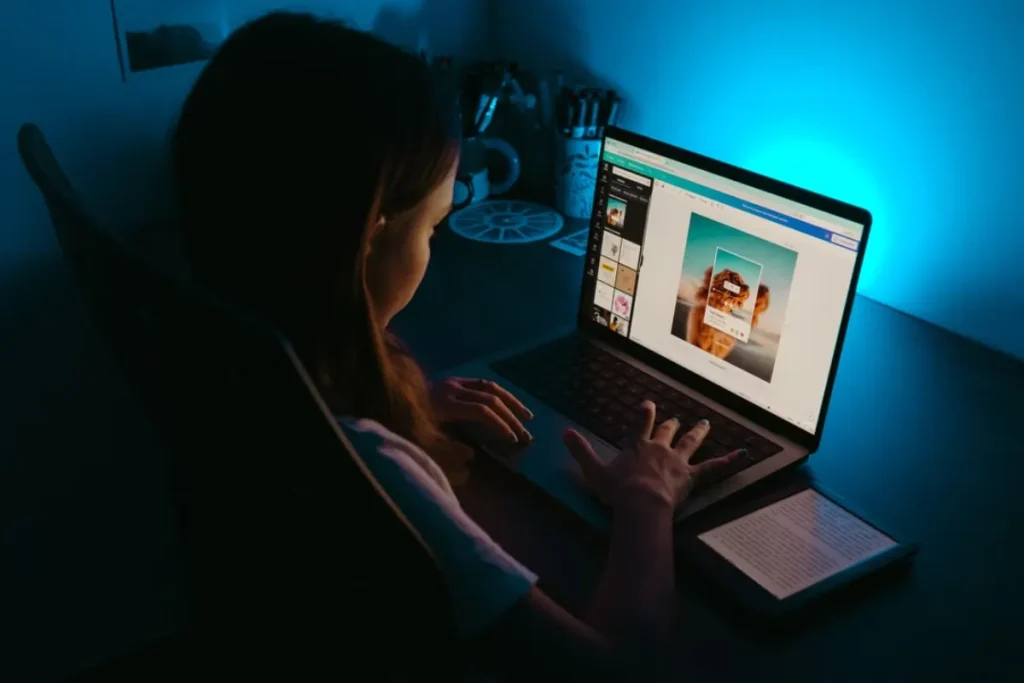
Can I change the colors of a 3D PNG in Canva?
Yes! You can use the “Adjust” or “Filter” settings in Canva to change the tint, brightness, and contrast of our 3D objects to better match your brand colors.
Will customizing a 3D background make it load slower?
If you are doing the customization in a design tool (like Photoshop) and exporting a new JPG/PNG, the speed will depend on your export settings. Always use “Web Optimization” to keep file sizes low.
Do I need to be a 3D artist to customize these files?
Not at all. You just need to know basic photo or video editing. Since we have handled the lighting and 3D modeling, you are just adjusting the final visual “flavor” in your favorite design tool.
What is the best software for customizing 3D animations?
For simple color changes, almost any video editor will work. For professional layering and masking, we recommend Adobe After Effects, as our 3D loops are specifically designed to be compatible with its professional toolset.