SPECIAL OFFER ✦ BUY 2 GET 1 FREE! ✦ ADD 3 PRODUCTS TO YOUR CART, AND THE DISCOUNT APPLIES AUTOMATICALLY!
SPECIAL OFFER ✦ BUY 2 GET 1 FREE! ✦ ADD 3 PRODUCTS TO YOUR CART, AND THE DISCOUNT APPLIES AUTOMATICALLY!
SPECIAL OFFER ✦ BUY 2 GET 1 FREE! ✦ ADD 3 PRODUCTS TO YOUR CART, AND THE DISCOUNT APPLIES AUTOMATICALLY!
SPECIAL OFFER ✦ BUY 2 GET 1 FREE! ✦ ADD 3 PRODUCTS TO YOUR CART, AND THE DISCOUNT APPLIES AUTOMATICALLY!
Striking characters, stunning landscapes, and lifelike items in films, video games, and advertisements originate solely from 3D modeling. If we delve specifically into the gaming industry, the 3D modelling game assets will differ based on the genre, style, and scale of the project.
Find out more about 3D modelling, steps on how to make it, low-poly 3D game props, and rigged 3D character models. We will also cover the benefits and role of 3D modelling in gaming.
Get to Know 3D Modeling Game Assets
Source : Envato
We will start with a question: What are assets in gaming? Game assets refer to any resource utilized in creating a video game. They encompass 3D models, textures, sound effects, music, and more. The common types of game assets are character assets, environment assets, and game object assets.
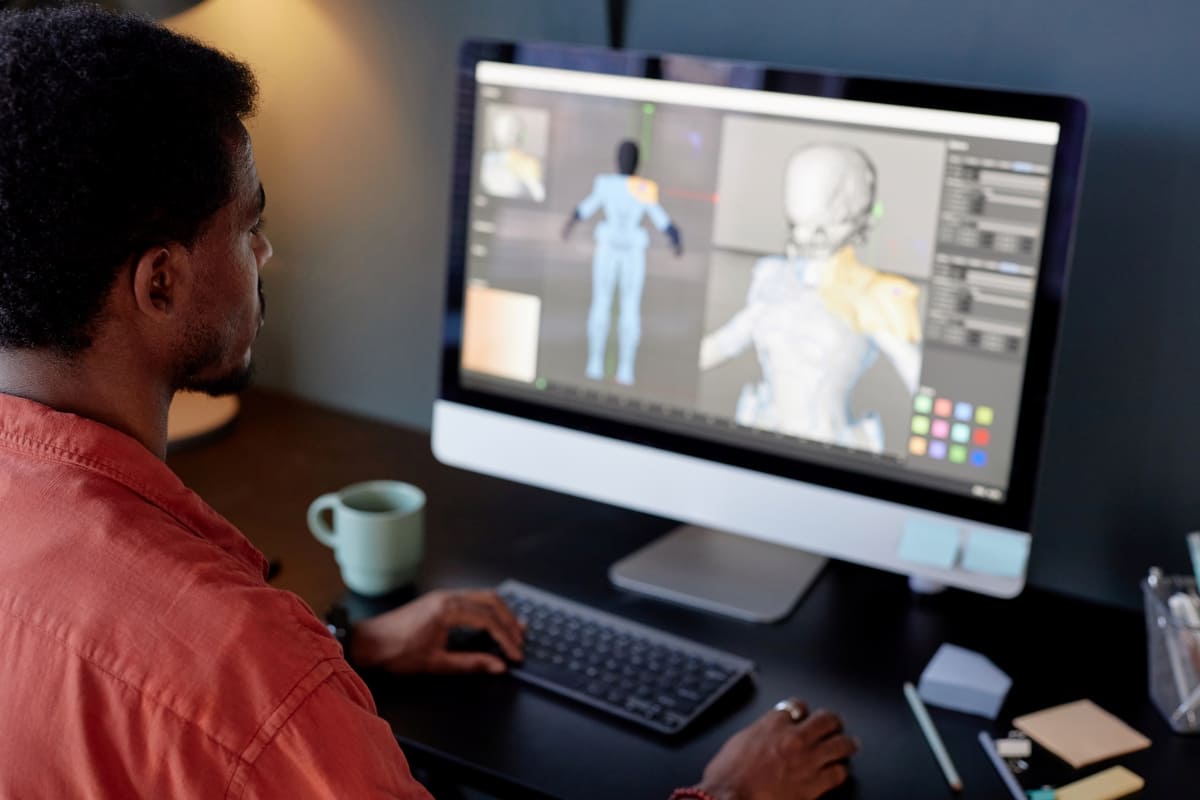
As for 3D character modeling, it involves crafting a digital character in three dimensions that is compatible with a game engine implementation. It is not merely a stunning image, but a comprehensive asset: featuring topology, baked maps, UV unwrapping, and a rig.
3D modeling artists produce the models for every 3D art asset in the game – including characters, vehicles, weapons, trees, furniture, rocks, and more. They frequently begin with a quick sketch or 2D drawing from a concept artist and develop their 3D models based on that.
After the 3D modelling game assets are created, they get imported into the game engine and utilized to construct the game world.
Steps in Creating 3D Modeling for Games
Source : Envato
Game-ready 3D modelling game assets follow the same fundamental pipeline. Every phase relies on the earlier one, so moving forward too quickly or taking shortcuts early will lead to delays later.
Here’s the expert process for 3D game modelling, divided into several practical stages.
Selecting your creation tool
The 3D modeling software you can use relies on what you are creating, your proficiency, and your budget.
You can opt for Maya, Blender, or 3ds Max for polygon modelling (creating hard-surface assets like props, environments, or vehicles.
For digital sculpting, you can employ, for example, Blender Sculpt Mode or ZBrush to produce organic forms (characters, natural objects, creatures).
Meshy (text/image to 3D) and other AI tools are ideal for AI-assisted generation, including concept exploration, rapid prototyping, or indie workflows.
For procedural modelling, you can choose, among others, Blender Geometry Nodes or Houdini to create terrains, repetitive architecture, or vegetation.
Try Meshroom or Reality Capture for photogrammetry or scanning to generate 3E real-world photorealistic props.
High-poly model sculpting
It is the process to catch every tiny detail – for example, a character’s face wrinkles, armor’s scratches, or blemishes on a rock’s surface. The aim is to shape a high-poly model that looks precisely as you desire.
Retopology – from sculpting to game geometry
It is probably the most labor-intensive step since game engines are unable to render millions of polygons for each object in real-time. Retopology involves generating a neat, optimized low-poly mesh on top of the high-poly sculpt for real-time rendering.
UV unwrapping
UV unwrapping is the “flattening” phase – mapping the surface of your 3D model onto a flat 2D plane, enabling proper application of textures without distortion.
Texturing and applying materials
Texturing enlivens your model through color, material characteristics, and surface details. Contemporary 3D modeling game assets for video games employ PBR (Physically Based Rendering) techniques.
Baking
This step involves transferring intricate high-poly details onto maps for the low-poly model. Baking conveys the transfer from your high-poly model details to the low-poly game mesh using texture maps, especially normal maps and ambient occlusion maps.
Character rigging
Rigging is the process of creating a skeletal structure and skinning (attaching the geometry to bones with weights). It adds a skeleton (armature) to your model, allowing it to be posed and animated. This phase is crucial for any character or being that requires movement.
Animation (bring your game model to life)
Using a rigged model, you can produce animations: cycles of walking, idle poses, sequences of attack, or facial expressions.
Exporting to a game engine
The final phase is transferring your model into game engines, such as Unreal Engine, Unity, or Godot.
The Low Poly 3D Game Props
Low-poly game design refers to a concept where textures are created using a restricted number of polygons, maintaining a low level of detail, and embracing a minimalist style. These textures function effectively across different platforms and are ideal for mobile, VR, and web-based games.
Props, in this context of low-poly 3D game props, help improve the game’s visuals, ensuring they appear more realistic—similar to the real world—and convey information through these visuals.
Rigged 3D Character Models
As outlined earlier, rigging is one of the steps in creating 3D modelling game assets. Once again, 3D rigging involves adding controls to a mesh of a character. Without a rig, your character models cannot move.
Rigged 3D models are three-dimensional figures that come with bones, joints, and controls. They are essential resources in contemporary digital content making. When animating characters for films, games, or virtual settings, using ready-to-use, rigged 3D character models can significantly enhance the efficiency of production workflows.
The Role and Benefits of 3D Modeling
Source : Envato
3D modeling game assets serve multiple purposes and have been broadly employed across different industries, among others,
Film and Animation
Without 3D models, visual effects, and animated movies are only daydreams or fantasies.
Video Games
Every asset in a game, from weapons to the virtual environment, is designed in 3D.
Product Design
Businesses create 3D models of their products to produce a prototype that showcases their vision to prospective clients before manufacturing.
Architecture and Visualization
An architect can generate a virtual structure to display the entire appearance of a project, along with visual effects that may incorporate interior designs.
Medical and Scientific Imaging
We examine anatomy, visualize molecular structures, and analyze intricate systems through the power of 3D modeling.
Conclusion
3D modelling game assets are indeed used everywhere. Joinvarious specialists involved, including artists, animators, developers, and sound engineers. Use your creativity and different methods to shape, polish, and detail 3D digital objects. Try Tridimensi to ensure the assets are ready for games, animation, rendering, or can function in other virtual environments.