SPECIAL OFFER ✦ BUY 2 GET 1 FREE! ✦ ADD 3 PRODUCTS TO YOUR CART, AND THE DISCOUNT APPLIES AUTOMATICALLY!
SPECIAL OFFER ✦ BUY 2 GET 1 FREE! ✦ ADD 3 PRODUCTS TO YOUR CART, AND THE DISCOUNT APPLIES AUTOMATICALLY!
SPECIAL OFFER ✦ BUY 2 GET 1 FREE! ✦ ADD 3 PRODUCTS TO YOUR CART, AND THE DISCOUNT APPLIES AUTOMATICALLY!
SPECIAL OFFER ✦ BUY 2 GET 1 FREE! ✦ ADD 3 PRODUCTS TO YOUR CART, AND THE DISCOUNT APPLIES AUTOMATICALLY!
Picking a JavaScript game engine can feel overwhelming once you realize how many solid options exist for building browser-based games. This guide breaks down the major players and gives you a clear framework for choosing the right one for your project.
Key Takeaways:
The right JavaScript game engine depends on whether you’re building a 2D or 3D game, not on which engine has the most buzz.
Phaser leads for 2D browser games, while Three.js, Babylon.js, and PlayCanvas dominate 3D web experiences.
Matching engine choice to your team’s skill level and target platform saves far more time than switching mid-project.
What Is a JavaScript Game Engine?
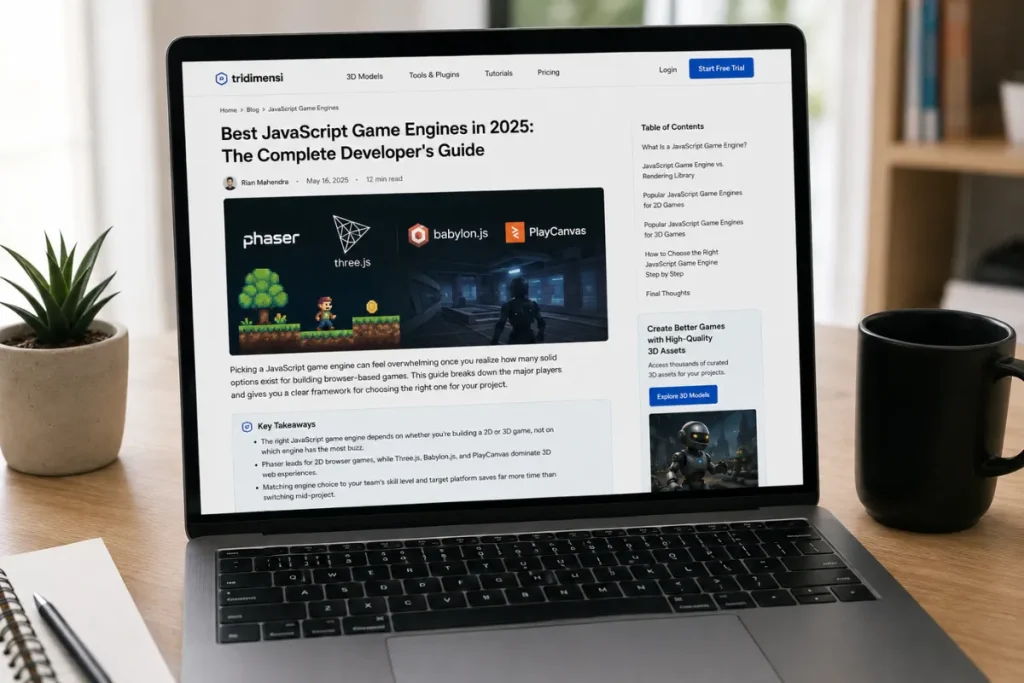
A laptop displayed JavaScript game engine apps.
A JavaScript game engine is a framework that bundles the core systems every game needs, such as a game loop, physics, input handling, and asset management, into one package. This differs from a plain rendering library, which typically only handles drawing graphics to the screen without the surrounding game logic.
Because JavaScript runs natively in every browser, games built with these engines require no installation and no app-store review process. Players simply open a link and start playing, which is a major reason the ecosystem has grown so quickly.
Some engines focus purely on 2D sprite-based games, while others are built specifically for 3D environments with depth and spatial movement. Knowing which category your project falls into is the first real decision point before comparing specific tools.
The term “engine” is used loosely across the JavaScript ecosystem, which is part of why choosing one can feel confusing at first. Some tools marketed as engines are closer to rendering libraries, while others genuinely handle every layer of game development out of the box.
JavaScript Game Engine vs. Rendering Library: What’s the Difference
A laptop displayed JavaScript game engine apps.
Not every popular JavaScript tool in this space is technically a full game engine. Some, like Three.js, are rendering libraries that provide powerful graphics capabilities but leave systems such as physics and game state up to you.
Full engines such as Phaser, Babylon.js, and PlayCanvas bundle more of that infrastructure out of the box. This tends to mean faster setup for standard game mechanics, at the cost of slightly less flexibility than building everything from scratch.
Neither approach is inherently better; the right choice depends on how much control your project actually needs. A simple prototype benefits from a full engine’s built-in shortcuts, while a highly custom 3D experience might need the flexibility a rendering library provides.
Many teams actually end up blending the two categories. It’s common to see PixiJS used purely as a rendering layer within a larger custom framework, rather than as a standalone engine.
Popular JavaScript Game Engines for 2D Games
A laptop displayed JavaScript game engine apps.
Most browser-based 2D JavaScript game engines rely on one of a handful of well-established frameworks. Each one targets a slightly different balance of simplicity, performance, and control.
Phaser: Phaser 3 remains one of the most widely adopted 2D HTML5 game frameworks, backed by extensive documentation and a large community. It’s best known for a code-first workflow and the biggest HTML5 community among 2D options.
PixiJS: A lightweight, high-performance 2D renderer often used as the rendering layer beneath other frameworks, ideal when raw rendering speed matters more than built-in game logic.
Excalibur.js: A TypeScript-first engine worth considering for teams that want strong type safety in a leaner package than Phaser.
melonJS: A solid choice specifically for tile-based games, prioritizing simplicity over an extensive feature list.
Most beginner tutorials online default to Phaser, and for good reason. Its combination of documentation depth and community size makes it far easier to find answers when something breaks mid-project.
Popular JavaScript Game Engines for 3D Games
A laptop displayed JavaScript game engine apps.
Building a 3D JavaScript game engine adds complexity, but modern JavaScript tools have matured enough to handle it well in the browser.
These are the names that consistently come up for 3D web projects.
Three.js: If you’re building anything 3D on the web, from product configurators to full games, Three.js is usually where developers start. It now ships a modern WebGPU renderer with automatic fallback support for older browsers.
Babylon.js: Babylon.js is a complete, free 3D engine with built-in physics, a material system, animation, and WebXR support, positioning it closer to a full engine than a bare rendering library. TypeScript support is first-class since the engine itself is written in TypeScript.
PlayCanvas: PlayCanvas pairs an open-source engine with a real-time collaborative web editor, giving it a Unity-style, editor-driven workflow that real commercial games run on today.
Each of these three tools can technically achieve similar visual results, but the development experience differs significantly. Teams that already think in terms of scenes, entities, and components often feel most at home in PlayCanvas or Babylon.js, while developers who want maximum low-level control tend to gravitate toward Three.js.
How to Choose the Right JavaScript Game Engine Step by Step
How to Choose the Right JavaScript Game Engine Step by Step
With the landscape mapped out, narrowing down your final choice becomes much more manageable.
Follow this sequence to reach a confident decision.
Define your game’s core mechanics. Decide whether you’re building a platformer, puzzle game, 3D exploration experience, or something else entirely.
Confirm 2D or 3D early. This single decision immediately cuts your realistic options down to a short, relevant list.
Match the engine to your team’s coding comfort. Choose a code-first engine if your team codes daily, or an editor-driven option if visual workflows fit better.
Prototype with two finalists. Build the same small feature in your top two engine choices before committing fully to one.
Check community activity. Look for recent updates, active forums, and available tutorials before locking in your decision.
Test performance on your target devices. Run your prototype on both desktop and mobile browsers to catch performance issues early.
Skipping straight to step four, prototyping, without answering the earlier questions first is one of the most common mistakes teams make. It often leads to choosing the engine with the flashiest demo, rather than the one that actually fits the project’s real requirements.
Final Thoughts
Choosing the right JavaScript game engine ultimately comes down to matching the tool to your project’s scale, your team’s skill level, and the level of control you actually need over the underlying systems. There’s no single best answer, only the option that fits your specific goals.
Once your engine is chosen, the visual quality of your project still depends heavily on the assets you bring into it. Explore Tridimensi’s Unlimited Access for curated 3D assets, flexible plans, and full commercial rights, so your next JavaScript-powered project looks as polished as the engine behind it.