SPECIAL OFFER ✦ BUY 2 GET 1 FREE! ✦ ADD 3 PRODUCTS TO YOUR CART, AND THE DISCOUNT APPLIES AUTOMATICALLY!
SPECIAL OFFER ✦ BUY 2 GET 1 FREE! ✦ ADD 3 PRODUCTS TO YOUR CART, AND THE DISCOUNT APPLIES AUTOMATICALLY!
SPECIAL OFFER ✦ BUY 2 GET 1 FREE! ✦ ADD 3 PRODUCTS TO YOUR CART, AND THE DISCOUNT APPLIES AUTOMATICALLY!
SPECIAL OFFER ✦ BUY 2 GET 1 FREE! ✦ ADD 3 PRODUCTS TO YOUR CART, AND THE DISCOUNT APPLIES AUTOMATICALLY!
Best Framer alternative searches have picked up as more designers look for tools with different pricing structures, animation styles, or publishing workflows. Framer is still a strong choice for fluid animation and Framer templates that get a site live fast, but it isn’t the only option built for visual, no-code web design.
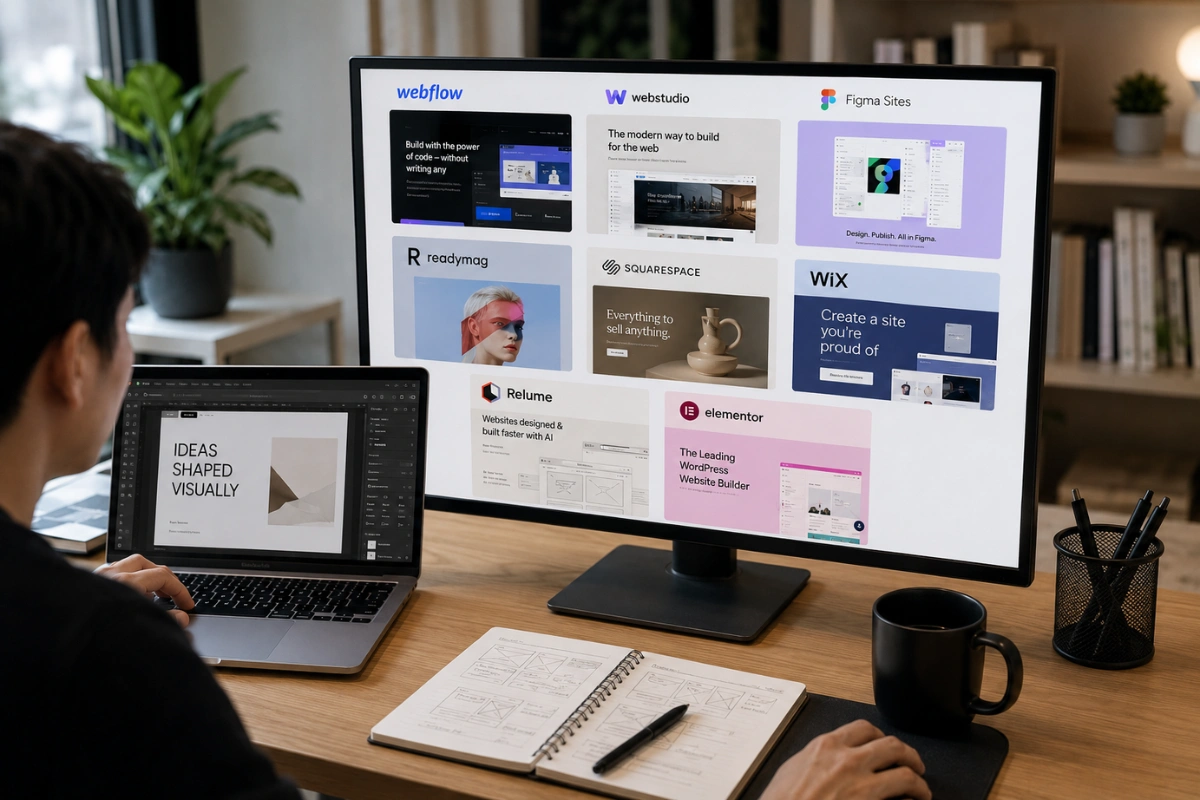
Below are 8 tools worth testing if Framer isn’t quite the right fit for your project.
Key Takeaways:
Webflow is the strongest Framer alternative for designers and agencies that need deeper layout control, advanced interactions, and a powerful CMS.
Different tools suit different workflows, from open-source Webstudio and Figma Sites to editorial-focused Readymag and beginner-friendly Squarespace or Wix.
Test alternatives before switching, especially Relume and Elementor, to find the right balance of design flexibility, ease of use, and publishing workflow.
1. Webflow
Webflow is the tool most often mentioned alongside Framer
Webflow is the tool most often mentioned alongside Framer, since both give designers deep visual control over layout, animation, and interactions. It has a steeper learning curve than Framer templates typically require, but that extra complexity comes with more granular control over CSS-level details.
Agencies in particular tend to favor Webflow once a project needs a CMS structure more complex than a simple blog.
Deep visual control over layout and custom interactions
Strong CMS for content-heavy sites and blogs
Larger template and plugin ecosystem than most competitors
2. Webstudio
Webstudio is an open-source alternative built specifically to avoid vendor lock-in, exporting clean code you actually own.
Webstudio is an open-source alternative built specifically to avoid vendor lock-in, exporting clean code you actually own. For teams wary of being tied to one platform’s hosting and pricing changes, this open approach is a meaningful difference from most closed no-code builders.
Open-source, so you’re not locked into one company’s ecosystem
Exports clean, portable code
Still a newer, smaller community compared to established tools
3. Figma (Figma Sites)
Figma Sites lets you publish live websites directly from your designs, eliminating the developer handoff that tools like Framer or Webflow still require.
Figma has expanded beyond design files into full website publishing through its Sites feature, letting a Figma design go live without a separate handoff to a developer. For teams that already design everything in Figma, this removes an entire step that Framer or Webflow projects usually still require.
Buttons, links, and prototype interactions carry over directly, so a working site can go live in roughly the same time it takes to finish the design itself.
Publishes directly from existing Figma design files
Removes the design-to-build handoff entirely
Newer feature set, so some advanced site behavior is still catching up to mature builders
4. Readymag
Readymag is built for editorial and portfolio sites, making it the perfect choice for visual lookbooks and presentation-heavy layouts.
Readymag leans into editorial and portfolio-style design, built for projects where storytelling and visual presentation matter more than e-commerce or complex CMS structures. It’s a strong pick for magazine-style layouts, digital lookbooks, or presentation-heavy sites.
Excellent for editorial, portfolio, and presentation-style layouts
Flexible, precise control over typography and spacing
Less suited to large content databases or e-commerce
5. Squarespace
Squarespace remains one of the most approachable builders for people who want a polished result without learning a new visual system from scratch.
Squarespace remains one of the most approachable builders for people who want a polished result without learning a new visual system from scratch. Templates are opinionated and well-designed out of the box, which trades some flexibility for a faster path to a finished site.
It’s a common landing spot for freelancers and small businesses who want to launch quickly and iterate later rather than perfect every pixel upfront.
Less granular design control than Webflow or Framer
6. Wix
Wix covers similar ground to Squarespace, with an even larger template library and a drag-and-drop editor built for total beginners.
Wix covers similar ground to Squarespace, with an even larger template library and a drag-and-drop editor built for total beginners. Then, Wix Studio, its more advanced tier, adds finer design control for freelancers and agencies who outgrow the standard Wix editor.
Huge template library across nearly every industry
Wix Studio adds more precise design control for professional use
App marketplace covers most common site functionality out of the box
7. Relume
Relume takes an AI-assisted approach.
Relume takes an AI-assisted approach, generating a full site structure and wireframe from a brief description before you refine it visually inside Webflow or Figma. It’s less a standalone builder and more a fast-start layer that sits on top of tools you may already use.
Teams often reach for it specifically to skip the blank-page problem that slows down the first hour of a new project.
Generates sitemap and wireframe structure from a short prompt
Pairs directly with Webflow and Figma workflows
Best used as a starting point, not a full replacement for manual design
8. Elementor
Elementor is the most popular visual page builder for WordPress.
Elementor is the most popular visual page builder for WordPress, useful for teams that need a no-code editor but are already committed to a WordPress-based site. It brings drag-and-drop design to a platform that traditionally required more technical setup.
Visual, drag-and-drop editing inside WordPress
Large plugin ecosystem for e-commerce and forms
Best fit for teams already using or planning to use WordPress
It’s worth remembering that migrating between these tools later isn’t usually a total rebuild. Most modern builders support importing assets, copy, and images from an existing site, so testing a second option doesn’t mean starting completely from zero if your first choice doesn’t stick.
Whichever platform you land on, the visuals filling that layout matter just as much as the builder itself. A curated 3D asset library like Tridimensi can speed up that part considerably, giving you polished, ready-to-use visuals instead of building custom graphics for every landing page or campaign from scratch.
Final Thoughts
Best Framer alternative options exist for nearly every kind of project, whether you want more design control, a gentler learning curve, or a tool that already fits your team’s workflow.
Test two or three from this list on a small project before committing, since the right fit often comes down to how a tool feels to use daily, not just its feature list. Once your site is built, explore Tridimensi’s Unlimited Access for unlimited downloads of 3D assets that make your pages look as polished as the platform behind them.