SPECIAL OFFER ✦ BUY 2 GET 1 FREE! ✦ ADD 3 PRODUCTS TO YOUR CART, AND THE DISCOUNT APPLIES AUTOMATICALLY!
SPECIAL OFFER ✦ BUY 2 GET 1 FREE! ✦ ADD 3 PRODUCTS TO YOUR CART, AND THE DISCOUNT APPLIES AUTOMATICALLY!
SPECIAL OFFER ✦ BUY 2 GET 1 FREE! ✦ ADD 3 PRODUCTS TO YOUR CART, AND THE DISCOUNT APPLIES AUTOMATICALLY!
SPECIAL OFFER ✦ BUY 2 GET 1 FREE! ✦ ADD 3 PRODUCTS TO YOUR CART, AND THE DISCOUNT APPLIES AUTOMATICALLY!
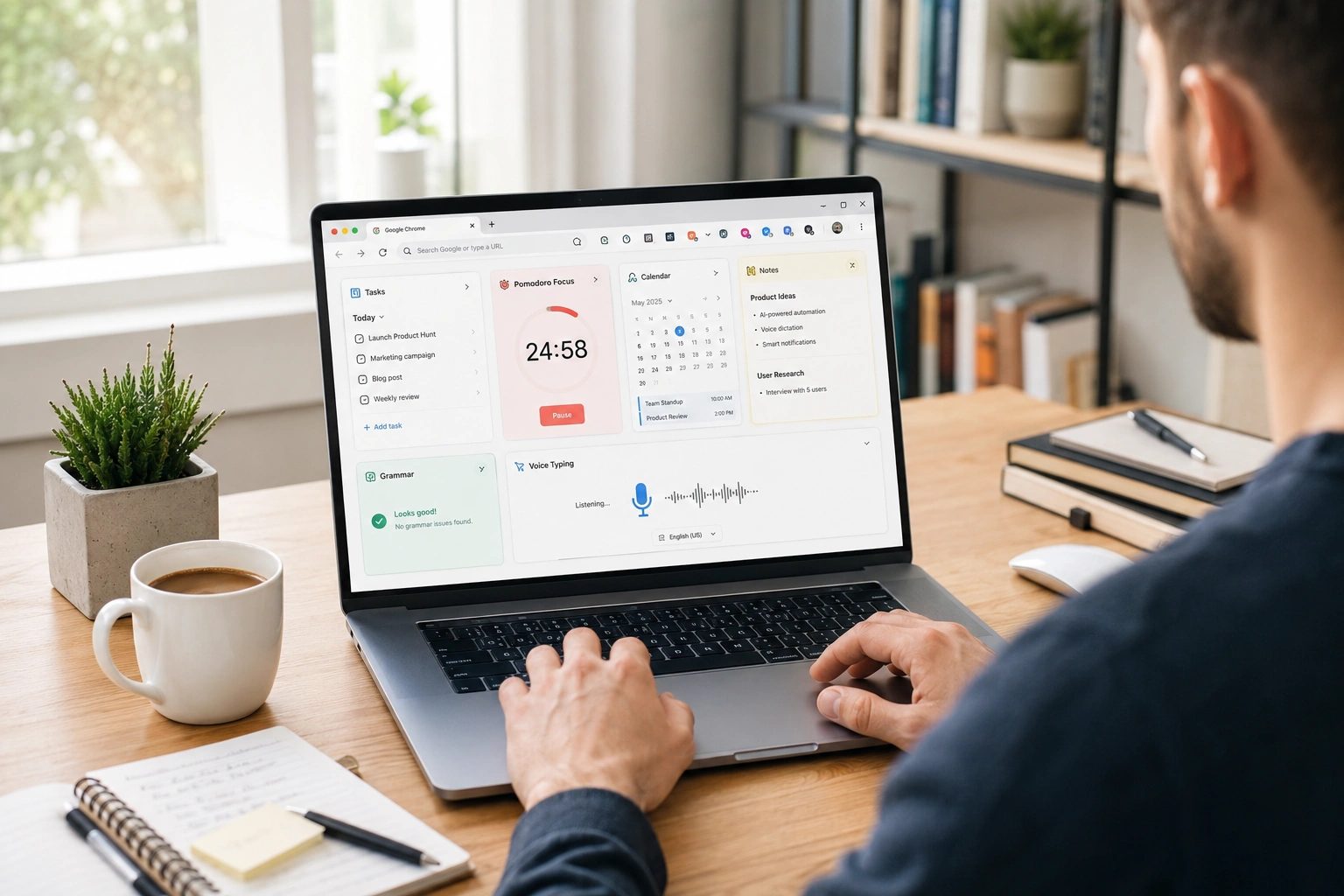
Finding the right Chrome extensions for productivity can transform Google Chrome from a source of distraction into a powerful workstation. A few essential Chrome productivity tools will eliminate repetitive tasks and streamline your daily workflow.
Below are eight of the best options to help you work smarter every day.
Top 8 Chrome Extensions for Productivity
From time tracking to AI dictation, these eight Chrome extensions tackle the most common daily workflow bottlenecks.
These best productivity extensions help solve everyday workflow problems and are useful for professionals, students, freelancers, and remote teams alike:
1. Clockify (Time Tracking and Focus)
If you constantly switch between tasks, Clockify lets you start and stop timers with just a single click directly from your browser. It automatically breaks down your working hours into detailed reports, so you can clearly see where your day went.
There’s also a built-in Pomodoro timer for structured focus sessions, which is especially useful for freelancers and project managers who handle billable hours.
2. StayFocusd (Distraction Blocker)
StayFocusd cures mindless scrolling by letting you set strict daily time limits on distracting websites. This Google Chrome add-on blocks those sites the second your time is up for the day.
For deep work sessions, you can trigger the “Nuclear Option” to block selected platforms entirely, completely removing the temptation to break your focus.
3. Todoist (Task Management)
As one of the most reliable productivity tools for Chrome, Todoist integrates your to-do list right into your browser, so you can capture tasks instantly from any webpage.
You can assign deadlines, set recurring reminders, and organize daily priorities without opening a separate app. Everything syncs seamlessly across devices, ensuring your workflow stays up to date wherever you are.
4. Notion Web Clipper (Smart Note-Taking)
Instead of hoarding open tabs or copying links manually, Notion Web Clipper saves entire webpages directly to your workspace with a single click. It automatically extracts the clean text, images, and source URLs from any article or research paper, removing web clutter.
Tagging and organizing pages directly into your database makes building a searchable knowledge hub completely effortless.
5. Grammarly (Writing and Communication)
Grammarly runs silently in the background of your emails, Google Docs, and messaging apps to catch typos, awkward phrasing, and tone mismatches in real time.
Beyond basic spell-check, it analyzes your sentences for clarity and engagement, providing one-click corrections to adjust your tone for specific audiences. This ensures your emails, pitches, or drafts sound instantly polished and professional before you hit send.
6. OneTab (Tab Management)
Too many open tabs will drain your computer’s RAM and clutter your brain. OneTab solves this by converting all your open tabs into a single, clean list with one click.
It slashes browser memory usage instantly, allowing you to restore your tabs individually or all at once whenever you’re ready to dive back in.
7. Vimium (Text Automation)
Vimium speeds up your web browsing by letting you navigate Chrome entirely with keyboard shortcuts inspired by the Vim editor. By simply tapping specific keys, you can generate overlay shortcuts to open links, switch tabs, and scroll pages instantly without ever reaching for your mouse.
It takes a little getting used to, but it’s a massive time-saver for power users, developers, and anyone wanting a hands-on keyboard experience.
8. Voicy (AI Speech-to-Text)
Since most people speak much faster than they type, Voicy uses advanced AI to dictate your voice into text in real time with over 99% accuracy.
It integrates seamlessly across platforms like Gmail, Slack, and Google Docs. The AI automatically handles auto-punctuation, paragraph breaks, and instant translation across multiple languages. This allows you to finish long emails, brainstormed notes, and rough drafts completely hands-free.
How to Install and Manage Chrome Extensions
Installing a Chrome extension takes just a few clicks — the real challenge is managing them so your browser stays fast.
Installing Chrome extensions only takes a few minutes, but managing them properly is equally important for maintaining browser performance.
Follow these simple steps to get started:
Open the Chrome Web Store.
Search for the extension you want to install.
Click Add to Chrome and confirm the installation.
Once installed, click the puzzle icon in the Chrome toolbar.
Pin your favorite extensions so they remain easily accessible.
Once pinned, the extension is ready to use instantly in your browser. If you are planning to set these up on your phone or tablet next, keep in mind that mobile alternatives for Chrome extensions are limited.
Chrome on Android and iOS does not support desktop extensions in the same way. However, many of these tools offer companion mobile apps or cross-device synchronization, allowing you to continue your workflow on the go.
To keep Chrome running smoothly, avoid cluttering it with too many extensions. Review your setup regularly, disable what you don’t use, and avoid adding more tools Chrome users typically don’t need. This keeps your browser fast and your workflow effective!
Conclusion
The best Chrome extensions for productivity solve real problems without adding complexity to your workflow. Finding the right combination of tools will instantly streamline your daily tasks and help you work smarter.
If you want to further optimize your creative workflow, pairing these tools with ready-to-use assets can be a game-changer. Explore high-quality 3D resources at Tridimensi to speed up your design process. Give these combinations a try and see how much time you save!