SPECIAL OFFER ✦ BUY 2 GET 1 FREE! ✦ ADD 3 PRODUCTS TO YOUR CART, AND THE DISCOUNT APPLIES AUTOMATICALLY!
SPECIAL OFFER ✦ BUY 2 GET 1 FREE! ✦ ADD 3 PRODUCTS TO YOUR CART, AND THE DISCOUNT APPLIES AUTOMATICALLY!
SPECIAL OFFER ✦ BUY 2 GET 1 FREE! ✦ ADD 3 PRODUCTS TO YOUR CART, AND THE DISCOUNT APPLIES AUTOMATICALLY!
SPECIAL OFFER ✦ BUY 2 GET 1 FREE! ✦ ADD 3 PRODUCTS TO YOUR CART, AND THE DISCOUNT APPLIES AUTOMATICALLY!
Artificial intelligence has become a core feature in many generative design software because of its transformative impact across industries. Apart from increasing work quality, heightened efficiency and time-saving are also the reasons why people have implemented AI more in this software.
Now let’s explore today’s leading generative design tools to help you improve your workflows.
Key Takeaways:
Generative design software uses AI to quickly create and evaluate design options based on your goals and constraints.
Tools like Fusion 360, nTopology, Grasshopper, SolidWorks, and Creo help teams optimize complex structures, reduce weight, and accelerate development.
These platforms support industries from aerospace to architecture by combining optimization, simulation, and manufacturability checks in one streamlined workflow.
How Generative Design Actually Works
In general, the workflow inside generative design software looks like this:
Set your design goals
Add constraints like materials and manufacturing limits
Choose your computing resources
Run the algorithm
After doing the above steps, the software then generates and evaluates many design options and ranks them based on your criteria. From there, you can pick the best candidates, refine them, and verify everything about them through simulation before production.
5 High Performance Generative Design Solutions for 3D Projects
Among many advanced generative modeling platforms for creators, these options stand out as some of the most widely used and trusted in the field.
1. Autodesk Fusion 360
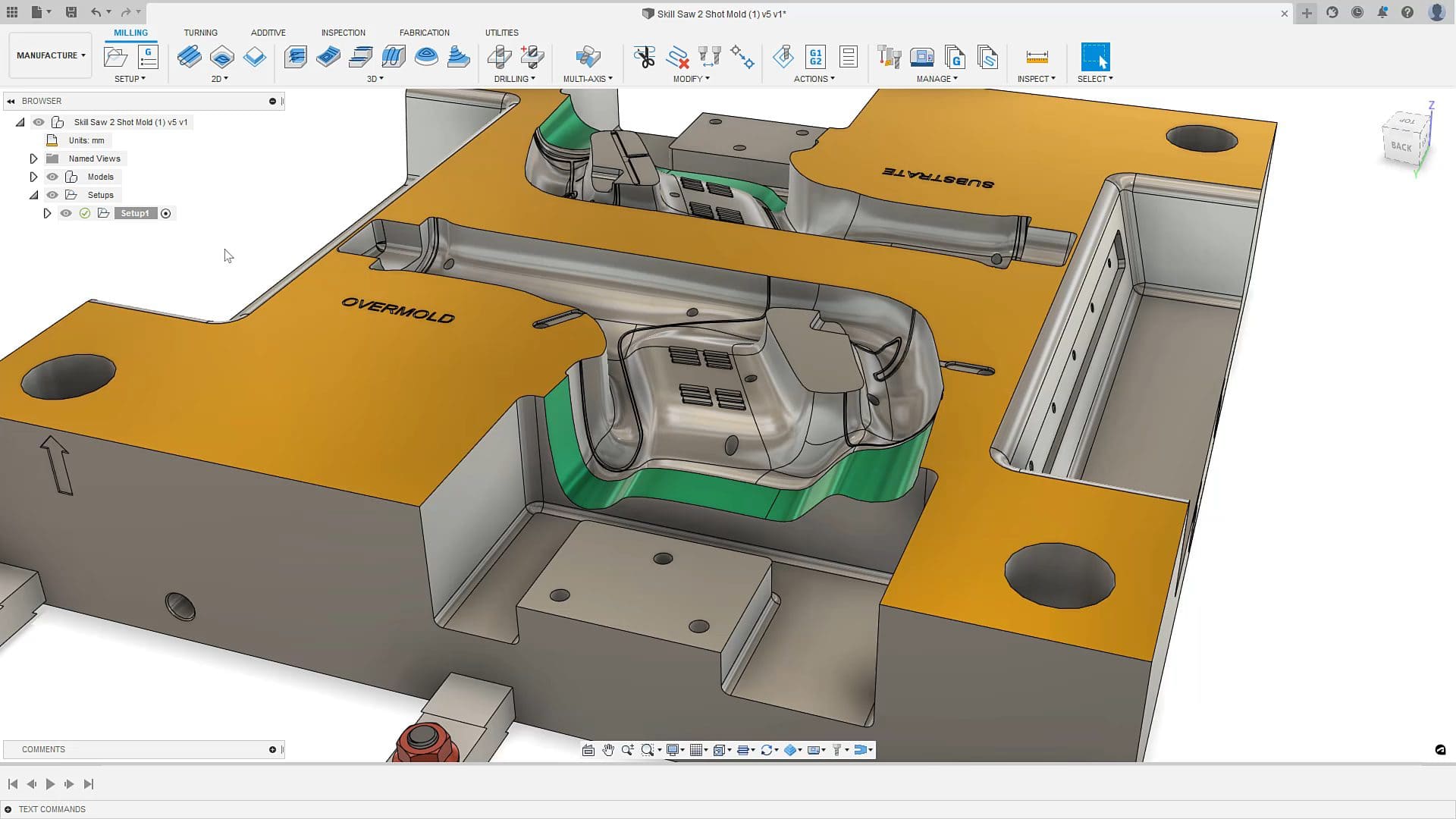
Fusion 360 (Source: Autodesk)
Today, Fusion 360 is the leading software in generative design thanks to its combination of AI-driven optimization with full CAD, CAM, and simulation tools in one place. Using it is simple: set your goals (such as reducing weight or boosting strength), add materials and constraints, and the software generates multiple optimized options.
Its clustering feature groups similar designs to make comparisons much easier, and the recommendation engine will automatically improve as you make selections.
The performance is also strong, with many engineers reducing design cycles from weeks to days. Its subscription pricing keeps it accessible for smaller teams, though larger setups can get pricey. Still, industries like automotive and aerospace rely on Fusion 360 for its powerful topology optimization features.
Key Information:
Integrated CAD, CAM, simulation, and generative design platform
AI-driven design exploration and topology optimization
Cloud-based collaboration and version control
US$680/year for a single user
2. nTopology
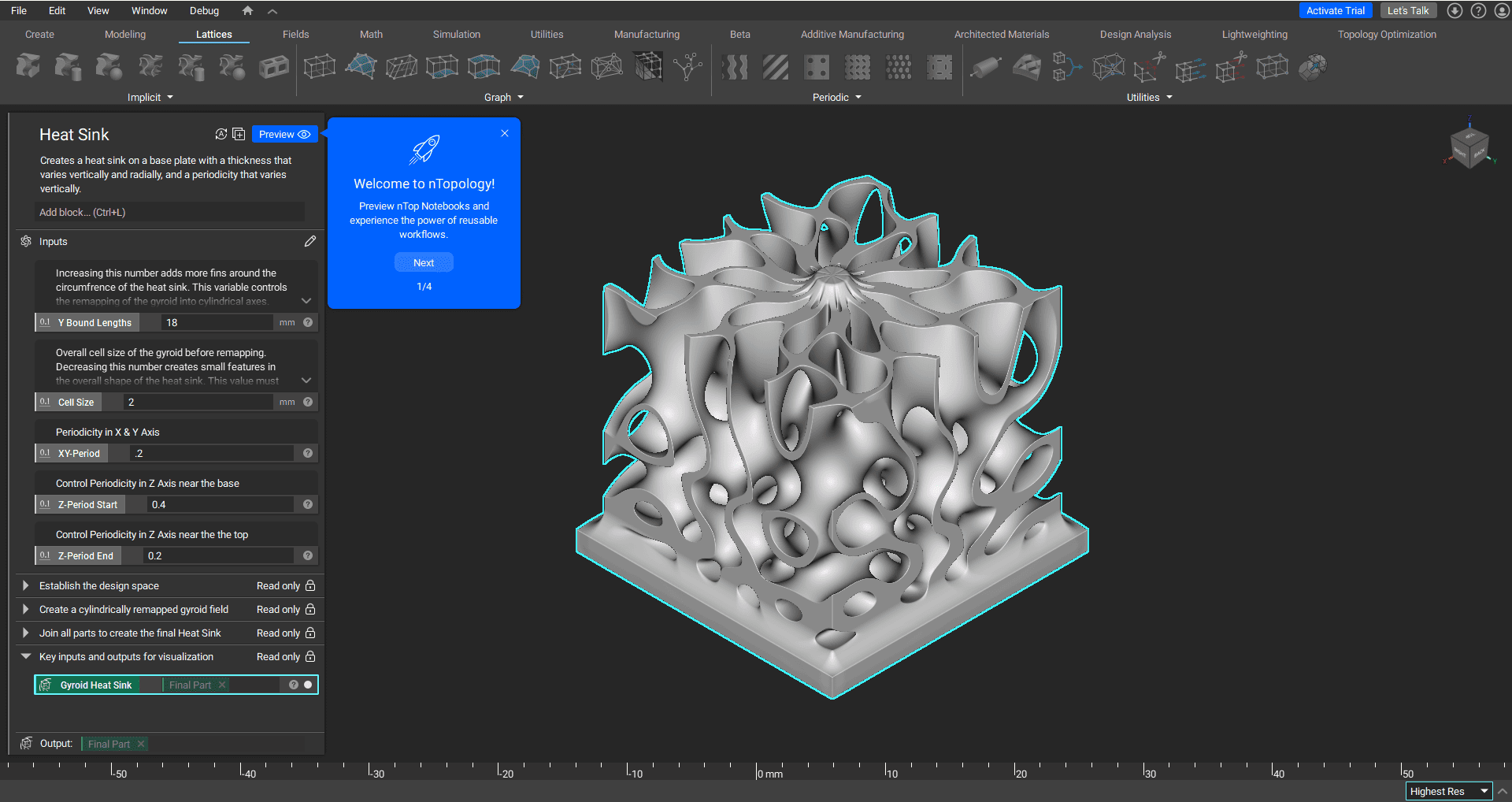
nTopology (Source: nTop Support)
nTopology sets itself apart with advanced lattice and surface design features, making it ideal for creating complex geometries, cooling channels, and lightweight structures.
It is suitable for industries like aerospace and medical devices, since it can build manufacturable designs from the start and integrates with simulation tools for real-time performance checks.
While anyone can use nTopology, including freelancers, its core audience is engineering teams in major industries that need high-performance, production-ready design workflows.
Key Information:
Advanced lattice and surface structure optimization
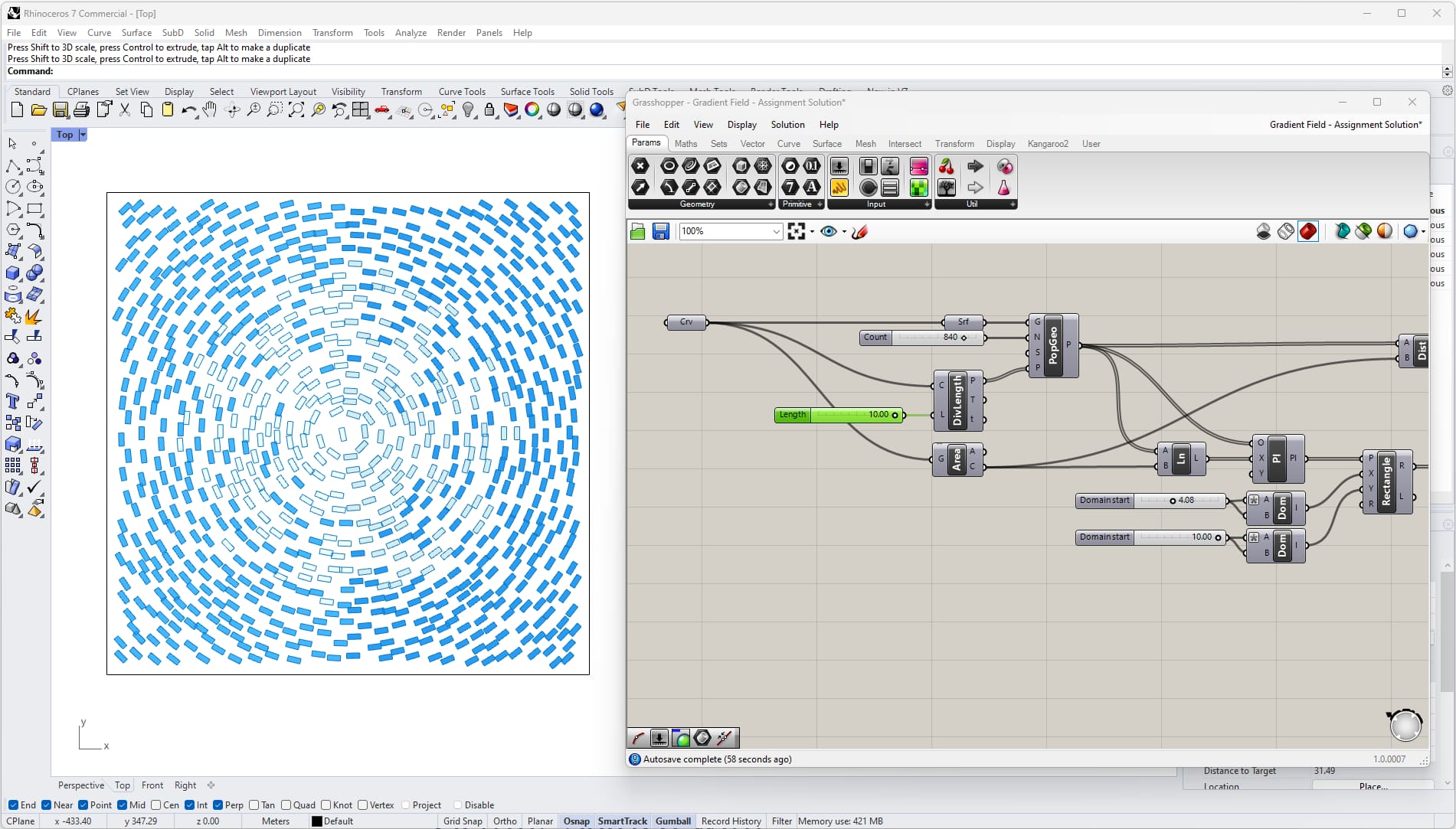
As the visual scripting plugin for Rhino, Grasshopper tackles generative design through parametric modeling rather than preset algorithms. With Grasshopper, you can just define the rules and relationships before defining the inputs to see how the entire model responds.
By following the steps above, users may find that using Grasshopper means less “let AI decide” and more “here’s my design logic, now explore the possibilities.”
Although Grasshopper has a steeper learning curve compared to tools like Fusion 360, its flexibility is hard to beat. Architects, researchers, and design studios often rely on it because it enables them to create custom optimization workflows tailored to particular design challenges.
Key Information:
Visual scripting for parametric and algorithmic design
Extensive plugin ecosystem for customization
Offline and macOS native application
US$589 for Rhino with Grasshopper and commercial license upgrade
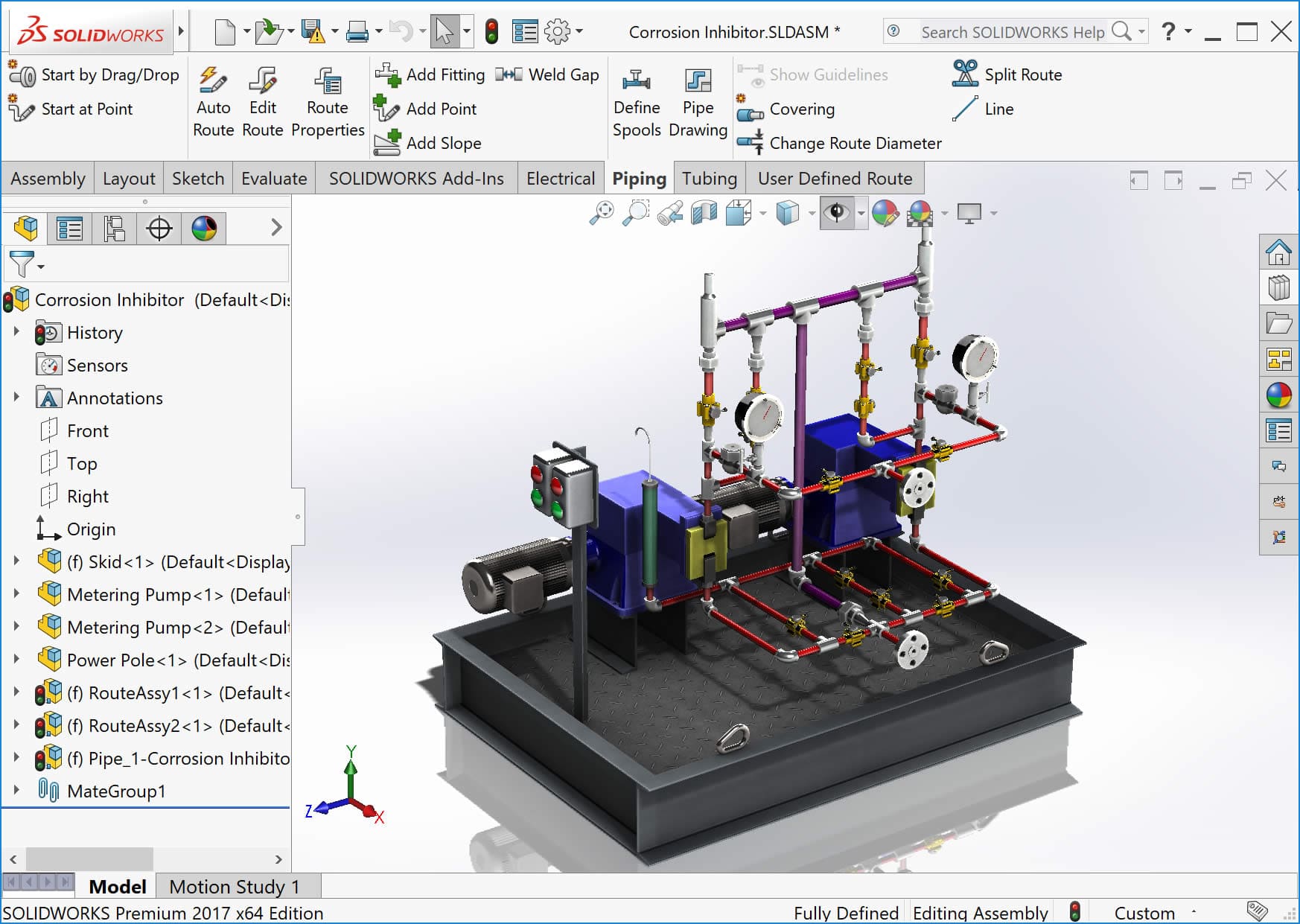
4. SolidWorks Premium
SolidWorks Premium (Source: Javelin Technologies)
SolidWorks Premium is a well-liked generative design software thanks to its topology optimization, making it ideal for companies that rely on SolidWorks across their entire workflow.
When using the software, its interface will instantly feel familiar to existing users, and it works seamlessly with current part libraries and assemblies. With such benefits, users can save time and continue working like they always do without further extensive learning.
While its pricing aligns with most enterprise tools, it delivers strong value when used across larger engineering teams.
Key Information:
Integrated topology optimization and simulation tools
Tight integration with the SolidWorks CAD ecosystem
Suitable for complex assemblies and part libraries
US$4,716/year (with all the features included in the Standard and Professional plans)
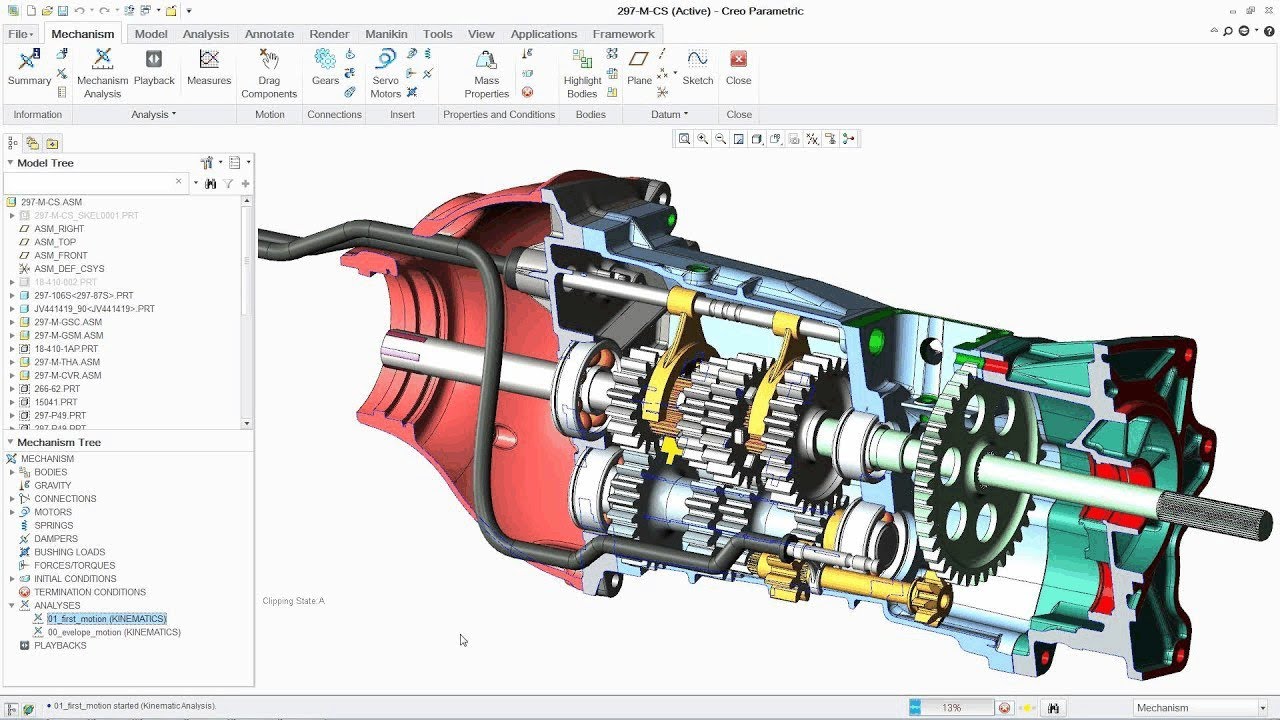
To help users, PTC’s Creo offers topology optimization and lattice generation that can handle complex production needs in various heavy industries. Its advanced simulations check whether a design can be made before any resources are spent, making it especially useful when pairing generative design with manufacturing validation.
Because it integrates seamlessly with PTC’s broader PLM ecosystem, Creo is a strong fit for large organizations managing complicated product lifecycles. Even better, Creo is an enterprise-level software with enterprise-level pricing, so companies that prioritize efficiency in their work should consider using the software.
Key Information:
Topology optimization and lattice structure generation
Advanced manufacturing simulation integration
Integration with PTC product lifecycle management software
US$3,910/year for a floating license and US$3,350/year for a locked license
Create the Best Design Projects with the Right Tools and Resources!
Exploring the best generative design software shows just how much these tools can transform the way engineers, architects, and product designers work. From reducing material waste to creating shapes that were once impossible to model manually, generative design software continues to push innovation forward.
To help with such innovations, high-quality 3D resources from Tridimensi can make the process smoother! Their high-quality 3D assets are what engineers, product designers, and 3D artists can rely on to build more accurate, polished models with the advanced capabilities of generative design.