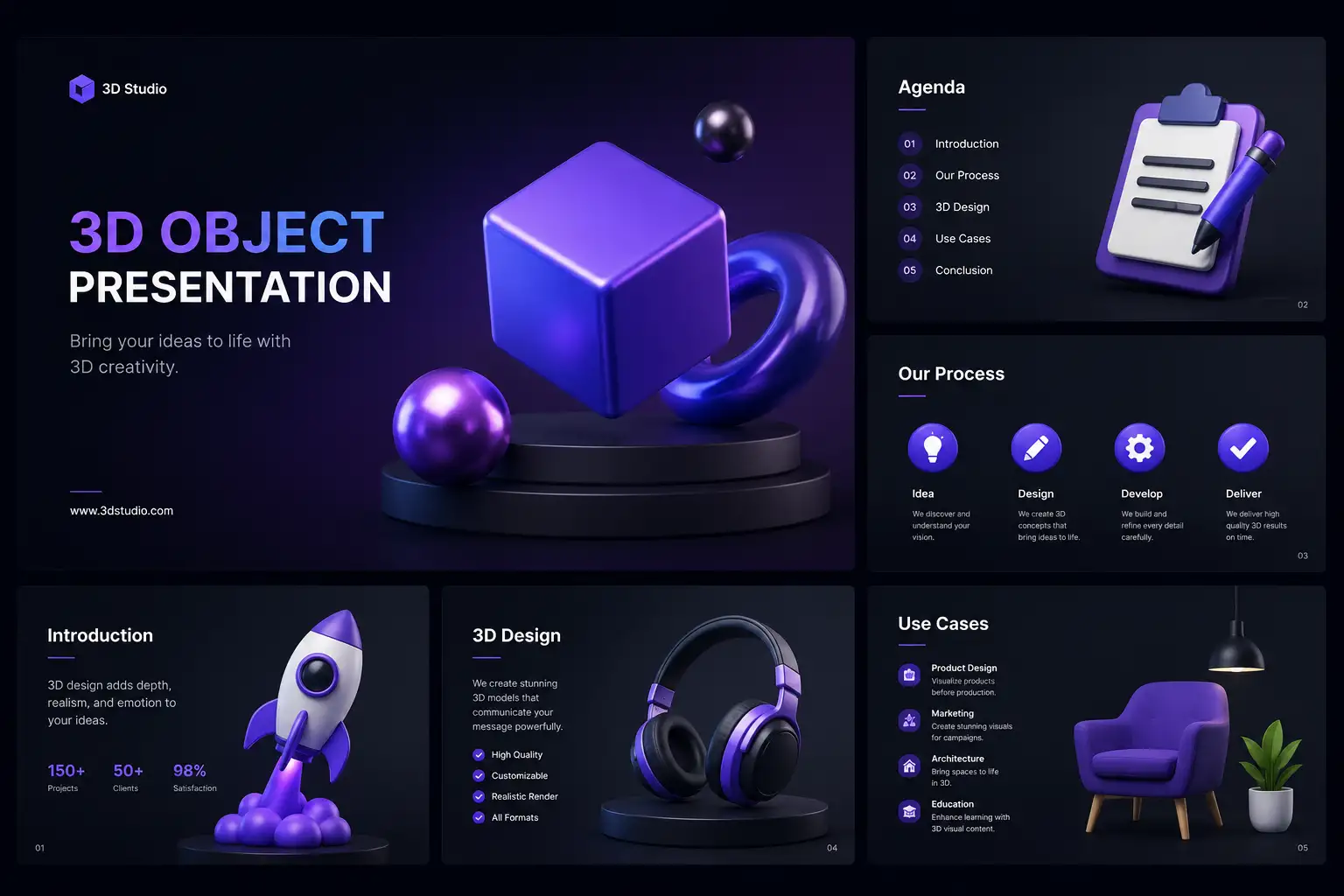
The era of static, text heavy presentations is rapidly being replaced by dynamic visual storytelling. In a world where attention spans are measured in seconds, the ability to bring your ideas to life through motion is a factual necessity. Learning how to animate 3D objects in presentations is a critical skill for anyone looking to revolutionize their design process. Tridimensi.pro offers extraordinary digital products, including curated 3D animations and objects, designed to help you build a professional look that captivates any audience.
The primary impact of animating 3D objects is the creation of “visual flow.” Unlike 2D animations, 3D motion introduces depth and perspective that guide the viewer’s eye through the narrative of your slide. This informational gain allows you to simplify complex data or abstract concepts by making them feel physical and interactive. By using performance ready 3D assets, you ensure that your presentation remains smooth and professional, avoiding the technical glitches that often plague unoptimized motion graphics.
Choosing the Right Animation Style for Your Message
Not all 3D motion is created equal. To be an expert presenter, you must match the animation style to the tone of your content. For technical or data driven slides, “linear” and “structured” motion is best. Utilizing assets like the Geometric Balance, 10 Abstract 3D Compositions allows you to create background environments that move with precision, suggesting stability and logical growth. This type of motion provides a professional anchor for your statistics and key performance indicators.
Conversely, if your presentation is about creativity, innovation, or brand identity, organic and fluid animations are more effective. The Liquid Sphere Abstract 3D Animation or Fluffy Flowers assets utilize “elastic” motion movements that feel bouncy and natural. This style of animation reduces the formal barrier between the presenter and the audience, making the brand feel more approachable and modern. By strategically selecting the right movement, you are using the “language of motion” to reinforce your message without saying a word.
Professional motion guidelines:
- Subtle Loops: Use seamless 3D video loops for backgrounds to keep the slide “alive” without distracting from the text.
- Entrance Animations: Use 3D objects that “fly in” from the Z axis to create a sense of depth.
- Emphasis Motion: Animate a 3D icon to pulse or rotate slightly when you mention a specific key point.
Technical Implementation in Keynote and PowerPoint
Modern presentation software has made it easier than ever to animate 3D objects. For a truly professional look, the “Magic Move” (Keynote) or “Morph” (PowerPoint) transitions are revolutionary. These tools allow you to place a 3D object on one slide and move or rotate it on the next; the software automatically calculates the smooth 3D transition between them. This creates a cinematic experience that feels like a single continuous camera move through your brand’s world.
For those using pre rendered animations like the Futuristic AI Orb, the best practice is to set the video to “Loop” and “Start Automatically”. Because Tridimensi.pro provides assets in optimized MP4 and MOV formats, these files are incredibly lightweight. This technical precision ensures that your deck doesn’t become too large to email or cause your laptop to lag during a high stakes pitch. Being an expert means balancing high fidelity visuals with reliable technical performance.
Workflow tips for 3D slides:
- Transparent PNGs: Use high resolution 3D objects with transparent backgrounds to layer them over moving 3D backgrounds.
- MP4 Overlays: Place 3D video loops behind your text to create an immersive “atmospheric” effect.
- Z Space Alignment: Arrange your text “behind” or “in front” of 3D objects to emphasize the three dimensional space.
Enhancing Data with 3D Motion
One of the most creative ways to use 3D animations is to visualize data trends. Instead of a flat bar chart, you can use 3D blocks or waves to represent growth. Using a Data Block 3D Background allows you to create a structural environment where your data feels like it is built into the architecture of the slide. When these blocks move or pulse, they represent “live” data, suggesting that your brand is active and constantly evolving.
This level of detail provides a significant informational gain for the audience. It makes abstract numbers feel like physical progress. Expert designers also use “UI Glass Dispersion” icons as animated markers on maps or diagrams. The refraction of light through the glass icons as they move adds a layer of tech forward sophistication that standard icons cannot match. By integrating these professional grade assets, you are turning a standard report into a high end digital identity showcase.
Future trends in 3D presentations:
- Interactive 3D: Slides that respond to the presenter’s mouse clicks to rotate 3D objects.
- Cinematic Transitions: Using 3D fonts that “shatter” or “melt” into the next slide topic.
- Atmospheric 6K Backgrounds: Utilizing ultra HD 3D loops to create an environment that feels like a professional film.
Revolutionize Your Slides with Tridimensi
Tridimensi.pro is dedicated to providing the extraordinary digital products needed to master 3D motion in presentations. Our curated library of 3D animations and objects is engineered to be plug and play, allowing you to revolutionize your design process without the need for complex 3D software. Whether you are a solo entrepreneur or part of a global marketing team, our assets ensure that your slides project a professional look that is light years ahead of the competition.
Tridimensi Animation Assets & Pricing:
- Nature 3D Fonts: $3
- Geometric Balance (10 Compositions): $4
- Fluffy Flowers (50 Soft Elements): $19
- UI Glass Dispersion (50 Icons): $21
Ordering Information
Ready to bring your next presentation to life with 3D motion? You can reach our team directly via email at: [email protected]
Alternatively, you can send a message or DM to our social media channels. Our team is ready to assist you with asset selection, technical tips, or custom requests to help you make your presentations truly unforgettable.
FAQ
Do I need 3D software to animate these objects?
No! Our 3D animations are provided as ready to use MP4 or MOV files. You can just drag and drop them into PowerPoint or Keynote and use the built in animation tools to move them around.
Will 3D animations work on my client’s computer?
Yes, as long as you use standard video formats like MP4. We optimize our files to be highly compatible, ensuring they play smoothly on both Windows and Mac systems.
How do I keep the animations from being distracting?
The “Expert Rule” is to use subtle loops for backgrounds and save the fast, high impact animations for transitions or when you are highlighting a specific, important number.
Can I use 3D fonts for my whole presentation?
We recommend using Nature 3D Fonts for your title slides or major section headers only. For long paragraphs, it is better to use a standard clean font so it is easier for your audience to read.