SPECIAL OFFER ✦ BUY 2 GET 1 FREE! ✦ ADD 3 PRODUCTS TO YOUR CART, AND THE DISCOUNT APPLIES AUTOMATICALLY!
SPECIAL OFFER ✦ BUY 2 GET 1 FREE! ✦ ADD 3 PRODUCTS TO YOUR CART, AND THE DISCOUNT APPLIES AUTOMATICALLY!
SPECIAL OFFER ✦ BUY 2 GET 1 FREE! ✦ ADD 3 PRODUCTS TO YOUR CART, AND THE DISCOUNT APPLIES AUTOMATICALLY!
SPECIAL OFFER ✦ BUY 2 GET 1 FREE! ✦ ADD 3 PRODUCTS TO YOUR CART, AND THE DISCOUNT APPLIES AUTOMATICALLY!
When designing graphics, the debate of raster vs vector graphics often comes to mind. These file types greatly influence design quality, scalability, and performance. Therefore, choosing the appropriate format ensures that visuals remain sharp, optimized, and effective across digital and print media.
According to Adobe, selecting the right file type reduces rendering problems and improves efficiency, helping designers maintain consistency and quality in their projects. This consideration plays a crucial role in workflow management and project outcomes.
Key Takeaways:
Raster graphics excel in detailed images but lose quality when enlarged.
Vector graphics provide scalable designs ideal for logos, icons, and illustrations.
Matching the correct graphic format with project needs enhances efficiency and ensures consistent visual quality.
What is Raster Graphic?
Raster graphics are images composed of a grid of individual pixels, each holding color information. They are ideal for complex visuals like photographs and digital artwork, where subtle color variations and detail matter. Raster graphics are widely used in web, print, and digital art due to their realistic appearance.
What is Vector Graphic?
Vector graphics are built using mathematical equations that define points, lines, curves, and shapes. This approach provides infinite scalability and ensures crisp visuals regardless of size. Vector images are commonly used for logos, icons, and illustrations. It requires precision and flexibility across multiple media.
Understanding the differences between raster vs vector graphics helps designers select the most suitable format for each project. The sections below compare them across six key aspects.
1. Structure
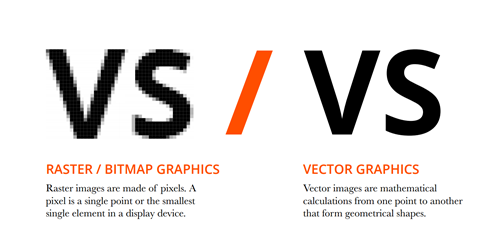
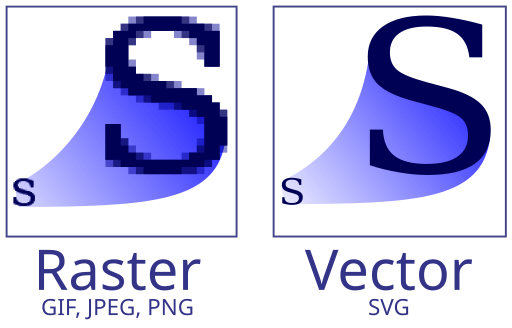
Raster pixels vs vector structure comparison | Source: Digital media and visual arts
Raster images consist of pixels arranged in a grid. Each pixel represents a color or shade, allowing detailed textures and gradients. Enlarging these images reveals individual pixels, reducing quality.
Vector images, on the other hand, are built from mathematically defined paths. This structure enables infinite scaling without any loss of clarity. Shapes, lines, and curves remain precise, making vectors suitable for logos, icons, and scalable illustrations.
2. File Size
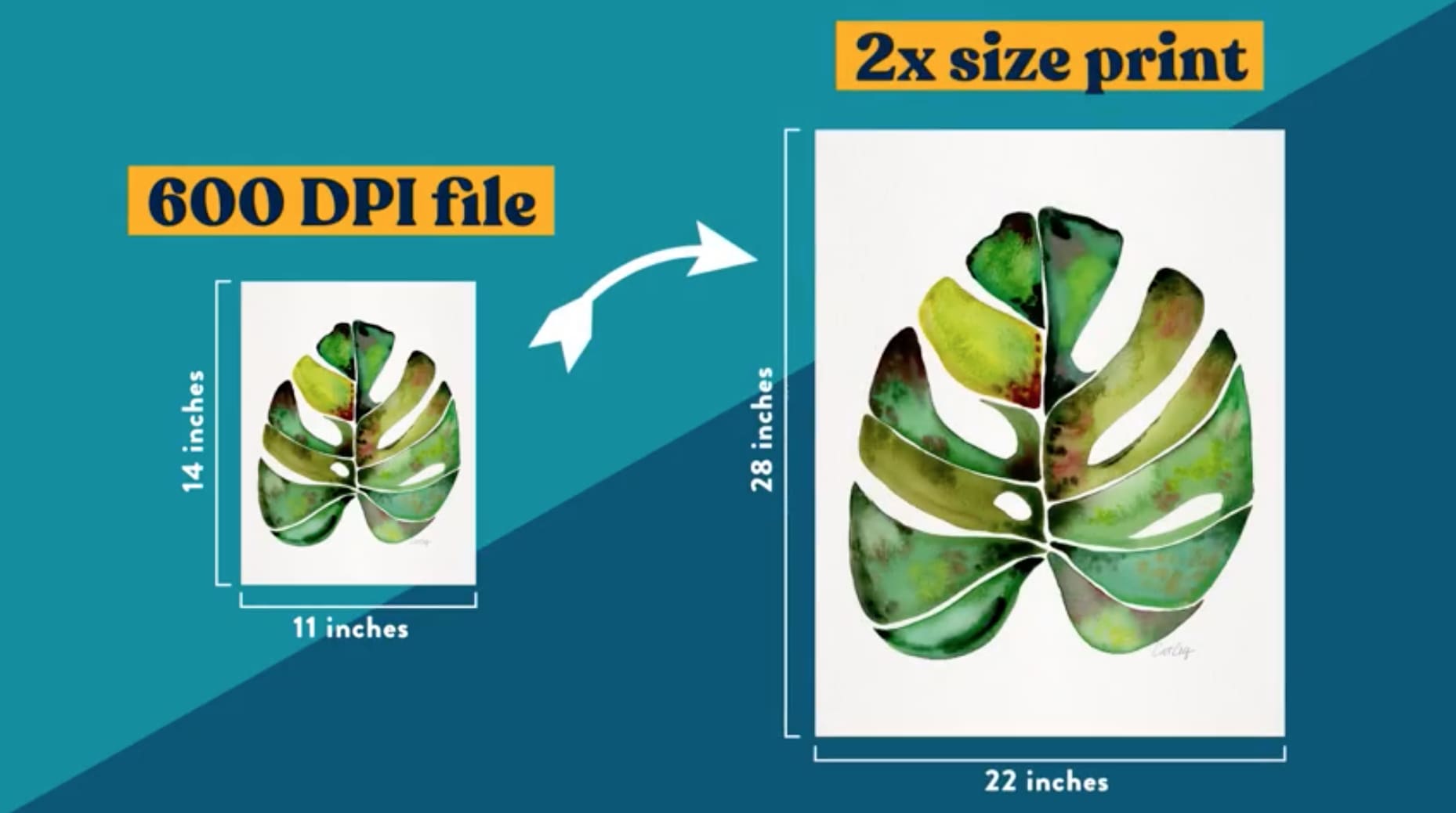
File size resolution between raster vs vector graphics | Source: Catcoq
Raster files are typically larger because they store pixel data, especially at high resolutions. Compression formats like JPEG or PNG can reduce size but may sacrifice some detail.
Vector files are generally smaller because they store mathematical representations rather than pixel grids. Smaller file sizes allow quicker loading, easier sharing, and reduced storage requirements, particularly for web and interface design.
3. Performance
Rendering high-resolution raster images demands more processing power and can slow performance on limited devices.
In contrast, vector graphics are less resource-intensive and render faster. When comparing raster vs vector graphics, vectors deliver better scalability and performance for interactive designs.
4. Flexibility
Raster images offer rich detail but limited flexibility. Resizing beyond the original resolution degrades quality, and editing individual elements can be difficult.
Vectors, while less detailed, allow easy resizing, rotation, and editing without losing quality. This makes them ideal for maintaining consistent branding across various formats.
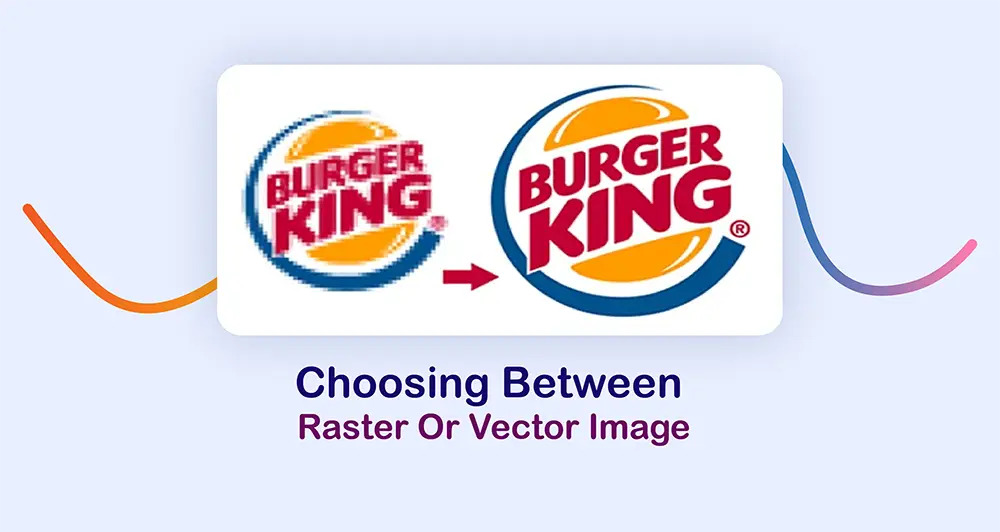
Logo is ideal using Vector Graphics | Source: Clipping Path Source
Raster Graphics are ideal for photographs, digital paintings, and textured images where detail and color depth are essential. They’re suitable for both web and print applications.
Vector Graphics are perfect for logos, icons, typography, and illustrations that need scalability and precision. They maintain clarity across all sizes and mediums.
6. File and Extension Types
File formats of Raster vs Vector | Source: Wikipedia
Raster graphics are typically saved in formats such as JPEG, PNG, GIF, or TIFF. These formats are widely supported across platforms and applications.
Meanwhile, common vector formats include SVG, AI, EPS, and PDF. They allow scalable, high-quality graphics compatible with professional design software.
Raster graphics are widely used for their accessibility across platforms, making them a popular choice for designers to showcase their work to clients. However, it’s important to understand the benefits and limitations of this file type.
Pros:
High Detail: Excellent for realistic and intricate images.
Rich Color Depth: Supports millions of colors and smooth gradients.
Wide Compatibility: Works across many software and platforms.
Versatility: Suitable for web, print, and digital art.
Cons:
Resolution Dependent: Quality drops when resized.
Large File Sizes: It can consume significant storage space.
Editing Limitations: Harder to modify individual elements.
Performance Demands: High-resolution images may slow processing.
Pros and Cons of Vector Graphics
Vector graphics stand out for their versatility and efficiency. They’re lightweight, scalable, and ideal for branding. Still, it’s crucial to know the key advantages and disadvantages of this file type.
Pros:
Infinite Scalability: Maintains clarity at any size.
Small File Sizes: Efficient storage and sharing.
Easy Editing: Individual elements can be adjusted without impacting others.
Performance Efficient: Less resource-intensive and faster to render.
Cons:
Limited Detail: Not suited for complex images or photographs.
Learning Curve: Requires knowledge of vector-based tools.
Compatibility Issues: Not supported by all image editing software.
Conversion Challenges: Exporting to raster formats may affect quality.
Selecting the right format between raster vs vector graphics enhances visual quality and workflow efficiency. Raster works best for detailed images, while vector excels in scalable designs like logos and illustrations. Understanding these differences ensures consistent and effective design results.
To elevate your future digital poster project, you may like the Tridimensi offering. You can find premium 3D visual assets that complement both raster and vector workflows. High-quality assets combined with the right format strengthen overall design impact. Grab now to get affordable prices starting from only $1.