SPECIAL OFFER ✦ BUY 2 GET 1 FREE! ✦ ADD 3 PRODUCTS TO YOUR CART, AND THE DISCOUNT APPLIES AUTOMATICALLY!
SPECIAL OFFER ✦ BUY 2 GET 1 FREE! ✦ ADD 3 PRODUCTS TO YOUR CART, AND THE DISCOUNT APPLIES AUTOMATICALLY!
SPECIAL OFFER ✦ BUY 2 GET 1 FREE! ✦ ADD 3 PRODUCTS TO YOUR CART, AND THE DISCOUNT APPLIES AUTOMATICALLY!
SPECIAL OFFER ✦ BUY 2 GET 1 FREE! ✦ ADD 3 PRODUCTS TO YOUR CART, AND THE DISCOUNT APPLIES AUTOMATICALLY!
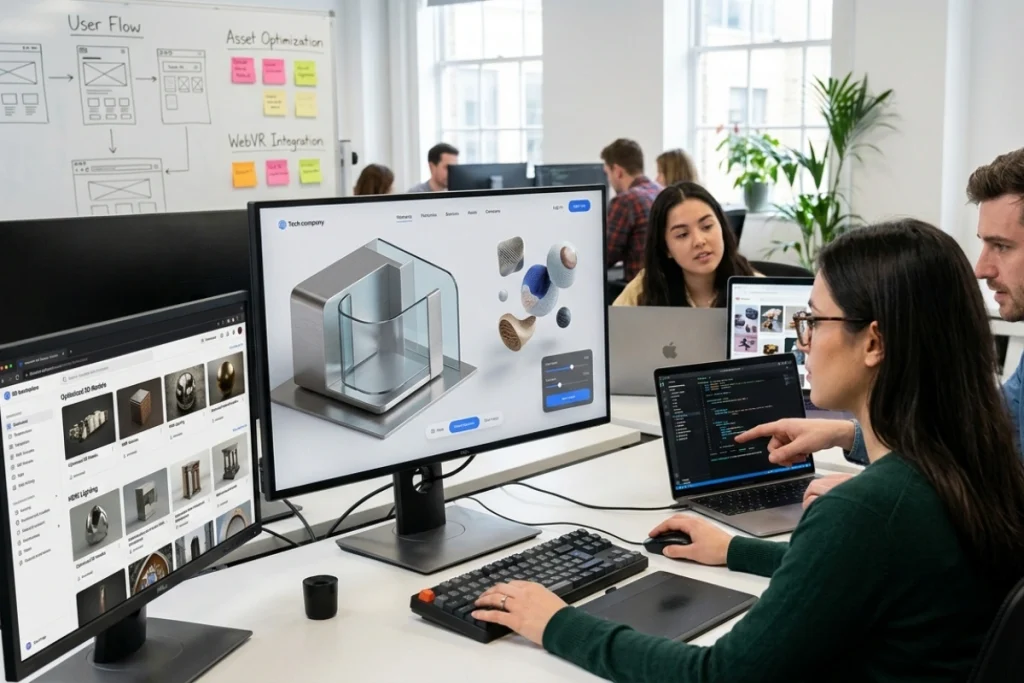
Three JS websites have become one of the clearest signals of a brand that takes its digital presence seriously. Instead of flat banners and static hero sections, these sites use real-time 3D rendering to create depth, motion, and interactivity that instantly grabs attention.
For designers and developers, the challenge is no longer whether to use Three.js, but how to fill that 3D canvas with visuals that feel premium rather than generic.
What Makes Three JS Websites Stand Out
Three.js sites feel alive because objects respond to scroll, cursor movement, or time — not just static page elements.
A well-built Three.js site feels alive because objects respond to scroll, cursor movement, or time rather than sitting frozen on the page. This sense of responsiveness is exactly what separates a modern portfolio or product page from a template that looks like thousands of others online.
Visitors notice the difference within seconds, even if they can’t explain why one site feels more polished than another.
The technical power of Three.js comes from WebGL, which lets browsers render lighting, shadows, and geometry directly on the GPU. That means smooth animations and realistic materials without forcing users to download a heavy app or plugin.
Developers get a flexible JavaScript library, but the real challenge is always the content that fills the 3D scene.
This is where most projects slow down. Building custom 3D models, textures, and animations from scratch requires specialized skills with tools like Blender or Cinema 4D, and that process can eat up weeks of a project timeline.
A smarter approach is to combine Three.js with ready-made 3D assets, so the coding effort goes into interaction and performance rather than modeling geometry from scratch.
Turning a Website Idea Into a Working 3D Experience
The gap between a 3D website idea and a finished page is usually filled by assets, not code.
Every strong project starts with a website idea, but ideas only become memorable when there’s a visual language to support them. A concept for a SaaS landing page, a fashion brand story, or a portfolio site all benefit from 3D elements that reinforce the message rather than distract from it.
The gap between “we want something 3D” and an actual shipped page is usually filled by assets, not code. Designers often sketch a website idea around a mood board of shapes, colors, and textures before a single line of Three.js is written.
Having access to a library of glass shapes, abstract objects, or animated backgrounds speeds up early exploration, since teams can test several directions before committing to one. This early flexibility often determines whether the final result feels intentional or thrown together.
Once a direction is chosen, the same asset library can support the entire build, from the hero section to secondary pages and marketing campaigns. That consistency matters because a website idea only works when every screen the visitor sees reinforces the same visual identity. Reusable 3D assets make that kind of consistency achievable even on tight budgets.
Why Website Design 3D Projects Need the Right Asset Library
Even the strongest Three.js code looks flat without high-quality, web-optimized 3D assets.
Website design 3D work lives or dies on the quality of its visual assets, since even the best animation code looks flat with poor models or low-resolution textures. A single blurry render or an oddly lit shape can undercut an otherwise excellent Three.js implementation. That’s why experienced teams treat asset sourcing as seriously as they treat performance optimization.
Curated 3D marketplaces solve this problem by offering objects, backgrounds, and animations that are already optimized for web use, with consistent lighting and clean file formats. Instead of hunting through scattered, inconsistent-quality free resources, designers can pull from a single, tested collection. This saves review time and reduces the risk of licensing issues down the line.
A dependable website design 3D workflow also needs variety, since one project might call for soft, playful shapes while another might call for sharp, futuristic glass structures. Having thousands of curated options available means a team can match tone precisely instead of forcing a mismatched asset to fit the brand.
That range is often the difference between a site that looks custom-built and one that looks like it was recycled.
Building a Unique Website in a Crowded 3D Landscape
Standing out in a saturated 3D web landscape means avoiding the same overused free asset packs everyone else uses.
As more brands adopt 3D visuals, standing out requires more than just having a Three.js scene on the homepage. A unique website today needs distinctive shapes, unexpected color treatments, and animations that feel authored rather than copied from a stock template. This is where the choice of assets becomes a real competitive advantage.
Working with a large, regularly updated library helps teams avoid the “everyone is using the same free asset pack” problem that has become common as 3D design tools spread.
When a designer can choose from thousands of curated objects instead of a handful of overused freebies, the resulting site is far more likely to feel like a unique website rather than a copy of a competitor’s homepage. Fresh drops of new assets also help brands keep their visuals current over time.
A unique website is also about the combination, not just individual assets. Pairing a distinctive 3D background with custom typography and an unexpected animation timing can turn even common shapes into something that feels original. Access to a wide range of assets gives designers the raw material to experiment with these combinations quickly.
Step-by-Step: Adding Curated 3D Assets to a Three.js Project
Adding curated 3D assets to a Three.js scene follows a simple process — from defining the mood to testing performance.
Getting from an asset library to a working scene is a straightforward process once the right resources are in place:
Define the mood – decide whether the site needs soft and playful shapes or sharp, futuristic glass and metal forms.
Browse a curated 3D library – filter by category such as objects, backgrounds, or animations to shortlist a few options.
Download web-optimized files – choose formats and resolutions suited for real-time rendering rather than film-quality renders.
Import into the Three.js scene – load the geometry or texture, then adjust scale, lighting, and camera position to match the layout.
Test performance – check load times and frame rates on both desktop and mobile before launch.
Iterate with variations – swap in alternate assets from the same library to A/B test which visual direction converts better.
Following this sequence keeps a project moving without sacrificing visual quality, since each step relies on assets already built for web performance.
Final Thoughts
Great three js websites are rarely the result of code alone. They come from pairing strong technical execution with a steady supply of high-quality 3D visuals. Whether the goal is testing a new website idea, delivering polished 3D website design work, or shipping a genuinely unique website, the assets behind the scenes matter just as much as the animation logic in front of it.
Teams that treat asset sourcing as part of their core workflow consistently ship faster and with more visual confidence.
If a project needs a reliable library to draw from, Tridimensi offers exactly that kind of foundation for ongoing 3D work. Try the Unlimited Access plan at tridimensi.pro and start building three js websites backed by a curated collection of over 5,000 professional 3D assets.