In the world of digital art, geometry provides the shape, but lighting provides the soul. Even the most complex model can look amateurish if the illumination is flat or inconsistent. Understanding the best tips for lighting in 3D scene design is a factual necessity for creators who want to achieve a studio grade professional look. Tridimensi.pro offers extraordinary digital products that are pre rendered with expert lighting, allowing you to revolutionize your design process by using assets that already possess perfect highlights and shadows.
Lighting is the primary tool for creating “Visual Depth.” It defines the contours of an object and helps the viewer’s eye understand the spatial relationship between different elements on a page. This informational gain is what makes a landing page or presentation feel immersive. By mastering a few key lighting principles, you can transform a standard graphic into a high fidelity visual that projects authority and technical sophistication.
The Foundation: Three Point Lighting
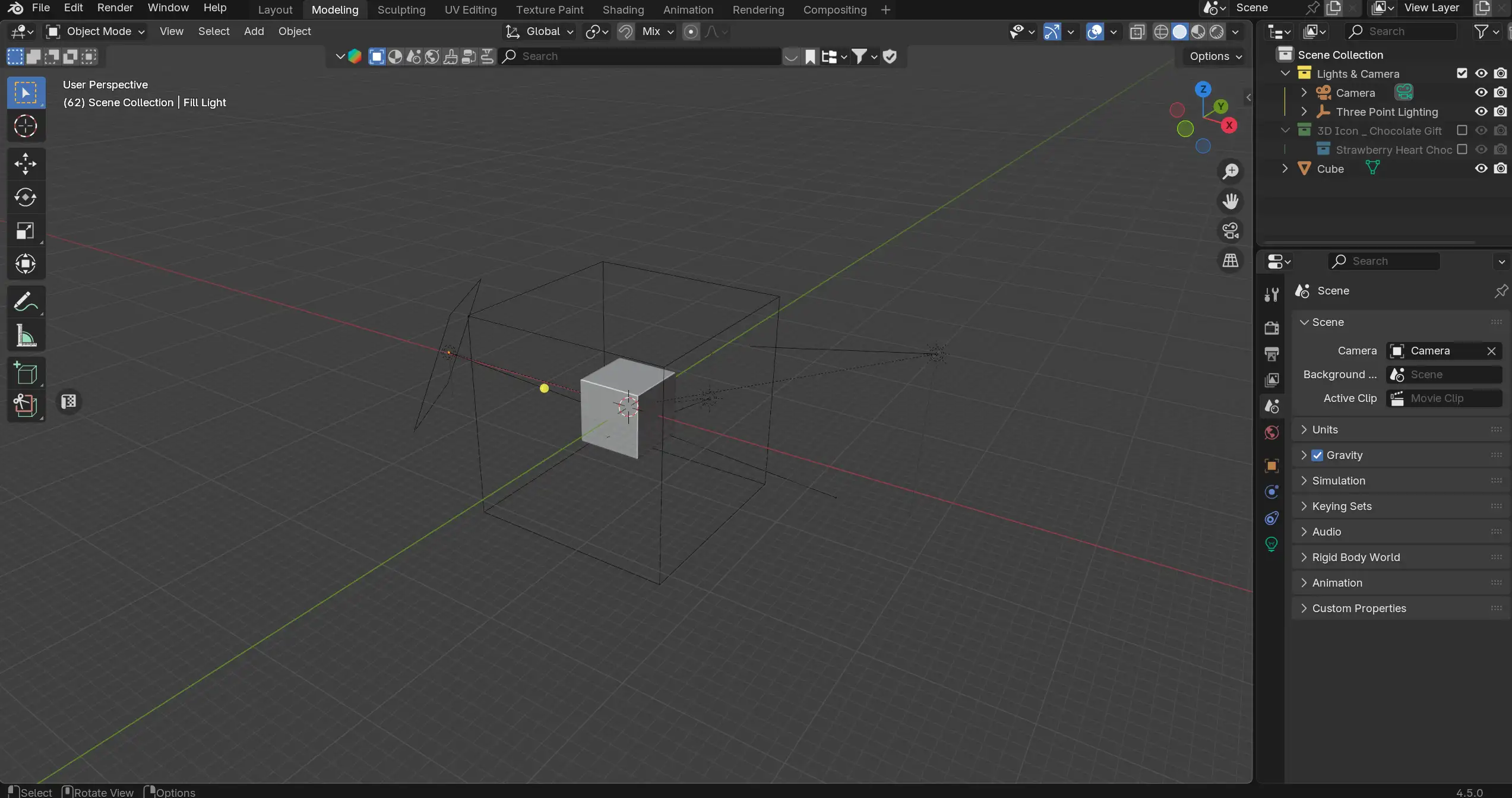
The most reliable technique in 3D scene design is the three point lighting system. This classic setup ensures that your 3D objects, such as a Futuristic AI Orb, have a clear shape and don’t disappear into the background. It consists of three light sources: the Key Light, the Fill Light, and the Rim Light.
- Key Light: This is your primary light source. It should be the strongest and placed to one side of the object to create primary shadows and define the main form.
- Fill Light: Placed on the opposite side of the Key Light, this source is softer and dimmer. Its job is to “fill” the harsh shadows, ensuring the viewer can still see the details in the darker areas.
- Rim Light (Backlight): Positioned behind the object, the Rim Light creates a thin “halo” of light around the edges. This is essential for separating your 3D asset from the background, which is a key requirement for a professional look.
Mastering Material Interaction and Refraction
In modern 3D design trends like Glassmorphism, lighting behaves differently than it does on matte surfaces. When working with assets like the UI Glass Dispersion icons, you must consider how light passes through the material. Glass doesn’t just reflect light; it refracts and disperses it, creating a prismatic effect that signals high end quality.
Expert designers use high contrast lighting environments to make glass textures “pop.” If the environment is too evenly lit, glass objects can become invisible. By using a dark 3D background such as a Data Block environment with sharp, focused light sources, the refraction within the glass becomes the focal point. This level of technical precision is why curated 3D assets from Tridimensi are so effective; they are rendered with realistic optical properties that react perfectly to virtual light sources, ensuring your UI feels premium and future ready.
Tips for material lighting:
- Soft vs. Hard Shadows: Use soft, large light sources for Fluffy 3D Elements to maintain an approachable feel.
- Specular Highlights: Ensure your metallic or glass assets have bright “white spots” to represent reflections of light sources, which adds a layer of realism.
- Global Illumination: Use indirect lighting to mimic how light bounces off the floor and back onto the object for a natural, grounded feel.
Lighting for Mood and Brand Persona
Lighting is a powerful psychological tool. The color and intensity of your light sources tell the audience how to feel about your brand. Cool, blue toned lighting suggests technology, security, and a futuristic vibe ideal for SaaS and fintech brands. Warm, yellow toned lighting feels more human centric, cozy, and creative.
When building a brand with 3D elements, you must keep your lighting consistent across all assets. If your Nature 3D Font has a warm sunset glow, your 3D Animated Wave background should share that same warmth. This consistency revolutionizes the design process by creating a unified “Digital Atmosphere”. Tridimensi’s Entire Store Bundle provides a vast library of assets with consistent lighting logic, making it easier than ever to maintain a professional look across multiple marketing channels.
Emotional lighting strategies:
- High Key Lighting: Bright and even lighting with few shadows; creates a clean, optimistic, and “open” brand persona.
- Low Key Lighting: High contrast with deep shadows; creates a sense of mystery, luxury, and high tech exclusivity.
- Atmospheric Fog: Use subtle “volumetric” light (light rays visible through fog) to add extreme depth and a cinematic quality to your hero sections.
Revolutionize Your Workflow with Performance Ready Lighting
Achieving perfect lighting in 3D software can take hours of rendering time. For creative pros on a deadline, the most efficient tip is to use pre rendered assets where the lighting has already been perfected by experts. This “Fast Visuals” workflow allows you to focus on the layout and strategy rather than the technicalities of light physics.
Tridimensi.pro provides 3D animations and objects that meet 6K resolution and 300 DPI standards, ensuring that every highlight and shadow is crisp on any screen. Whether you are using a Liquid Sphere for a mobile app or a 3D Abstract Glass Shape for a keynote presentation, you can trust that the lighting has been engineered for a professional look. By subscribing to Forever Full Access, you gain a lifetime of perfectly lit assets that will revolutionize your design process like never before.
Tridimensi Lighting Quality Standards:
- Studio Renders: Every asset is rendered in a professional virtual studio environment.
- 300 DPI Clarity: Lighting details remain sharp even when scaled for print or large displays.
- Consistent Styling: Optimized to ensure icons and backgrounds work together seamlessly.
Ordering Information
Ready to master the light in your next project? You can reach our team directly via email at: [email protected]
Alternatively, you can send a message or DM to our social media channels. Our team is ready to assist you with asset selection, lighting tips for custom projects, or setting up your Entire Store Bundle access.
FAQ
Do I need to be an expert in Blender to get professional lighting?
No! When you use ready to use 3D assets from Tridimensi, the complex lighting is already “baked” into the image or video. You just need to place the asset in your design tool.
Can I change the lighting color of a pre rendered 3D asset?
Yes. You can use the “Hue/Saturation” or “Photo Filter” tools in software like Photoshop or Figma to subtly shift the color of the highlights to match your brand’s light sources.
Why does my 3D scene look “flat”?
Usually, this is because there isn’t enough contrast. Try using a darker background or adding a “Fill” layer to your 3D objects to create a stronger sense of three dimensional form.
What is the best lighting for a “minimalist” website?
High key, soft lighting is usually best for minimalism. It keeps the page feeling light and airy while still providing the subtle shadows needed to create depth.