SPECIAL OFFER ✦ BUY 2 GET 1 FREE! ✦ ADD 3 PRODUCTS TO YOUR CART, AND THE DISCOUNT APPLIES AUTOMATICALLY!
SPECIAL OFFER ✦ BUY 2 GET 1 FREE! ✦ ADD 3 PRODUCTS TO YOUR CART, AND THE DISCOUNT APPLIES AUTOMATICALLY!
SPECIAL OFFER ✦ BUY 2 GET 1 FREE! ✦ ADD 3 PRODUCTS TO YOUR CART, AND THE DISCOUNT APPLIES AUTOMATICALLY!
SPECIAL OFFER ✦ BUY 2 GET 1 FREE! ✦ ADD 3 PRODUCTS TO YOUR CART, AND THE DISCOUNT APPLIES AUTOMATICALLY!
Creative projects involve more than meeting deadlines. Designers, marketers, and content creators often juggle multiple revisions, asset files, client feedback, and approvals at the same time. Without a reliable system, even the most talented teams can struggle to stay organized.
Choosing the best project management tools online helps centralize communication, simplify collaboration, and keep every project moving from concept to delivery. This guide highlights the top project management software for creative teams, along with the strengths of each platform and the type of workflow it supports best.
Key Takeaways
The best project management tools online help creative teams manage tasks, files, approvals, and deadlines in one place.
Different tools suit different workflows, from simple Kanban boards to advanced automation and resource management.
Combining efficient project management with high-quality design assets helps creative teams deliver projects faster without compromising quality.
What Makes a Great Project Management Tool for Creative Teams?
Empower your creative process with project management tools built for visual collaboration, flexible workflows, and automated tasks.
Creative teams have different priorities from traditional business teams. Beyond task management, they need software that supports visual collaboration, file sharing, design reviews, and flexible workflows.
When comparing project management software, look for features such as visual boards, timeline or Gantt views, task automation, file management, collaboration tools, and integrations with design platforms like Adobe Creative Cloud, Slack, or Google Drive. These features reduce manual work and make it easier to keep everyone aligned throughout the creative process.
Best Project Management Tools Online
An editorial infographic comparing 10 project management tools
Here are 10 of the best project management tools online that can help designers, marketers, and creative teams stay organized and deliver projects more efficiently.
1. Asana
Asana is a popular choice for agencies and in-house creative teams managing multiple campaigns simultaneously. Timeline views, workload management, approval workflows, and automation help teams organize projects from planning to final delivery. Its integrations with many productivity and communication tools also make collaboration across departments much easier.
2. ClickUp
ClickUp combines project management, documentation, dashboards, and goal tracking in a single platform. Its highly customizable workspace allows teams to create workflows that match their creative process, making it an excellent option for growing agencies that need flexibility without relying on multiple applications.
3. Monday.com
Monday.com stands out for its clean interface and workflow automation. Creative teams can build custom boards, automate repetitive updates, and monitor project progress through multiple visual views. The platform also offers hundreds of templates, making it easy to get new projects up and running quickly.
4. Trello
Trello remains one of the easiest project management tools to learn. Its Kanban board system lets teams organize tasks visually by simply moving cards through different project stages. This straightforward approach makes Trello ideal for freelancers, small studios, and creative teams looking for a lightweight solution.
5. Notion
Notion combines documentation and project management in one flexible workspace. Design teams can keep project briefs, brand guidelines, meeting notes, and task boards together, making it easier to manage both creative knowledge and daily work from a single platform.
6. Wrike
Wrike is designed for teams managing large volumes of creative work. Its proofing tools, workflow automation, resource management, and AI-assisted features help simplify review cycles and improve collaboration between designers, project managers, and stakeholders.
7. Jira
Although Jira is best known for software development, many product and UX teams use it to manage design work alongside engineering tasks. Agile boards, sprint planning, issue tracking, and automation make it particularly useful for projects where designers and developers work closely together.
8. Teamwork
Teamwork is built with client-based projects in mind, making it a strong option for creative agencies. Features such as time tracking, task management, automation, Gantt charts, and collaboration tools help agencies manage multiple clients while keeping projects on schedule.
9. Basecamp
Basecamp focuses on simplicity. Instead of offering dozens of advanced features, it brings messaging, task lists, schedules, file sharing, and team communication into one organized workspace. For smaller creative teams, this straightforward approach reduces complexity while keeping everyone connected.
10. Smartsheet
Smartsheet combines the familiarity of spreadsheets with powerful project management capabilities. Alongside grid views, it offers Kanban boards, calendars, Gantt charts, reporting dashboards, and workflow automation. Teams handling large projects or complex datasets often choose Smartsheet for its flexibility and detailed reporting.
Create Better Work with the Right Resources
Creative projects need more than good planning. The right visual assets can help designers produce polished results without creating every element from scratch.
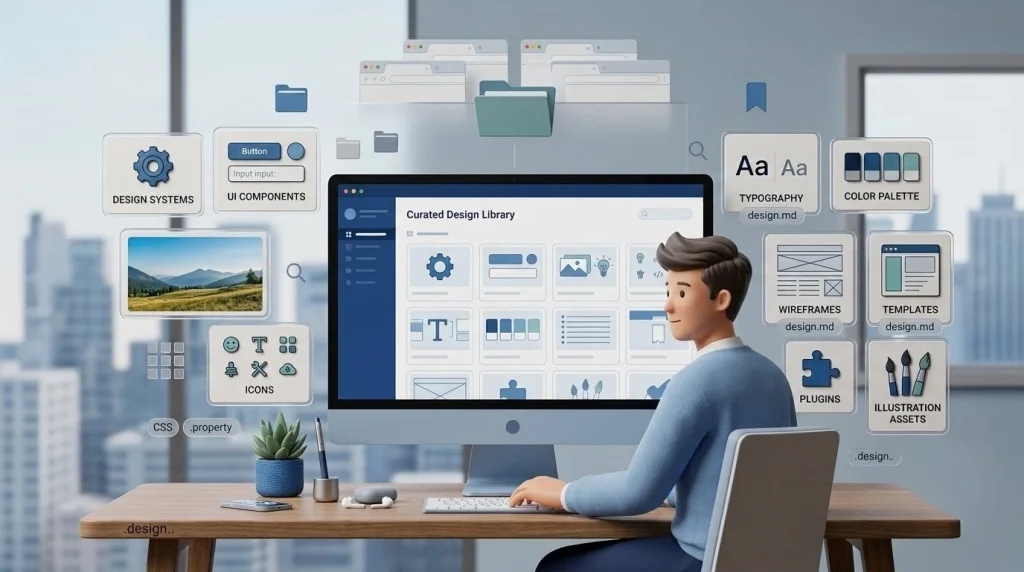
Explore Tridimensi to access more than 5,000 premium 3D assets for presentations, landing pages, marketing campaigns, and digital products. Use ready-to-customize resources to add visual impact while keeping production efficient and professional.
Final Thoughts
The best project management tools online give creative teams a clearer way to handle complex projects, coordinate responsibilities, and keep work moving forward. Instead of relying on scattered messages or manual updates, a centralized system gives everyone better visibility throughout the process.
When your workflow is supported by the right technology, your team can spend more time developing ideas and delivering creative work that meets its goals.