SPECIAL OFFER ✦ BUY 2 GET 1 FREE! ✦ ADD 3 PRODUCTS TO YOUR CART, AND THE DISCOUNT APPLIES AUTOMATICALLY!
SPECIAL OFFER ✦ BUY 2 GET 1 FREE! ✦ ADD 3 PRODUCTS TO YOUR CART, AND THE DISCOUNT APPLIES AUTOMATICALLY!
SPECIAL OFFER ✦ BUY 2 GET 1 FREE! ✦ ADD 3 PRODUCTS TO YOUR CART, AND THE DISCOUNT APPLIES AUTOMATICALLY!
SPECIAL OFFER ✦ BUY 2 GET 1 FREE! ✦ ADD 3 PRODUCTS TO YOUR CART, AND THE DISCOUNT APPLIES AUTOMATICALLY!
Have you ever asked AI for help and ended up with results completely different from what you expected? One common reason is an unclear or incomplete prompt that doesn’t fully convey your intentions. That’s why this article will guide you through how to write prompts for AI so you can achieve the results you truly want.
Key takeaways:
Clear, detailed prompts help AI understand your intent and produce results that closely match your expectations.
Defining the audience, tone, context, and examples significantly improves the accuracy and quality of AI-generated outputs.
How to Write Prompts for AI: A Guide for Better Result
Adobe states that this technology can make your work easier, faster, and more enjoyable, and it may even inspire you to explore new creative directions. Understanding how to create effective AI prompts is essential, so follow these guidelines to achieve the best results.
1. Choose One Goal or Task
Try to avoid combining too many questions or instructions in one prompt to get the most effective result from AI. Focus on a single task and craft a precise targeted prompt around it. You can always follow up with additional prompts once you receive the initial response.
2. Be Specific
Generic prompts lead to generic results, so being specific about your intent, details, audience, or location helps produce more accurate and relevant outputs. Clear and concise context reduces errors and guides the AI to deliver what you need more effectively.
3. Provide Context
A prompt can be simple, but adding context or a defined voice makes it more effective. By specifying details, such as asking a wildlife biologist to explain New England’s fall foliage to children.
4. Identify the Target
To create effective content with generative AI, you must define the audience and their preferences. Share any personas, demographics, or context, and specify the desired voice, tone, style, and format so the AI can tailor the output accurately.
5. Use Examples
Sharing a sample sentence or paragraph can help the AI understand the style you want, but be mindful of copyright. Avoid uploading copyrighted material or asking the AI to rewrite or closely replicate it.
6. Provide Detail
The more detail you provide, the better the AI can tailor its response. Avoid broad prompts; instead, specify the task, audience, tone, format, and situation. For example, defining length, style, and key product attributes leads to far more accurate output.
7. Use “Do” and “Don’t”
Telling the AI what to include and what to avoid helps refine the output and saves time. For example, you can request a picture of buildings in the city that must contain buildings, cars, and light streets, while excluding all public transportation in the picture.
3 Best Practices for AI Prompt Design for the Best Result
We’ve provided both good and bad prompt examples to help you understand what works and what doesn’t, giving you useful inspiration for crafting your own graphic design prompts.
1. Context
If you need an image of city lights at night with tall buildings, you should also specify the tone of a very crowded city and the perspective you want the picture to capture.
Good Prompts:
“Create a super realistic image of city lights at night viewed from a high building that is part of the city. The scene should show illuminated buildings and the city’s activity below, with a calm overall tone while still capturing the busy atmosphere outside.”
Generated by GeminiAI
Bad Prompt:
“Create image of city lights at night”
Generated by ChatGPT
Because a bad prompt can’t capture all the details you want, it’s important to specify elements like tone and perspective. Providing these details helps the AI generate a clearer, more accurate image that matches your intended vision.
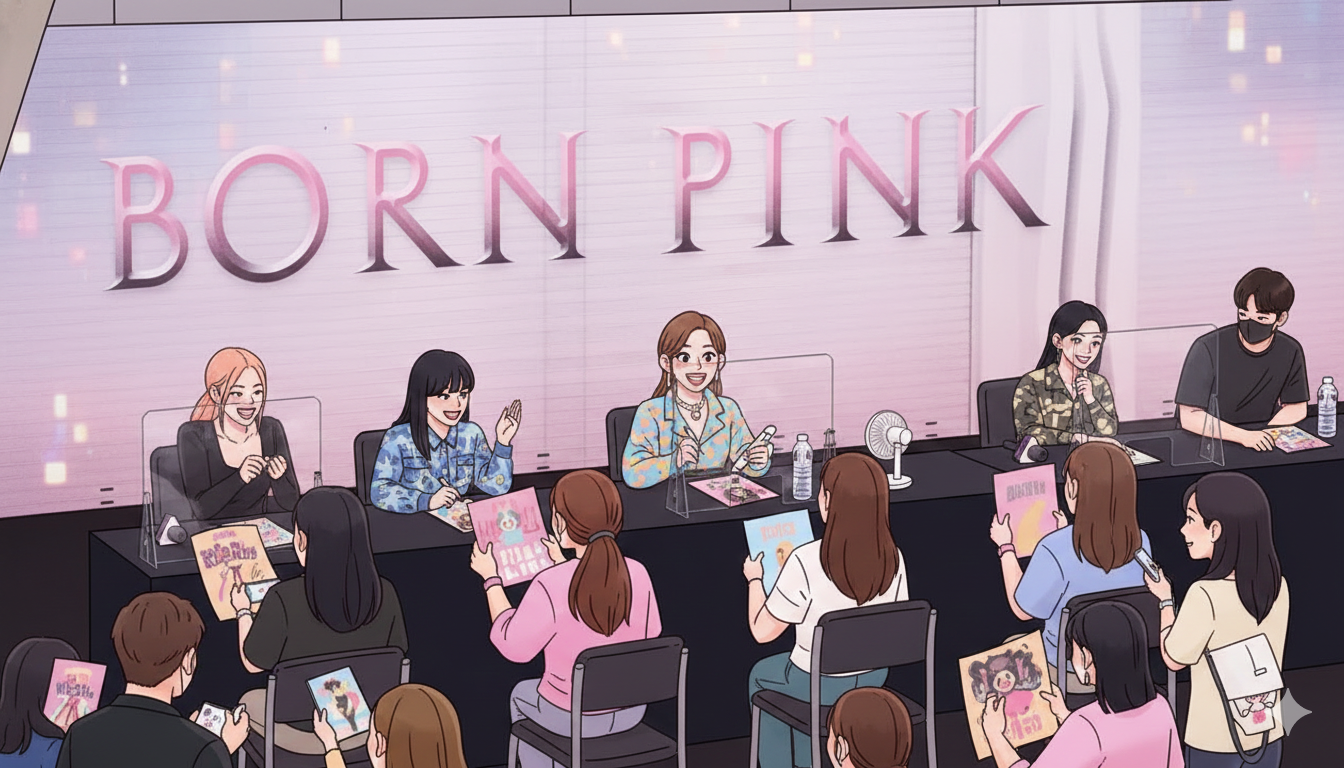
Providing an example is a helpful way to achieve more accurate results. For instance, if you want a cartoon image of an idol holding a fansign, sharing a real fansign photo gives the AI a clear reference to recreate the scene.
Good Prompt:
“Create a cartoon-style image of a famous person holding a fansign, with fans seated in front of them, capturing the same atmosphere shown in the reference picture.”
Generated by Gemini AI
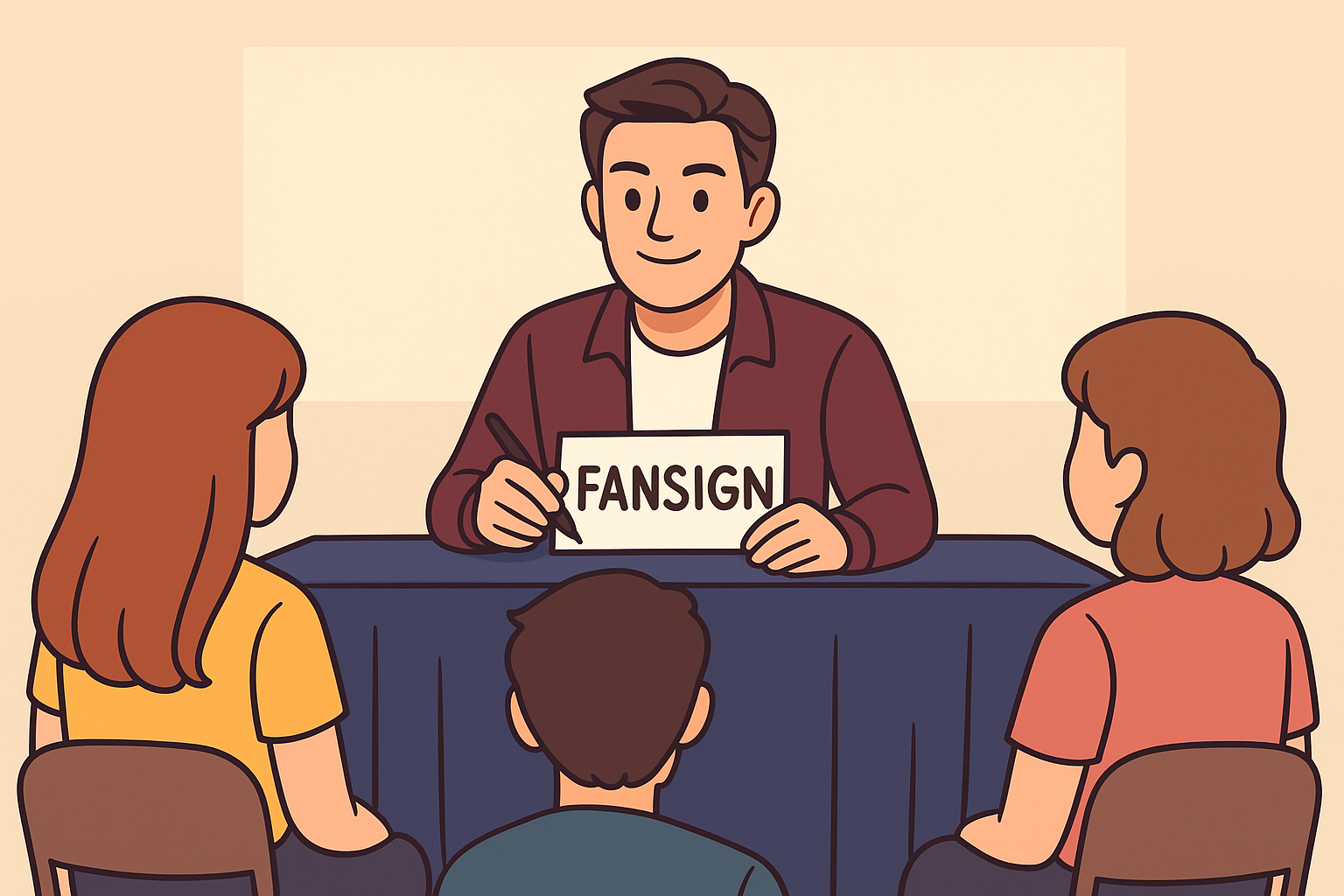
Bad Prompt:
“Create a cartoon-style image of a famous person holding a fansign, with fans seated in front of them”
Generated by ChatGPT
Bad prompts fail to capture the intended image, leading to poor results. In contrast, a well-crafted prompt conveys the scene clearly. This is why providing an example is often essential for generating the outcome you want.
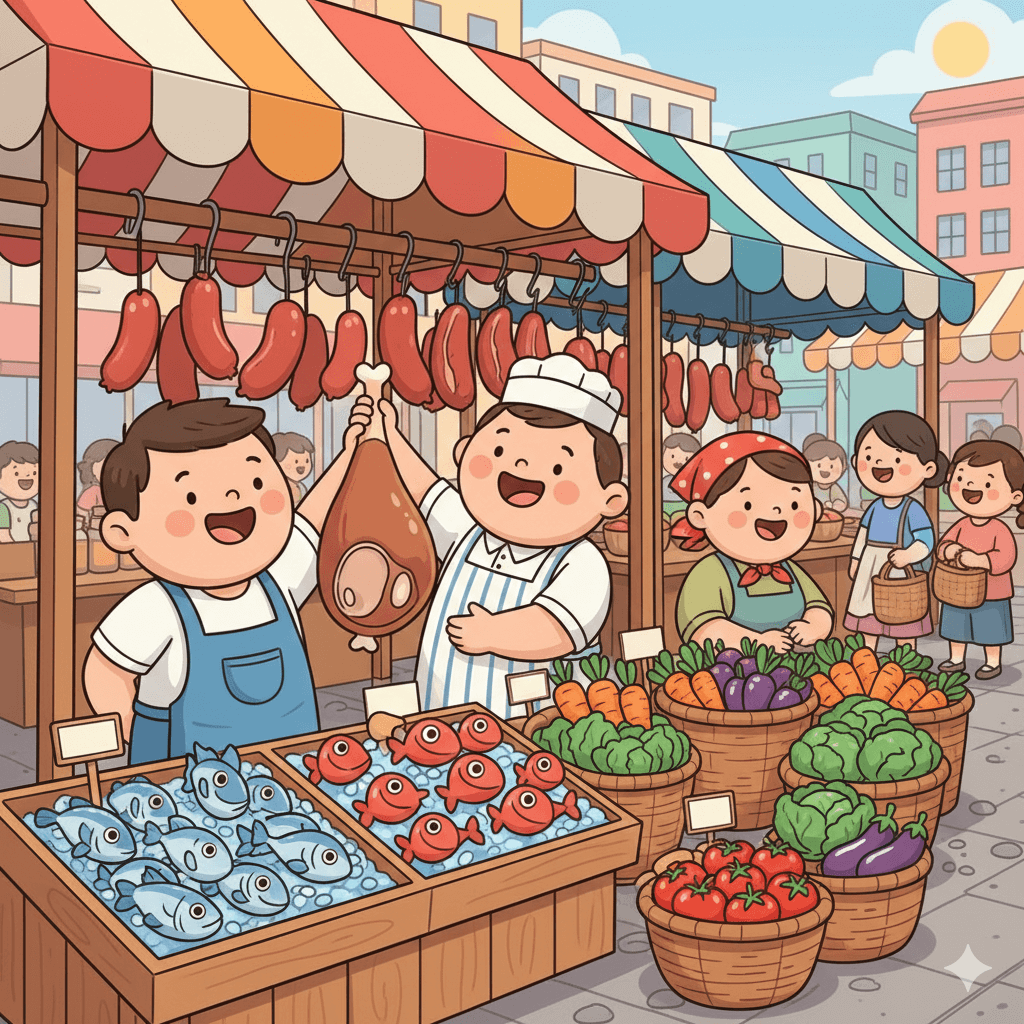
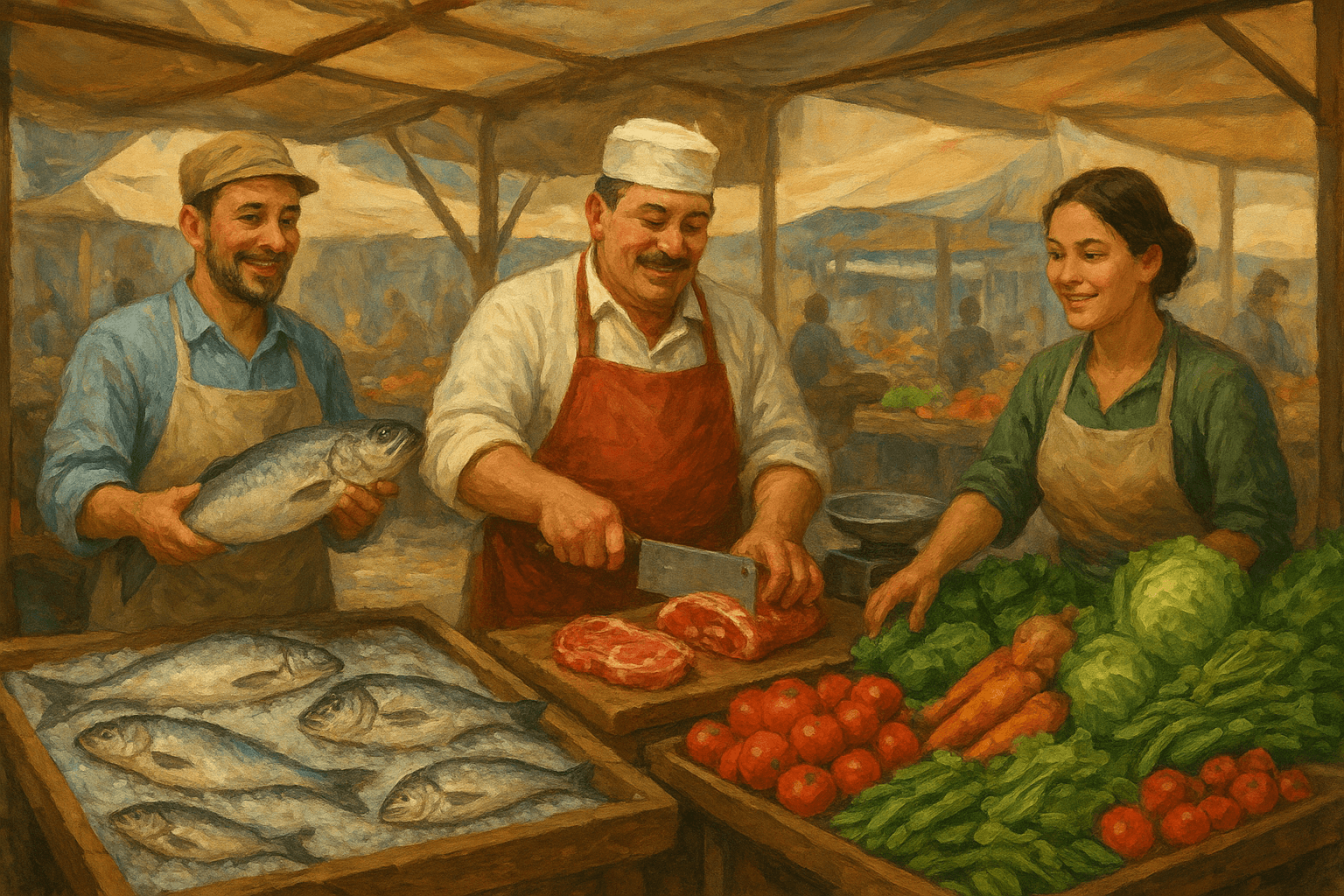
Identifying your target audience is one of the most effective ways to get accurate results. For example, here’s the prompt if you need an image of a traditional market designed for children under ten.
Good Prompt:
“Create an image of a traditional market scene featuring a fishmonger, a butcher, and a vegetable vendor. The illustration should be designed for children under ten and styled to be age-appropriate.”
Generated by Gemini AI
Bad Prompt
“Create an image of a traditional market scene featuring a fishmonger, a butcher, and a vegetable vendor.”
Generated by ChatGPT
The bad prompt produced an image that didn’t match the intended audience because it used a more realistic, painted style. The improved prompt generated a cartoon-style image, which is more suitable for children and aligns with the target perfectly.
Understanding How to Write Prompts for AI is A Must!
Crafting effective prompts comes down to clarity, context, and intention. The more specific you are about your goal, audience, tone, and visual or stylistic needs, the better the AI can deliver accurate and meaningful results.
However, it’s important not to rely entirely on AI for your designs. You still need additional resources to enhance and support your creative work. Tridimensioffers 3D shapes, backgrounds, and animations that can elevate your designs and make them truly stand out.