SPECIAL OFFER ✦ BUY 2 GET 1 FREE! ✦ ADD 3 PRODUCTS TO YOUR CART, AND THE DISCOUNT APPLIES AUTOMATICALLY!
SPECIAL OFFER ✦ BUY 2 GET 1 FREE! ✦ ADD 3 PRODUCTS TO YOUR CART, AND THE DISCOUNT APPLIES AUTOMATICALLY!
SPECIAL OFFER ✦ BUY 2 GET 1 FREE! ✦ ADD 3 PRODUCTS TO YOUR CART, AND THE DISCOUNT APPLIES AUTOMATICALLY!
SPECIAL OFFER ✦ BUY 2 GET 1 FREE! ✦ ADD 3 PRODUCTS TO YOUR CART, AND THE DISCOUNT APPLIES AUTOMATICALLY!
Did you know that, according to Think with Google, 79% of people are more likely to revisit and share a mobile site if it’s easy to use. Convenience and thoughtful design greatly enhance user experience, one key element being micro interactions design. These subtle design details make a website more engaging to navigate.
Discover more about micro-interaction design and how it can elevate your website while improving user satisfaction.
Key Takeaways
Micro-interactions can transform ordinary moments into engaging, memorable user experiences.
Thoughtful micro-interactions turn potential frustration into delight, improving overall user satisfaction.
What are Micro Interactions?
Micro interactions are focused moments within a digital experience that connect user actions with system responses. They work as trigger–feedback pairs: a trigger occurs when a user performs an action (like clicking a button, swiping, or giving a voice command) or when the system changes state automatically.
The feedback then provides a direct, contextual response to show system status, confirm an action, or prevent errors. Beyond usability, microinteractions also enhance brand personality by adding subtle, meaningful details to the user interface.
The Importance of Micro Interactions
Enhance user experience through clear, responsive feedback.
Guide users smoothly and help prevent errors.
Add personality with subtle visual or motion cues.
Turn simple actions into engaging, memorable moments.
Strengthen user connection, trust, and brand identity.
10 Examples of Micro Interactions Design To Enhance UX
Follow these examples of micro interactions to enhance UX providing instant feedback, guiding navigation, preventing errors, and strengthening brand personality.
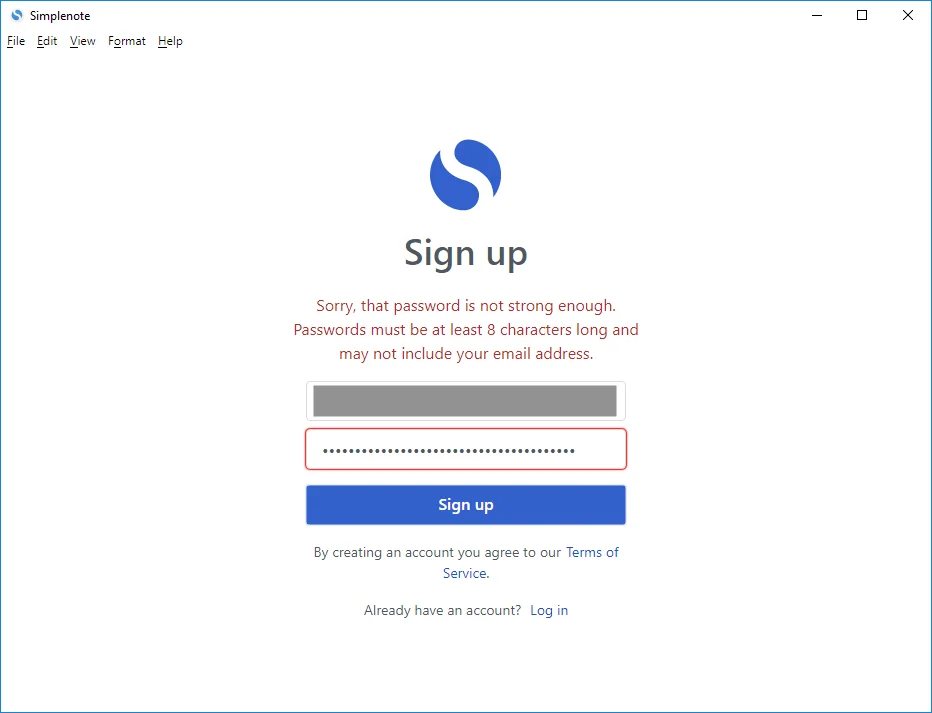
1. Password Error Feedback – Simplenote
Password Error Feedback | Image Source: Github
This example from Simplenote illustrates how micro-interactions can improve usability and reduce frustration. When users create an account, Simplenote provides real-time feedback by highlighting password requirements as you type.
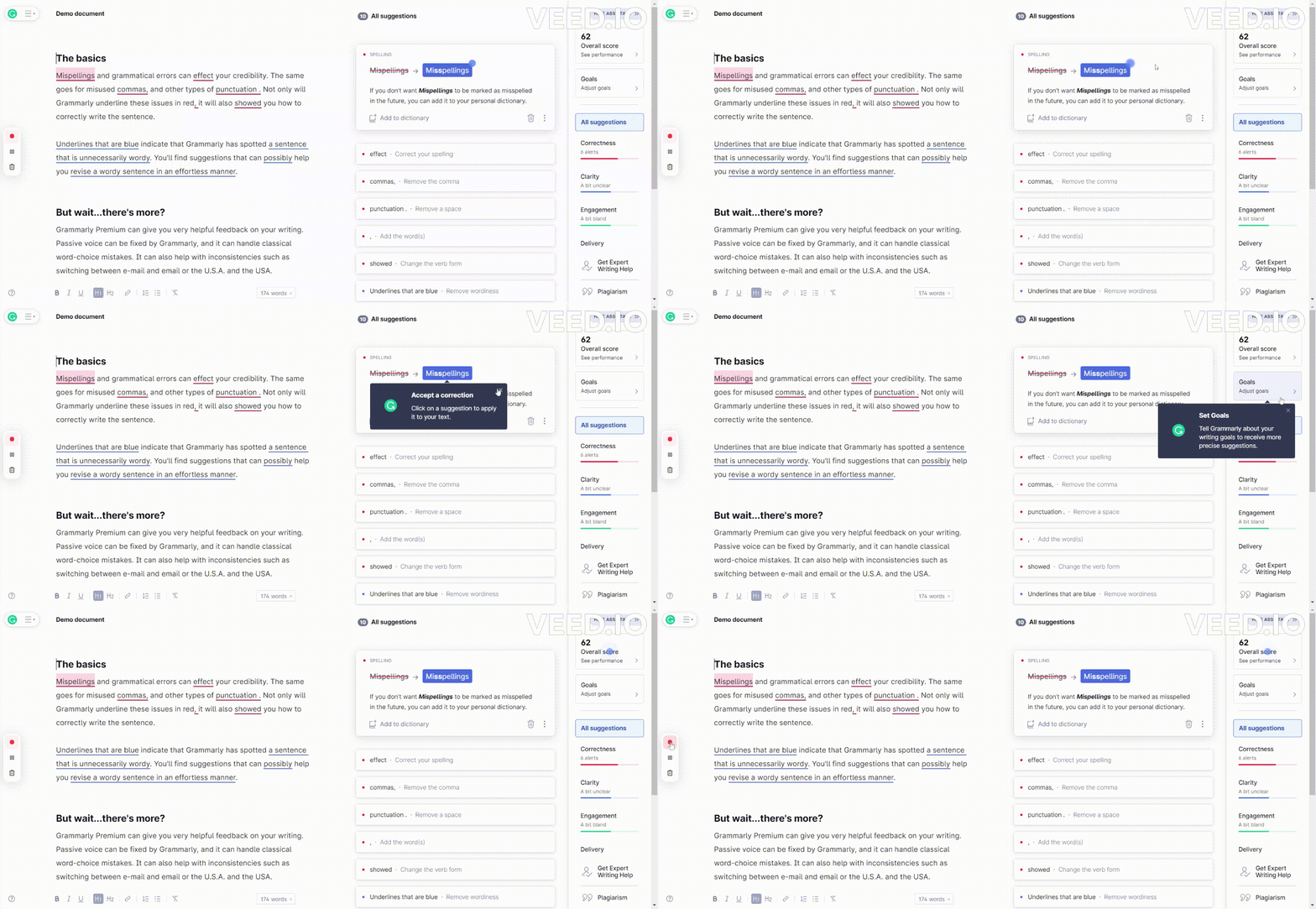
2. Hotspot – Grammarly
Hotspot | Image Source: Userpilot
Grammarly’s onboarding process uses subtle flashing icons, or “hotspots,” to capture users’ attention and guide them toward key features. When clicked, these dots reveal helpful tips that lead users through the next steps seamlessly. The effectiveness lies in their simplicity as it provides adaptive web design.
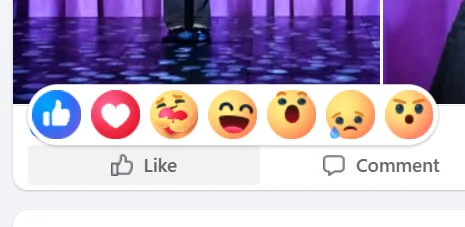
3. Tap and Hold – Facebook Reaction
Tap and Hold | Image Source: Facebook
When users click the thumbs-up button on Facebook, it simply registers a like, nothing unusual. But the experience becomes far more engaging with the tap-and-hold effect. This action reveals a range of animated reaction emojis, allowing users to express emotions beyond a simple like.
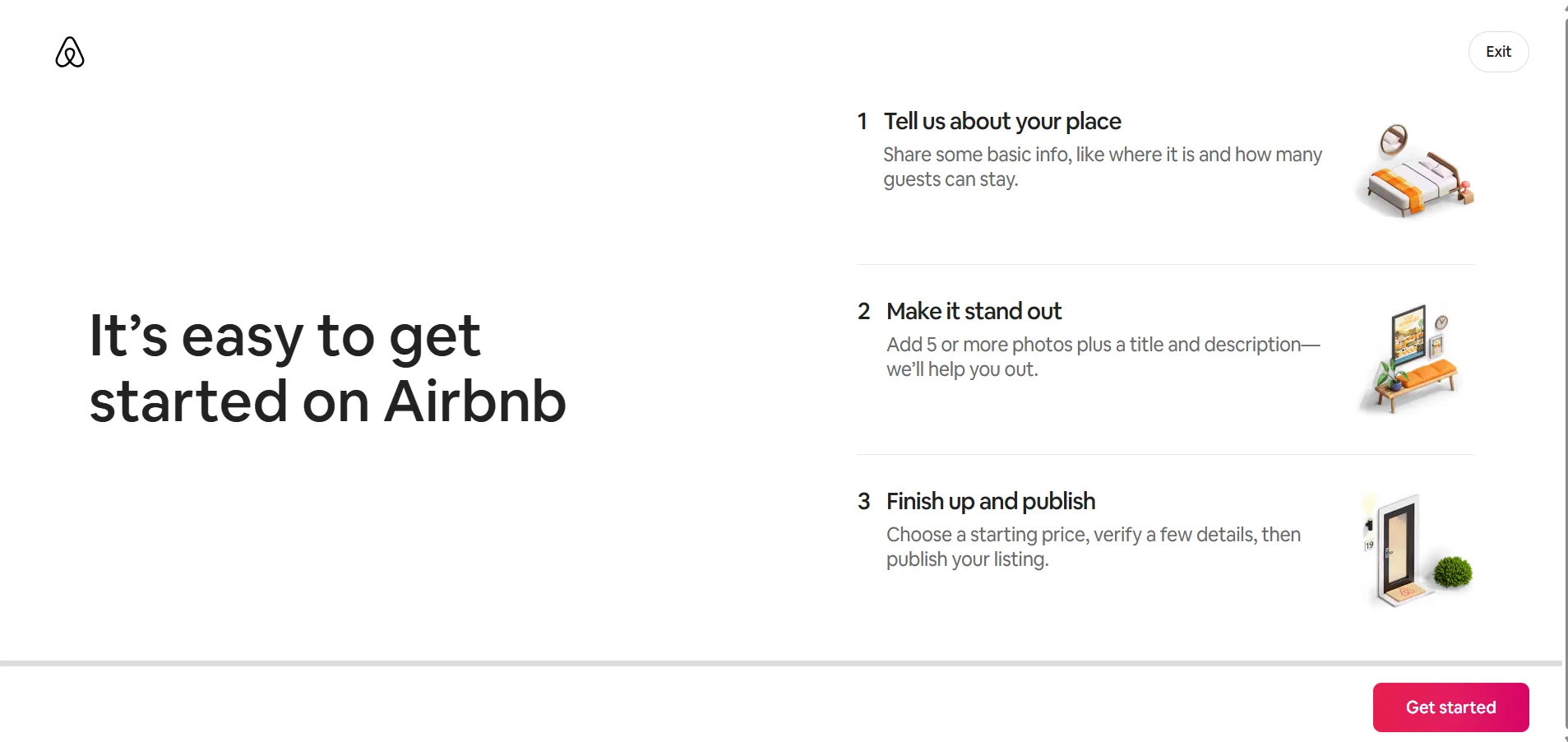
4. Welcome Tour – Airbnb
Welcome Tour | Image Source: Airbnb
Welcome tours guide new users through key features using pop-ups, tooltips, or automation for smooth onboarding. For example, Airbnb’s reactive web design tour highlights essential features like listing setup, pricing tools, and booking management, helping you to become a host.
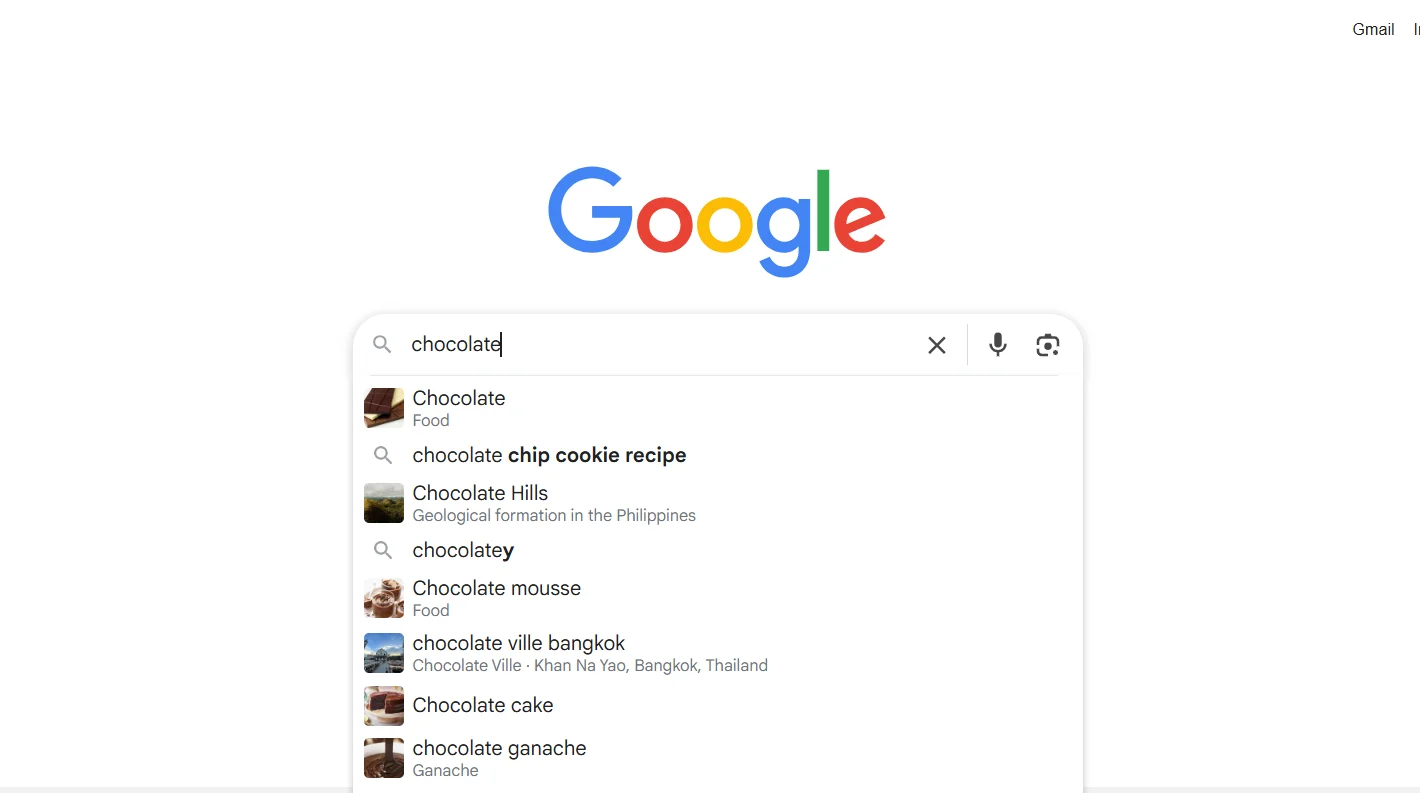
5. Autocomplete – Google
Autocomplete | Image Source: Google
Google’s design has evolved subtly over the years, but one major improvement is the introduction of suggested searches. As users type, Google predicts likely queries and displays options to choose from. This micro-interaction saves time, reveals popular related topics, and encourages deeper engagement with Google’s services.
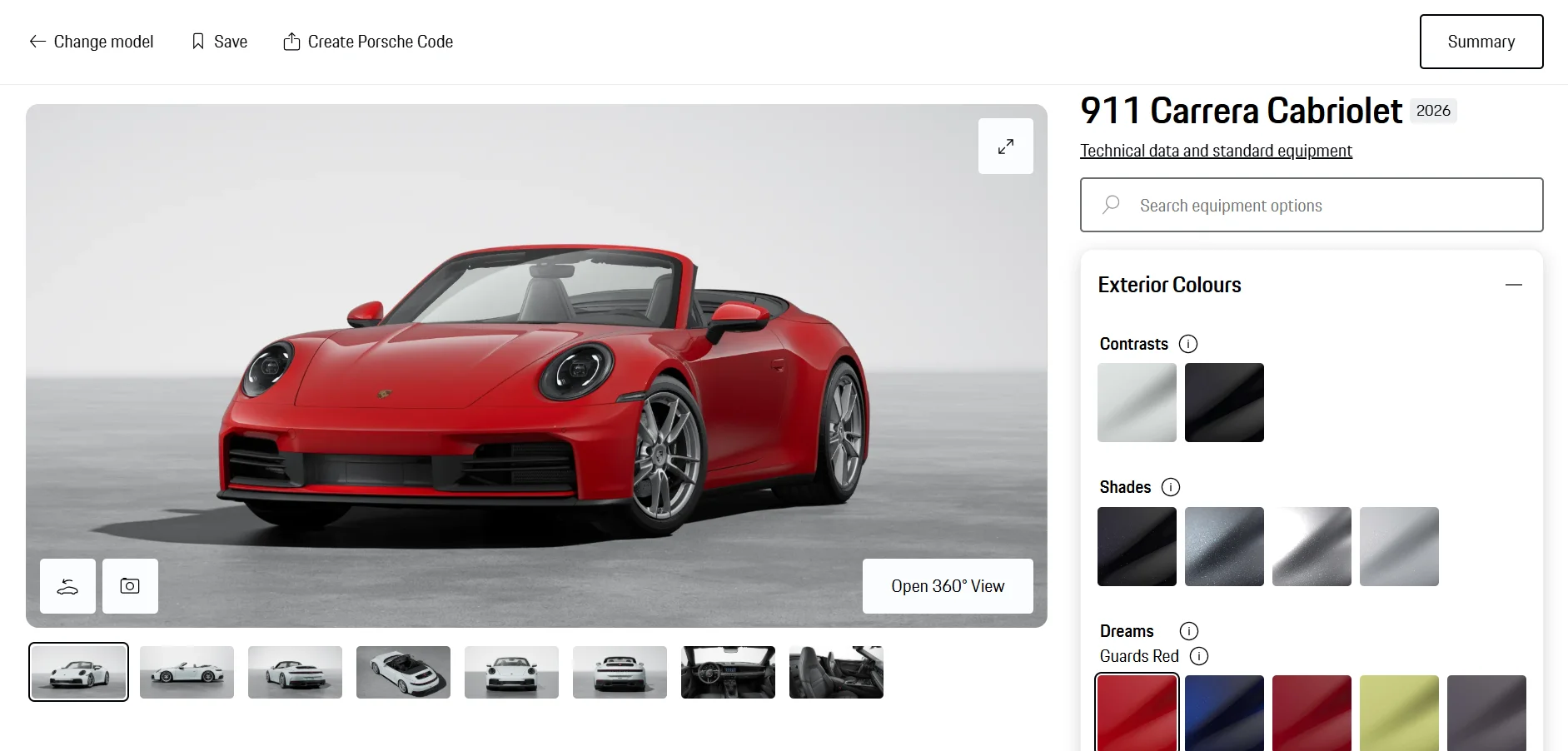
The Porsche Car Configurator transforms car design into an interactive, personalized experience. Users can customize everything, from color and wheels to interior details, and see their changes reflected instantly, with real-time price updates. This dynamic micro-interaction makes configuring a Porsche feel as premium as the car.
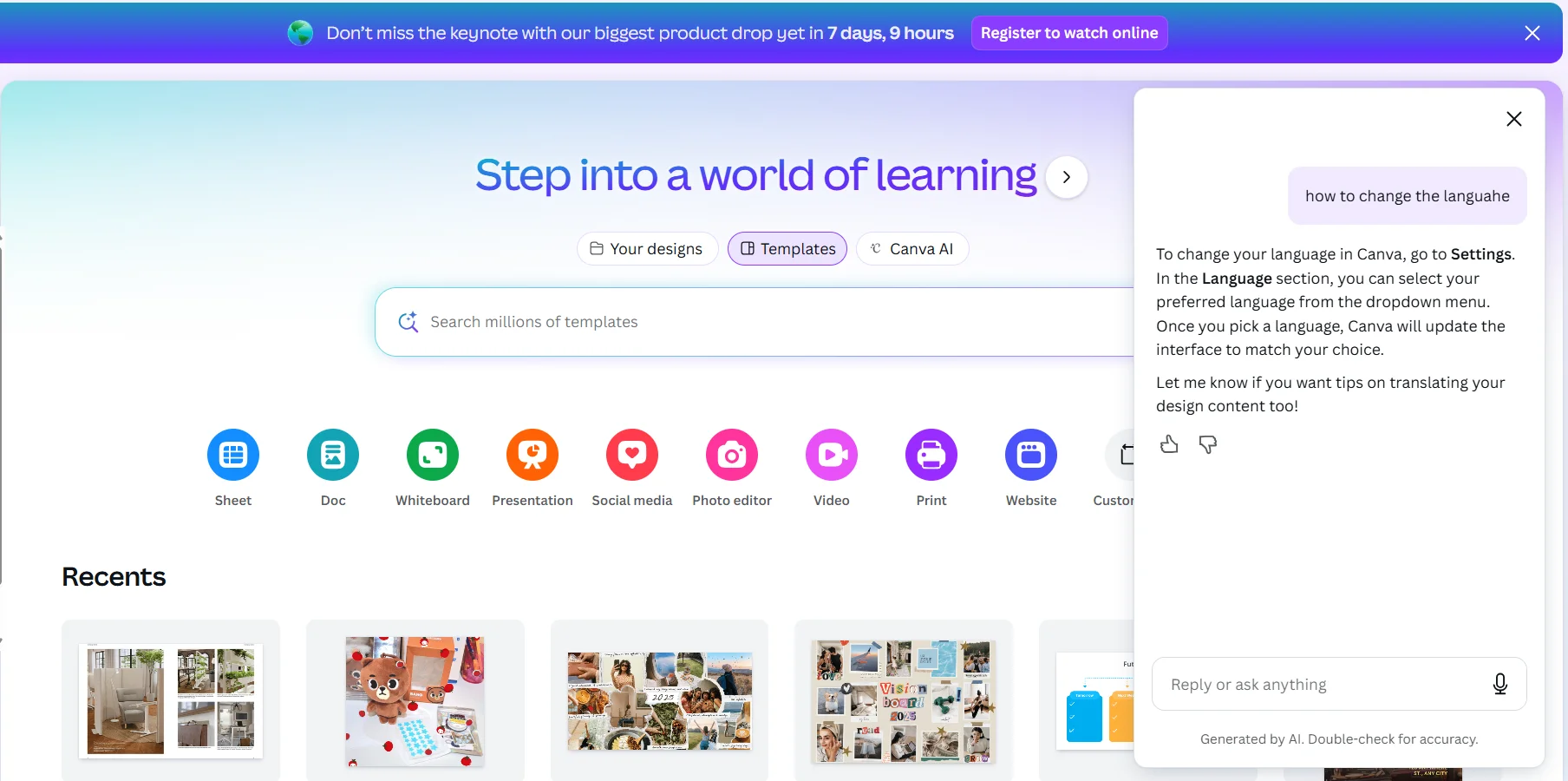
7. Response Bubble – Canva
Response Bubble | Image Source: Canva
Response bubbles and icons show users that a support agent is typing or preparing a reply. For example, on Canva’s customer support chat, animated typing indicators reassure users that assistance is coming soon, reducing uncertainty and keeping engaged while waiting.
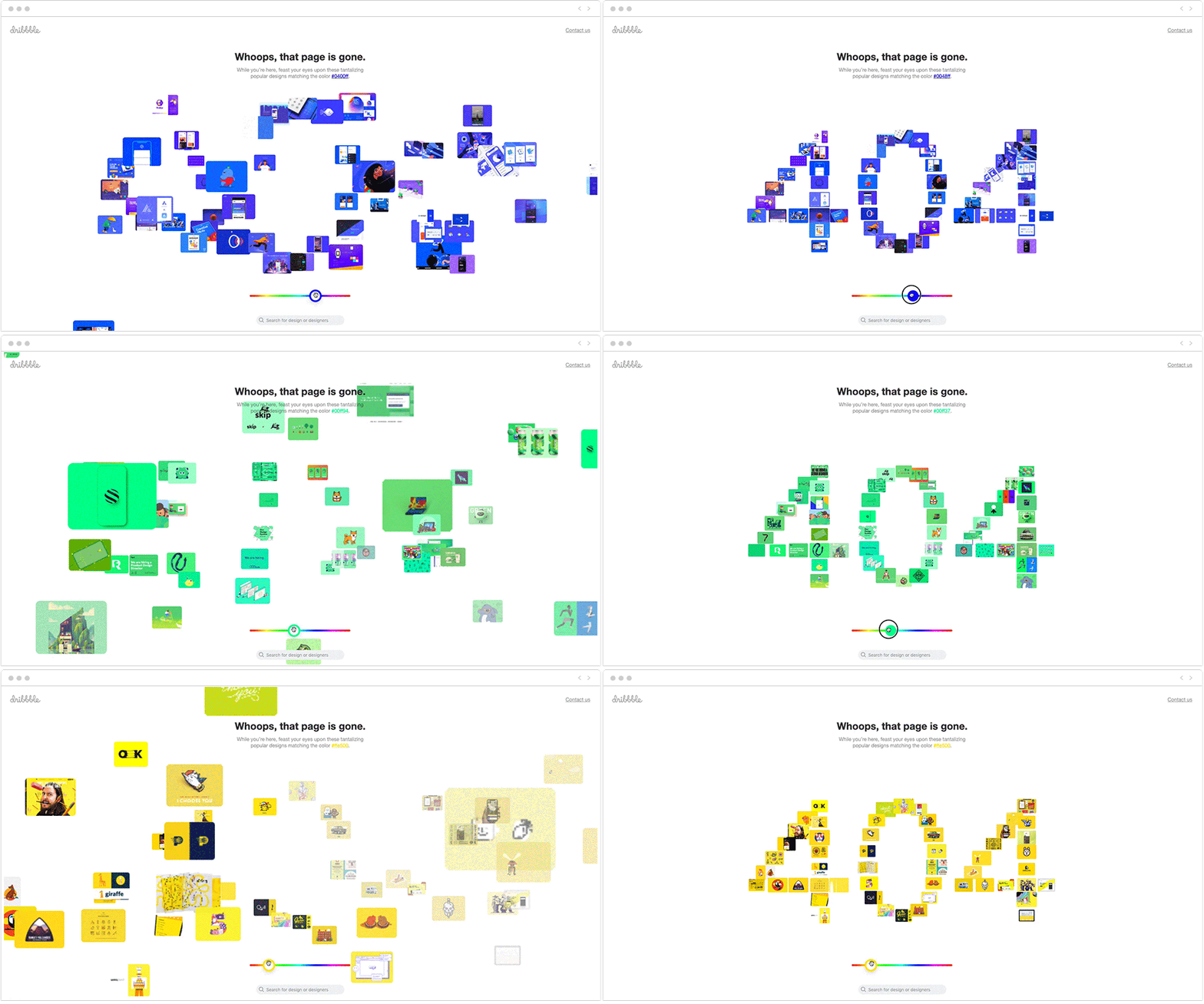
8. Error 404 – Dribbble
Error 404 | Image Source: Userpilot
Best examples of micro interactions in modern UX turn simple moments into engaging experiences. Dribbble’s 404 page, for instance, features an animation forming “404” from mini cut-outs of top designs—adding creativity and brand personality.
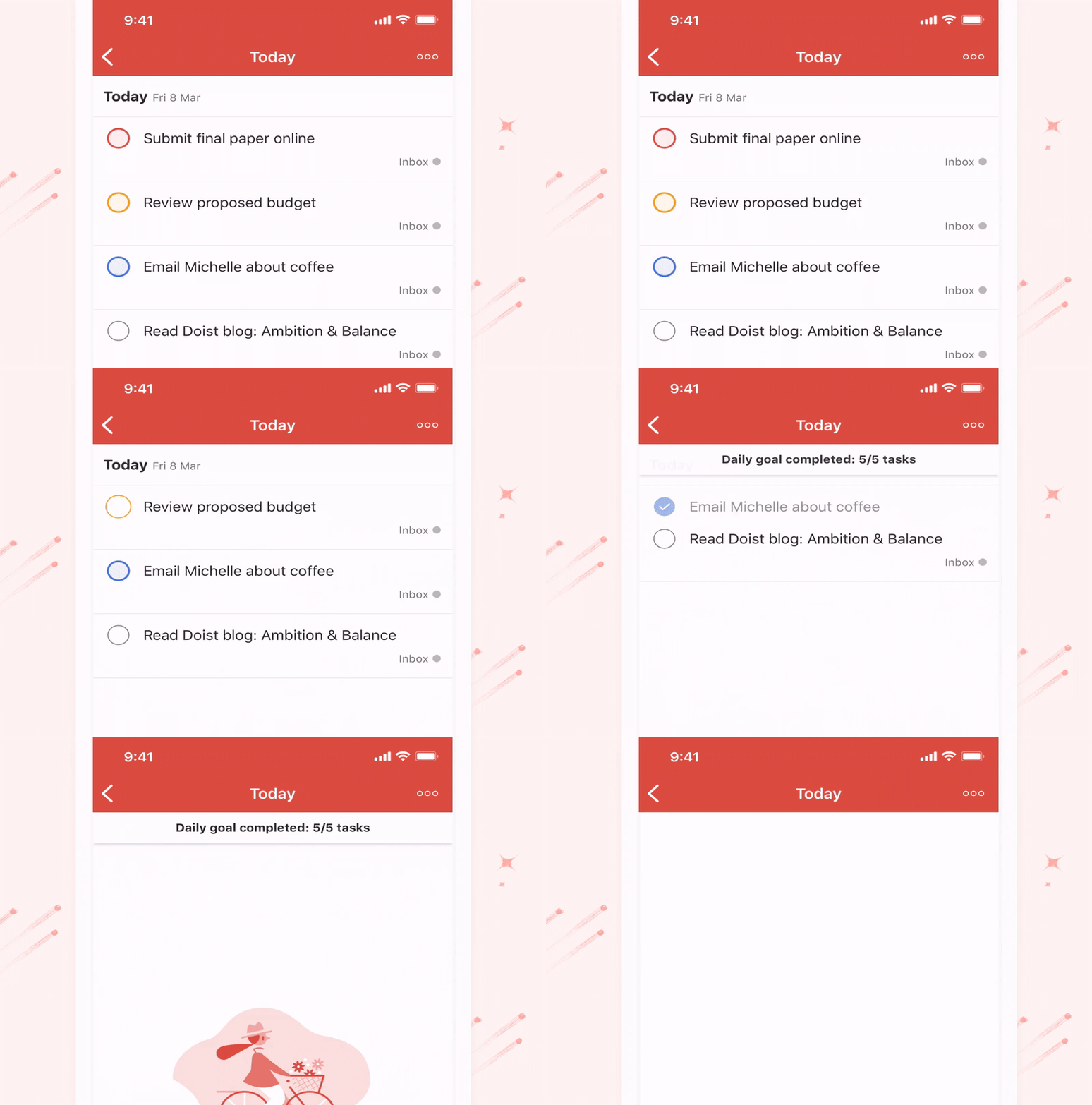
Animations celebrating completed tasks add gamification and motivation. For example, Todoist shows a quick confetti burst when users check off tasks, creating satisfaction. Keeping animations short and subtle maintains flow, ensuring engagement without distracting from productivity.
10. Swipe – Tinder
Swipe | Image Source: Medium
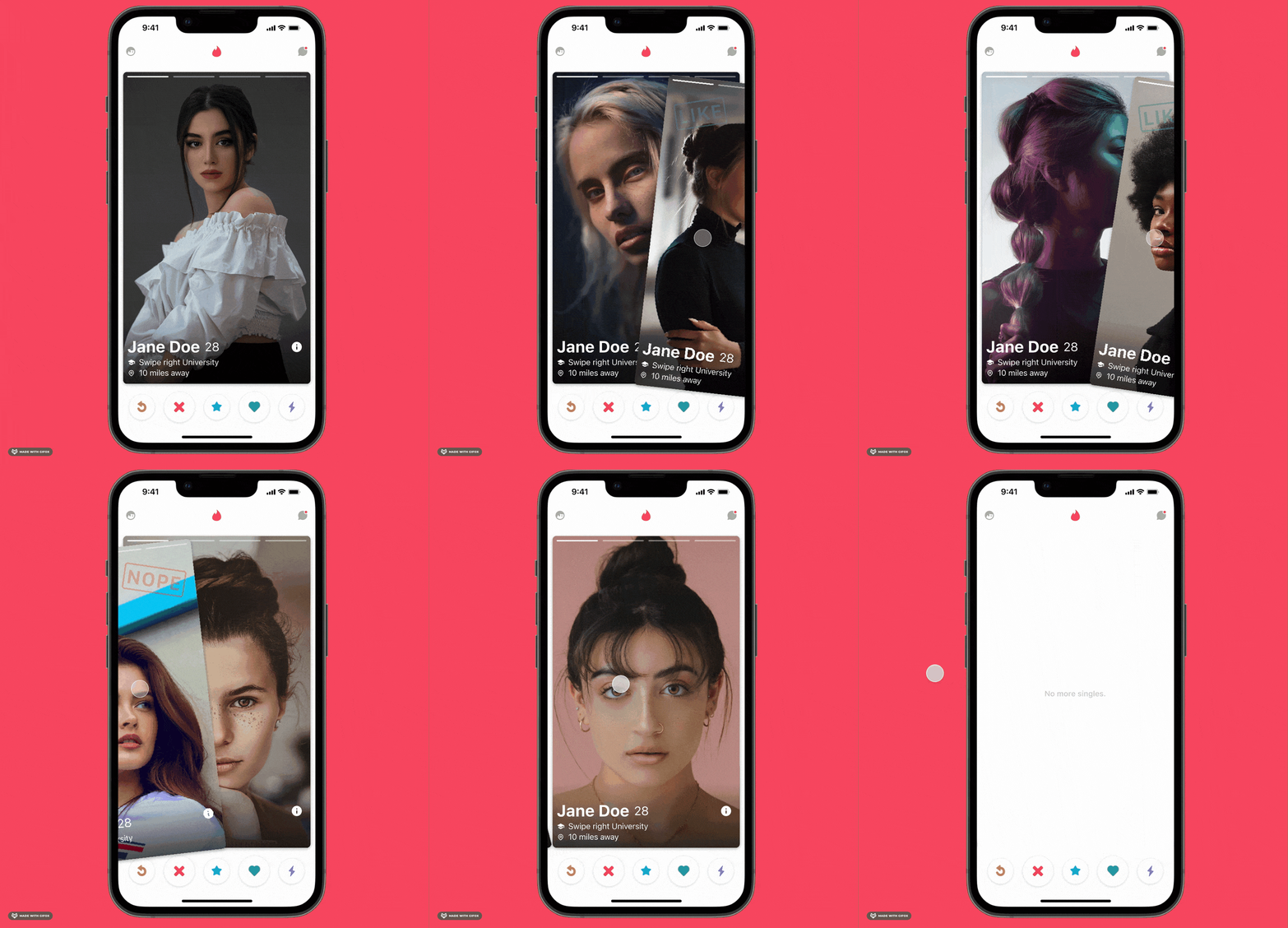
Swiping is a widely recognised mobile first and responsive design popularized by Tinder, where left or right gestures indicate “yes” or “no.” Beyond dating apps, swiping is used to navigate pages, reveal menus, or access quick actions, creating smooth, intuitive user experiences.
Micro interaction designs are essential for engaging users and strengthening brand perception. They create a sense of comfort and familiarity, encouraging users to return. When done well, these subtle interactions can make your website the go-to destination for users’ needs.
Moreover, design has become one of the most influential factors in delivering an exceptional customer experience. The first step is finding the right creative resources and Tridimensioffers exactly that. They provide an exclusive collection of 3D shapes, backgrounds, and animations to help elevate your website’s visuals.