SPECIAL OFFER ✦ BUY 2 GET 1 FREE! ✦ ADD 3 PRODUCTS TO YOUR CART, AND THE DISCOUNT APPLIES AUTOMATICALLY!
SPECIAL OFFER ✦ BUY 2 GET 1 FREE! ✦ ADD 3 PRODUCTS TO YOUR CART, AND THE DISCOUNT APPLIES AUTOMATICALLY!
SPECIAL OFFER ✦ BUY 2 GET 1 FREE! ✦ ADD 3 PRODUCTS TO YOUR CART, AND THE DISCOUNT APPLIES AUTOMATICALLY!
SPECIAL OFFER ✦ BUY 2 GET 1 FREE! ✦ ADD 3 PRODUCTS TO YOUR CART, AND THE DISCOUNT APPLIES AUTOMATICALLY!
Tinkercad is a simple, browser-based 3D modeling tool that’s widely appreciated for its beginner-friendly interface. However, many users note that its full internet dependency becomes problematic, especially in areas with unstable connectivity. Because of this, people often look for a Tinkercad alternative that works more reliably.
Among many alternative tools, there are a few that are truly worth trying for different needs. So, if you’re unsure to decide which one to choose, keep reading to find the perfect tool to elevate your 3D modeling skills!
Key Takeaways
Tinkercad alternatives offer more advanced modeling tools, making them suitable for users who need features beyond basic beginner-friendly design.
Different alternatives cater to different skill levels, from simple drag-and-drop platforms to professional-grade CAD software.
Choosing the right Tinkercad alternative depends on your project needs, whether you want better precision, more export options, or compatibility with advanced 3D printers.
8 Best Software Similar to Tinkercad for 3D Modeling
Below, we’ve curated the top eight alternatives for Tinkercad that you can try. With the right choice, you can access more powerful modeling features and professional workflows. Follow along!
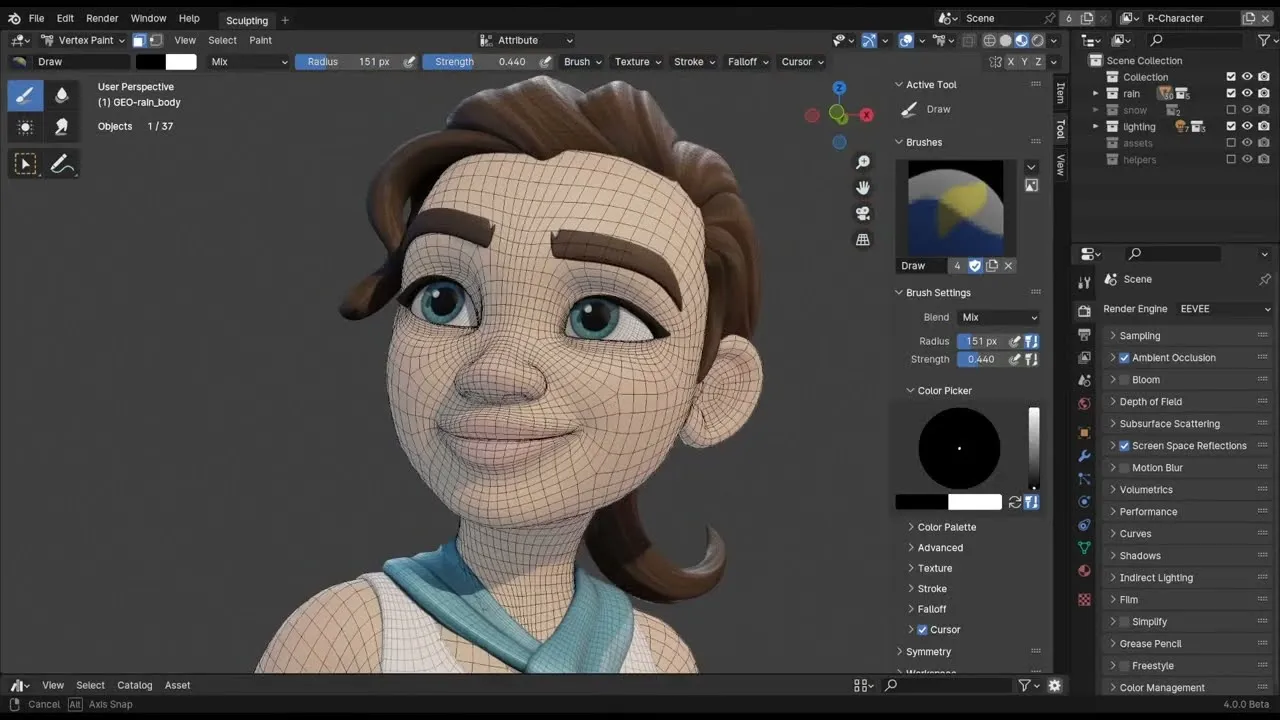
1. Blender
Blender App | blender.org
First, we have Blender, which is a free and open-source 3D creation that was released in 1998. Over the years, it has grown into one of the world’s most comprehensive 3D tools, widely used by digital artists, animators, and hobbyists.
Features
Node-based shading and geometry systems for procedural design.
Highly customizable interface and add-on ecosystem.
Real-time rendering through the Eevee engine.
Pros
Completely free with continuous community-driven updates.
Professional-grade capabilities suitable for advanced learning.
Supports highly detailed, artistic, and complex 3D projects.
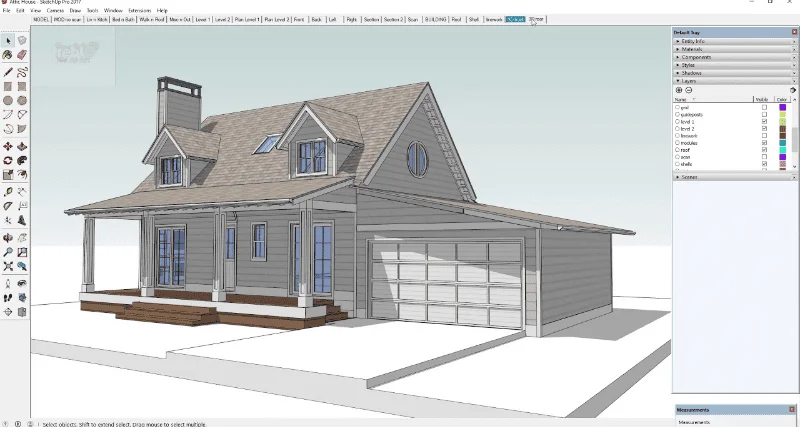
Launched as a browser version of the well-known SketchUp software, SketchUp Free is the most popular Tinkercad alternative because of its simplicity and intuitive modeling workflow. It’s widely adopted in architecture, interior design, and spatial planning due to its ease of use and clean interface.
Features
Push and pull modeling system for fast conceptual design.
Integration with the 3D Warehouse asset library.
Lightweight interface ideal for quick learning.
Pros
Extremely easy for beginners to grasp.
Perfect for architectural or room layout modeling.
Large library of ready-to-use models.
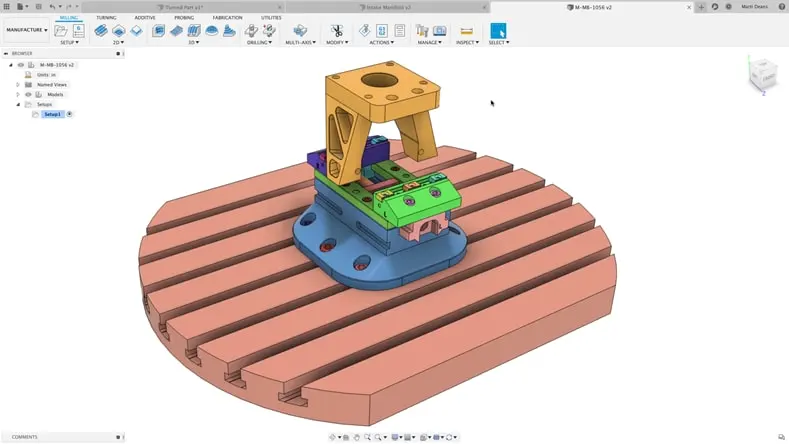
3. Fusion 360
Fusion 360 App | autodesk.com
Fusion 360, launched by Autodesk in 2013, is a high-end CAD/CAM/CAE platform used in engineering, mechanical design, and product development. It supports parametric modeling, simulation, and manufacturing tools that are suitable for professional-grade projects.
Features
Parametric, surface, and mesh modeling capabilities.
Cloud-based project storage and version control.
CAM tools for CNC machining and manufacturing.
Pros
Industry-standard tool trusted by engineers and manufacturers.
Ideal stepping stone from simple CAD to professional workflows.
Precise modeling capabilities for mechanical parts.
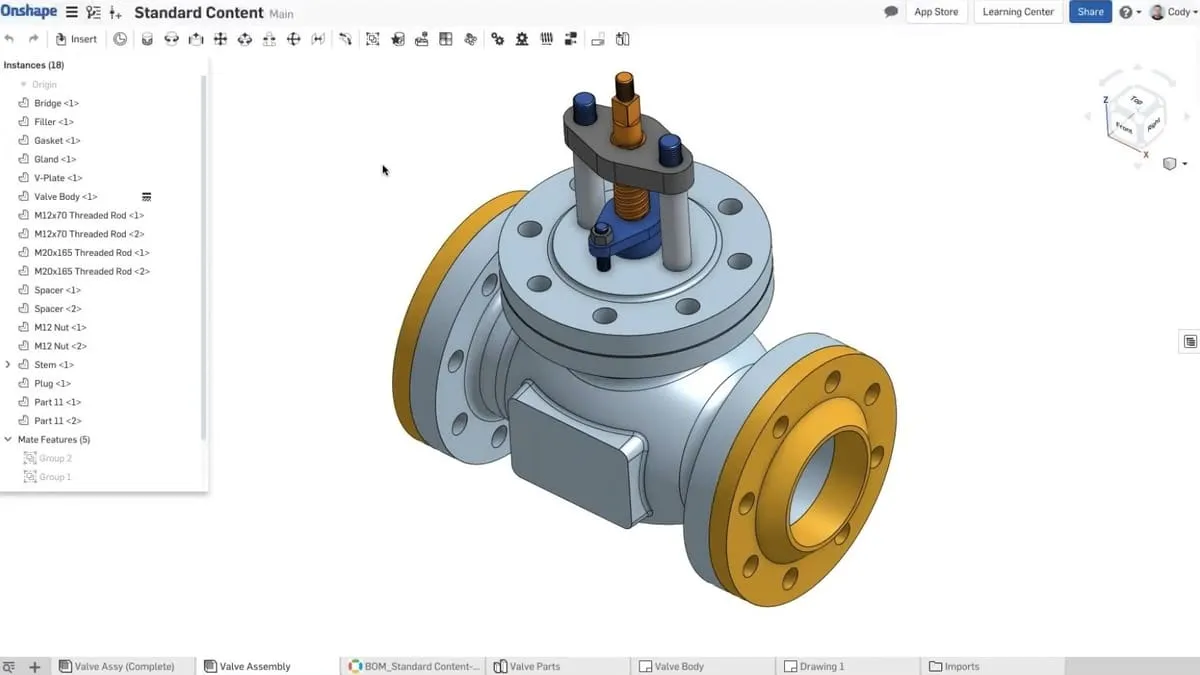
Onshape, released in 2015, is one of the first fully cloud-native CAD systems. Being known for its real-time collaboration features, this tool has become a favorite Tinkercad alternative, especially for engineering teams and classrooms.
Features
Cloud-based parametric modeling environment.
Built-in version control and branching.
Secure cloud data management.
Pros
Perfect for team collaboration and remote learning.
Professional precision for engineering design.
Strong support for educators and STEM programs.
5. FreeCAD
FreeCAD App | wikipedia.org
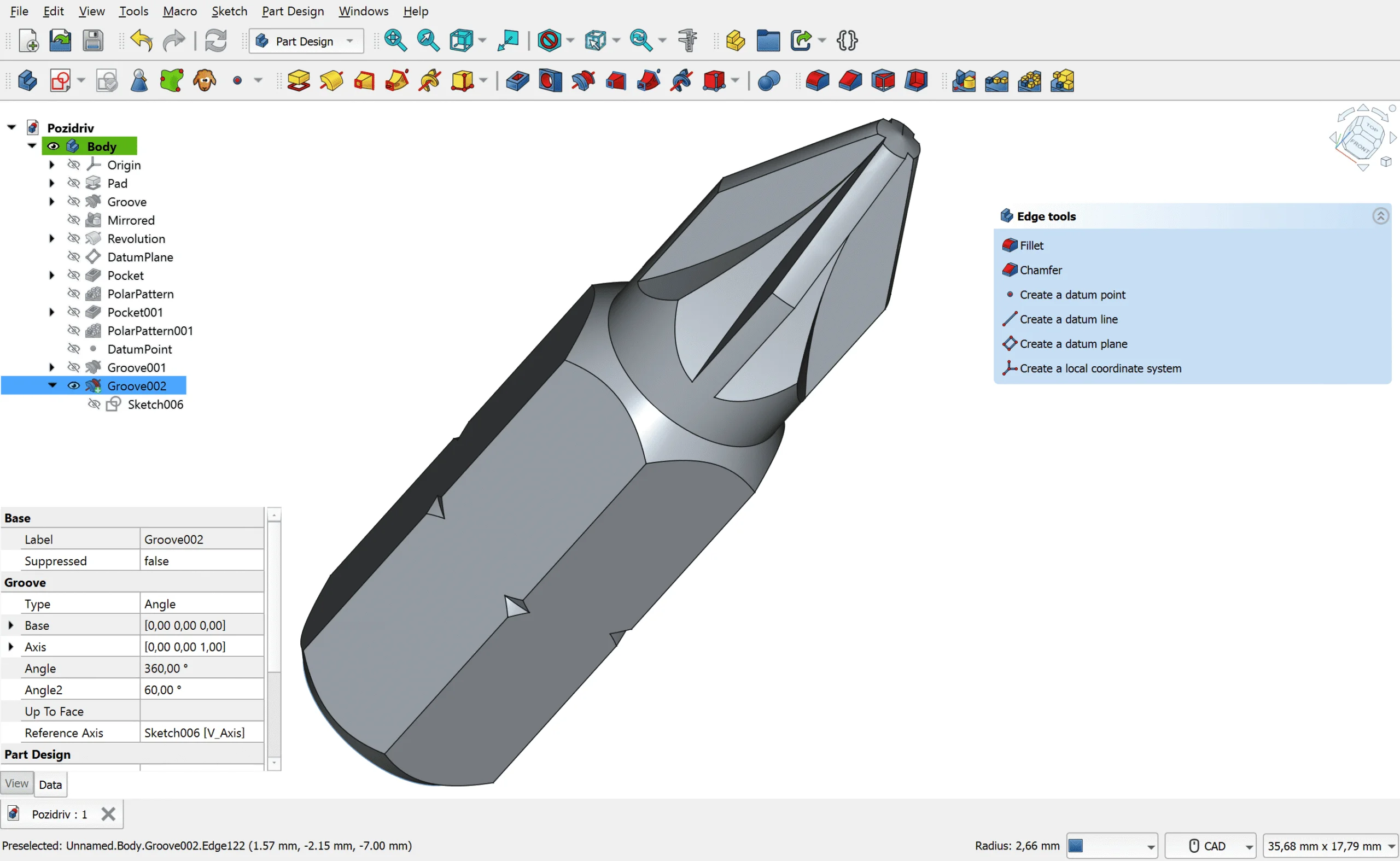
FreeCAD is an open-source parametric CAD program first developed in 2002. It targets engineering and technical design with precision modeling tools. Its modular architecture also allows users to customize the tool to their project requirements.
Features
Parametric modeling with full edit history.
Support for Python scripting and automation.
Open-source ecosystem with community extensions.
Pros
Completely free with strong engineering capabilities.
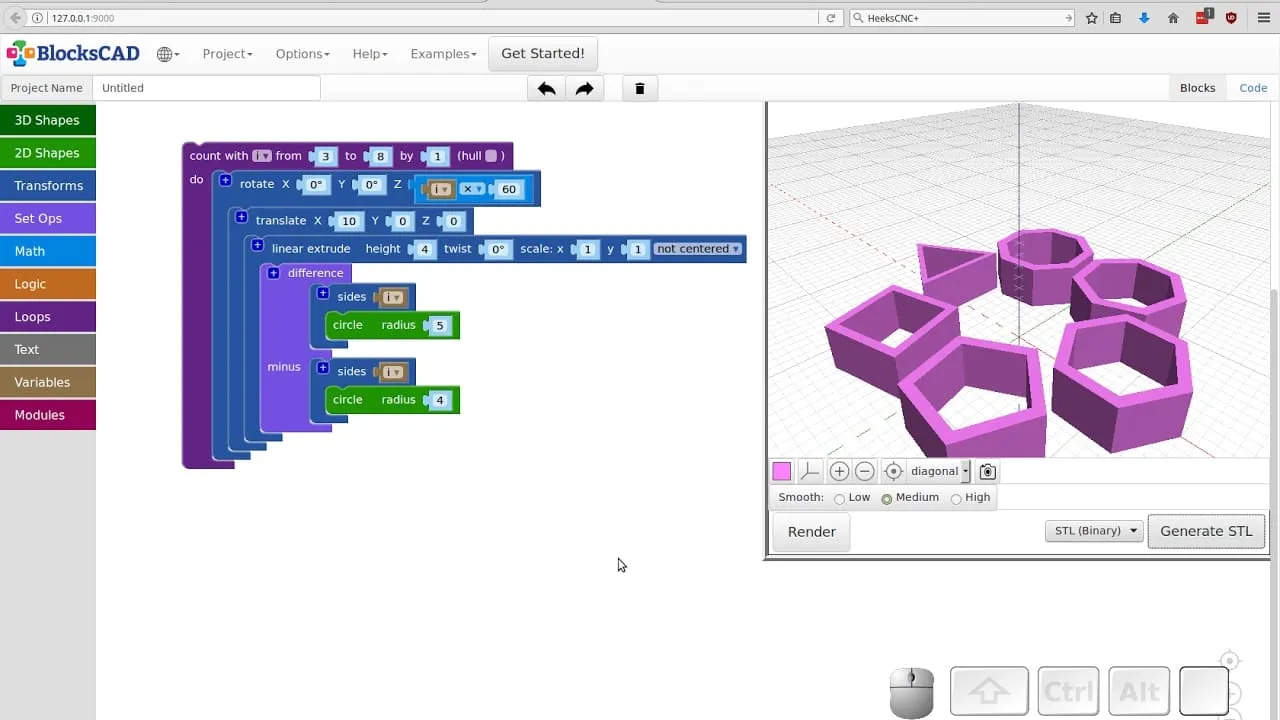
Next, we recommend BlocksCAD for educational use that focuses on teaching 3D modeling through block-based coding similar to Scratch. It was built to make CAD more accessible for children and teachers while still producing models compatible with professional tools.
Features
Block-based coding interface for modeling.
Seamless export to STL for 3D printing.
Curriculum-focused design tailored for STEM education.
Pros
Excellent for teaching logic, coding, and 3D concepts.
Very easy for kids and beginners.
Encourages computational thinking.
7. Vectary
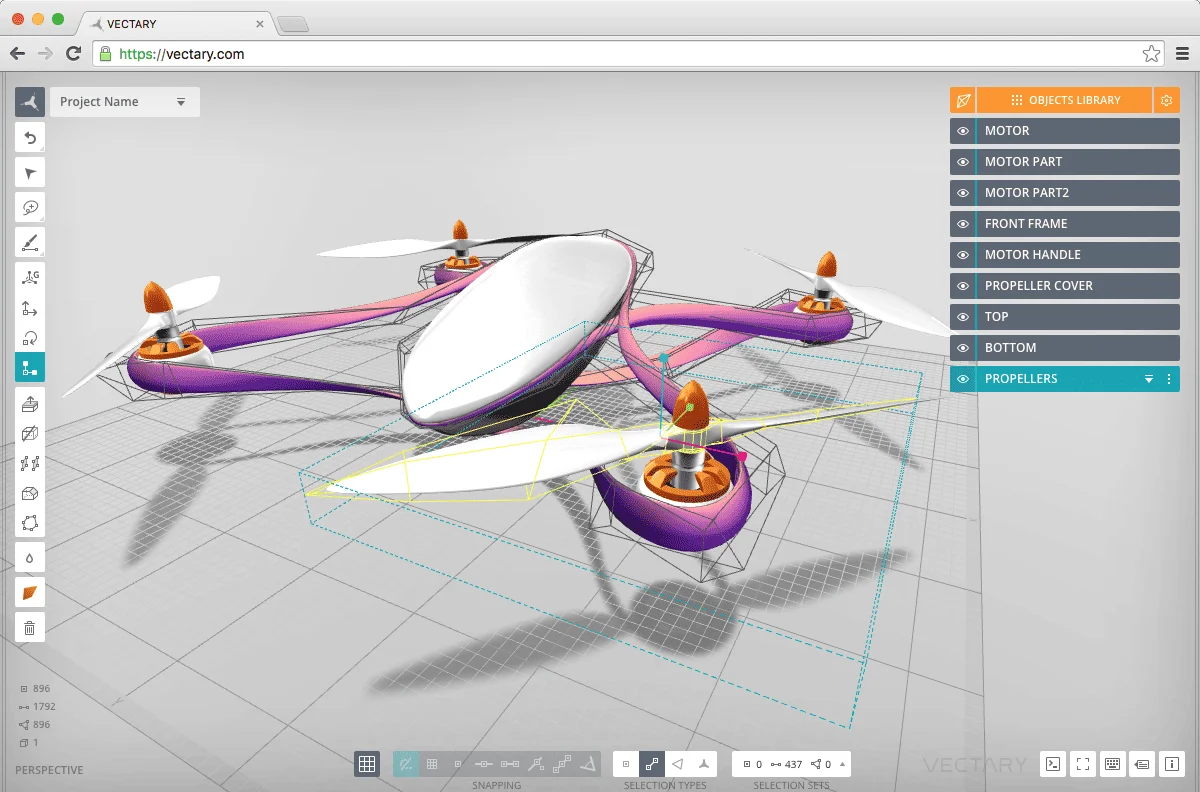
Vectary App | 3printr.com
Vectary is a browser-based 3D design platform known for its modern UI and design-oriented workflows. Often highlighted among beginner friendly alternatives for simple 3D design, it was originally launched to help designers create web visuals and product mockups, and it excels in scenes, visualizations, and AR content.
Features
Drag-and-drop libraries for materials and 3D assets.
Web and AR preview capabilities.
Clean design-focused interface.
Pros
Easy to learn thanks to its simplified workflow.
Excellent for product mockups and web graphics.
Strong collaboration tools for creative teams.
8. SelfCAD
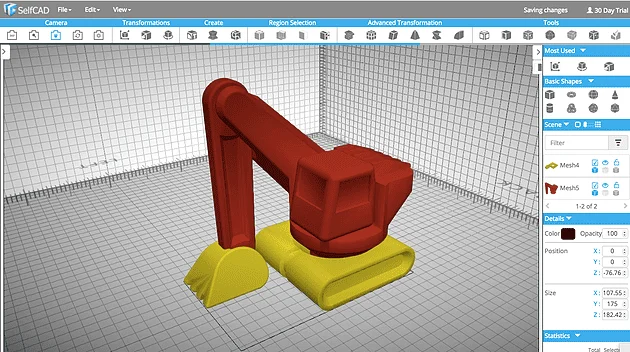
SelfCAD App | 3printr.com
Lastly, SelfCAD is an all-in-one, browser-based 3D modeling and slicing platform. Launched with accessibility in mind, it merges modeling tools with direct 3D printing preparation.
Level Up Your 3D Skills With a Tinkercad Alternative
As you move further into 3D design, you’ll quickly find many tools you can use instead of Tinkercad to expand your skills. They offer stronger features, flexible workflows, and room for creative growth. Beyond that, they also support everything from engineering to digital art. Therefore, choosing the right tool can greatly accelerate your progress.
In addition, trying different software helps you discover what truly matches your style and goals. Whether you want precision, artistic freedom, or team collaboration, these alternatives provide the depth you need. Hence, pick a tool, start experimenting, and level up your 3D journey today!